How-to guide · Communication Pre-fill a phone number in the dialer with your voice
Open Aside on your phone, then say or type:
Aside confirms in the chat history and the phone’s dialer opens with 555-0148 already typed. To actually place the call, tap the green call button. To not place the call, tap the back gesture — nothing happens, no number was dialed.
Step by step
-
Open Aside
Tap the Aside icon, or trigger your assist gesture if you’ve set Aside as your default assistant. Aside opens to the orb in its idle state with the prompt “Tell me everything,” beneath it.
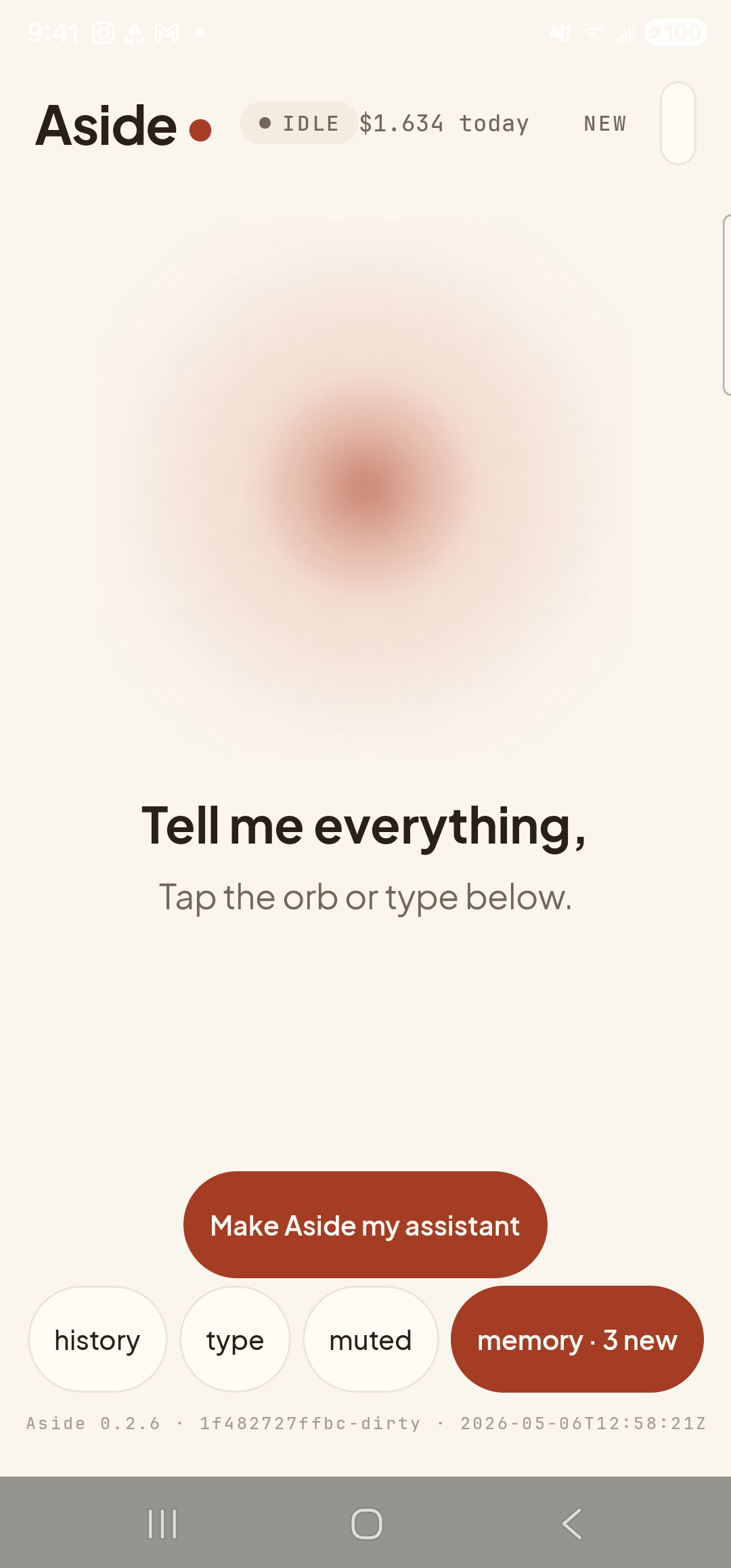
Aside open at idle. The orb breathes; nothing else is happening. -
Say (or type) the number you want to dial
Hold the orb to talk and say “Dial 555-0148,” or tap the type pill at the bottom and type the same phrase, then send. Aside accepts the number however you say it — “five five five oh one four eight,” “dial 555 0148,” “call 555-01-48” all parse to the same digits.
Dial 555-0148.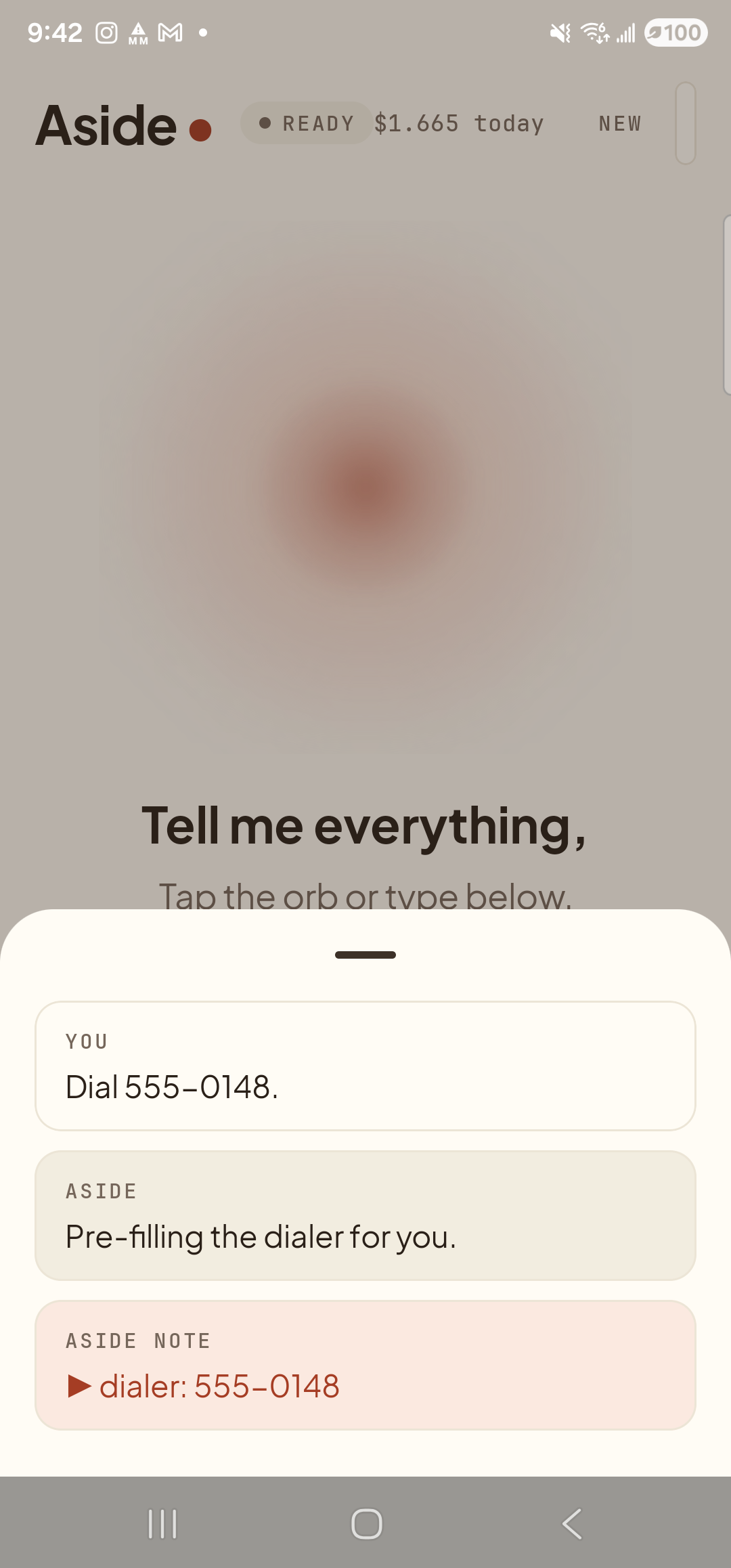
Aside confirms — and reminds you that you are the one who taps to call. The number is just pre-filled, never auto-dialed. -
The dialer opens with the number ready
A moment later your phone’s dialer slides up. The number you said is already typed across the top. Nothing has been called. The big green call button is sitting there waiting for you. Below it, a backspace key lets you correct a digit if you misspoke; the keypad lets you add or change digits if you need to.
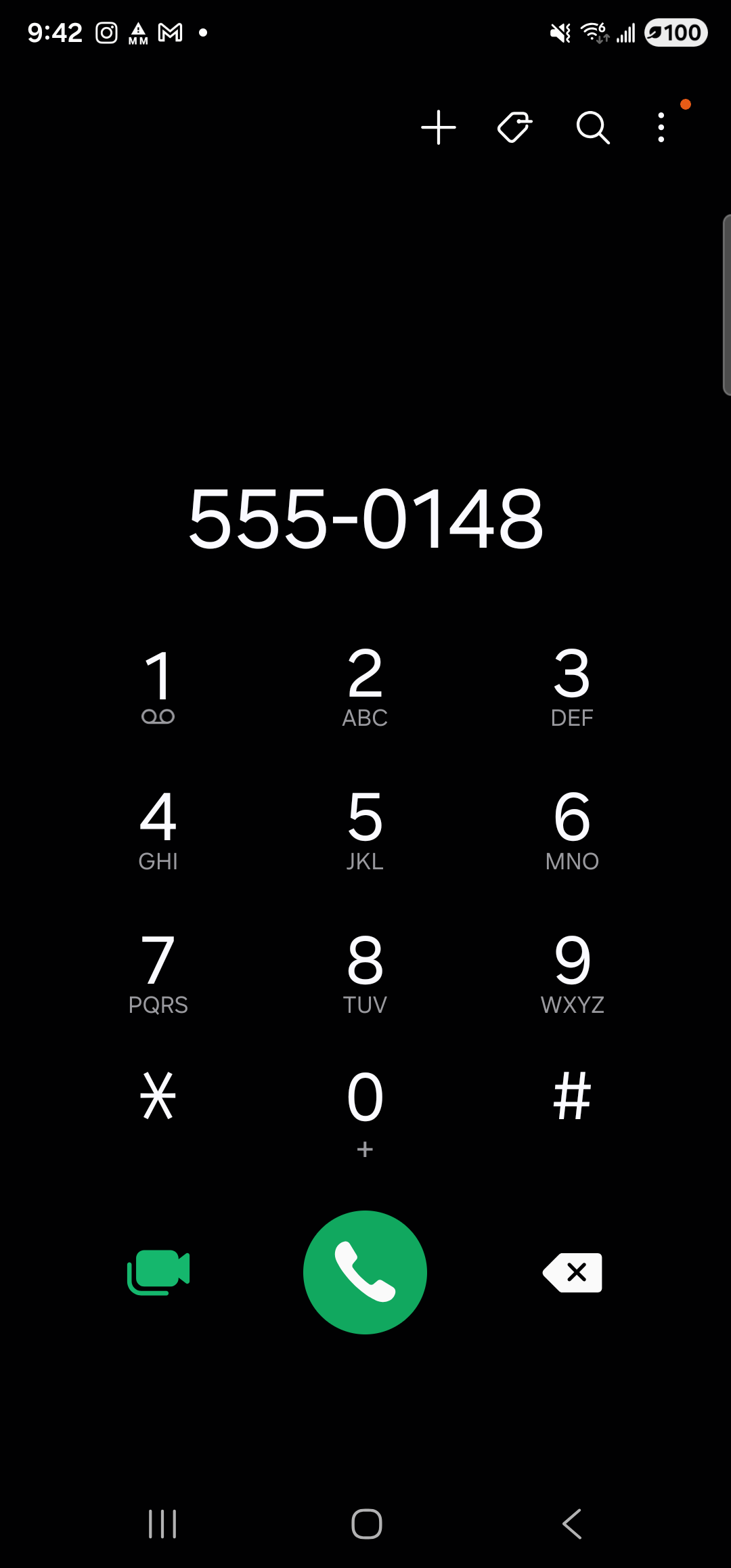
Dialer pre-filled with 555-0148. The call only happens when you tap the green button. -
Tap to call — or back out, no harm done
If the number looks right, tap the green call button to place the call. If you changed your mind, swipe back or tap the home button — the dialer closes and no call is made. Aside cannot place a call on your behalf, ever. The dialer’s green button is the only way the call happens, and that button is always under your finger.