How-to guide · Core capabilities Teach Aside something to remember

Actionremember
Audience Cognitive Motor Vision
Time Under 15 seconds
Permissions None — memory is stored on your device
What this is: A spoken or typed request that asks Aside to remember a single fact about you — a preference, a routine, a name, a favorite. Once remembered, the fact is included automatically on every future turn, so you never have to repeat it. Remembered facts live on your phone and survive app reinstalls and server restarts. Use a generic example like favorite color for your first try.
Try it now

Open Aside, then say or type:

“Remember my favorite color is teal.”

Aside confirms with a short spoken reply, a “Memory updated” chime, and an action chip in your chat history showing the new fact. From now on, every conversation knows your favorite color.

Step by step

  1. Open Aside

    Tap the Aside icon, or use your assist gesture if you’ve set Aside as your default assistant. Aside opens to the orb in its idle state — calm and slowly breathing — with the prompt “Tell me everything,” beneath it.
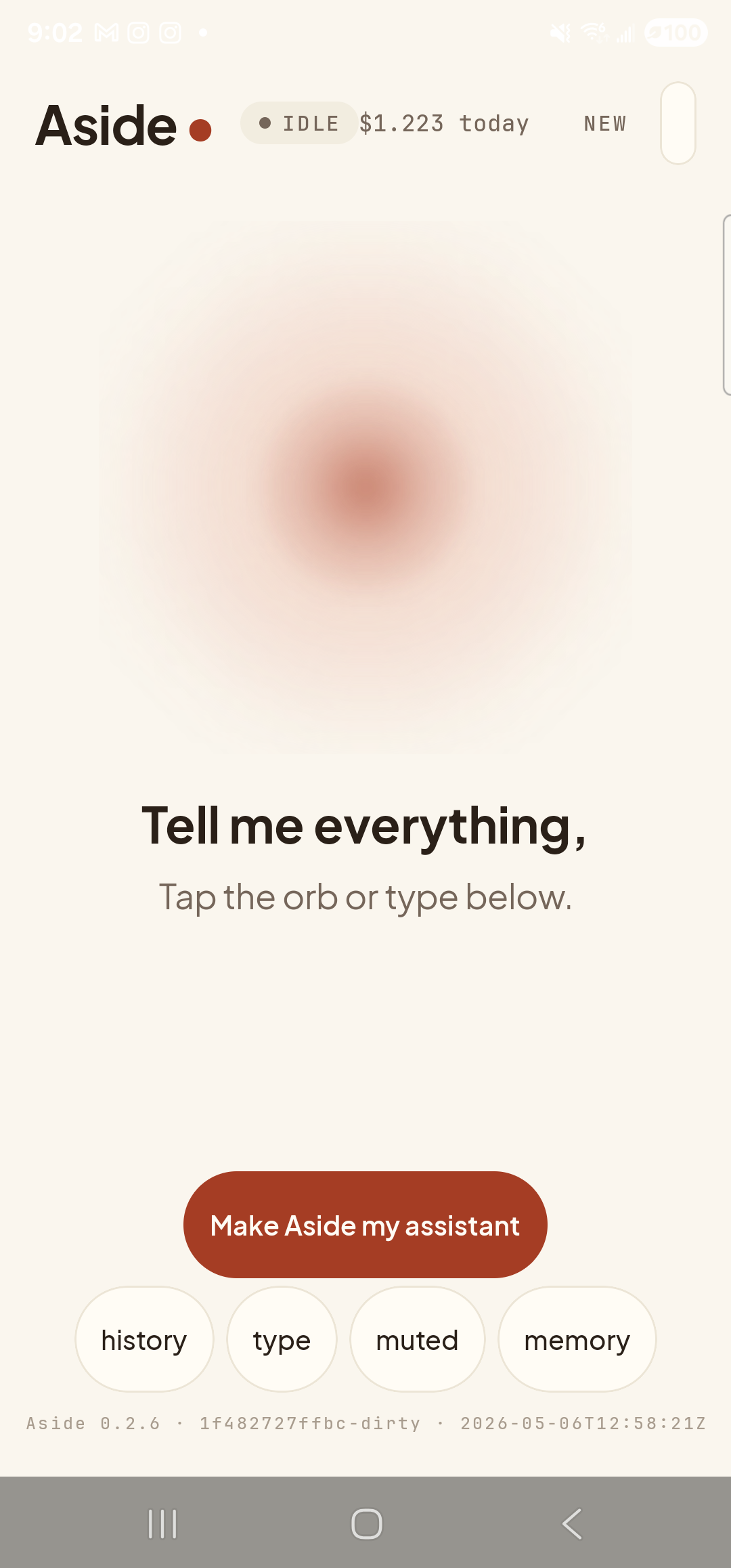
    The Aside main screen at idle on a Samsung Galaxy S23 Ultra. Across the top: the word ‘Aside’ with a red dot, a small mono status pill reading ‘● IDLE’, the cost counter ‘$1.223 today’, and a ‘NEW’ link top-right. Centered in the screen is a large warm-paper-colored orb with a soft brown core, slowly breathing. Below the orb, in large bold type: ‘Tell me everything,’. Below that, in lighter type: ‘Tap the orb or type below.’. Near the bottom is a clay-colored pill button reading ‘Make Aside my assistant’. Below that is a row of four mono pills: ‘history’, ‘type’, ‘muted’, ‘memory’. The very bottom shows the build-identity line.
    Aside open at idle. Nothing is being remembered yet.
  2. Type the ‘remember’ phrase

    Tap the type pill at the bottom of the screen to switch to text input, then type your fact in plain English starting with the word remember. Tap the red Send button when you’re done.

    Remember my favorite color is teal.

    You can also speak it — tap the orb, say the same phrase, and let go. Spoken or typed, Aside treats them the same.
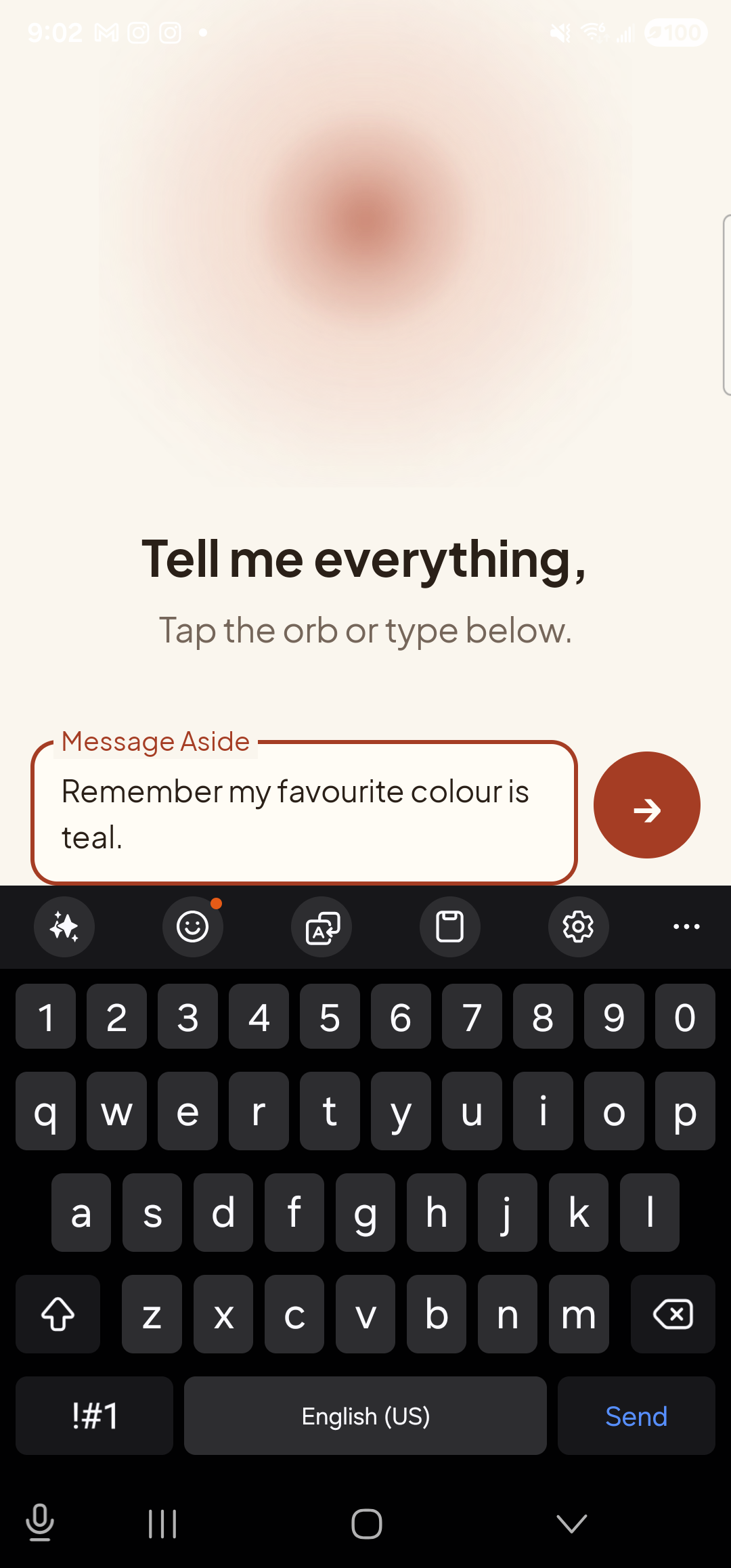
    The Aside main screen in text-input mode. The orb is still visible at the top with ‘Tell me everything,’ and ‘Tap the orb or type below.’ beneath it. A focused EditText labeled ‘Message Aside’ holds the typed text ‘Remember my favorite color is teal.’; to its right is a red circular Send button with a white arrow. Below the input the Samsung soft keyboard is fully up, including a Gboard-style suggestion bar.
    Type the ‘remember’ phrase, then tap the red Send button.
  3. See Aside confirm in chat

    Aside replies in audio and text. Tap the history pill at the bottom-left to slide up the chat history and see what was saved. You’ll see your request, Aside’s spoken acknowledgement, and an Aside note chip showing the exact fact that was committed to memory. The chip is your receipt — if you don’t see it, nothing was saved.
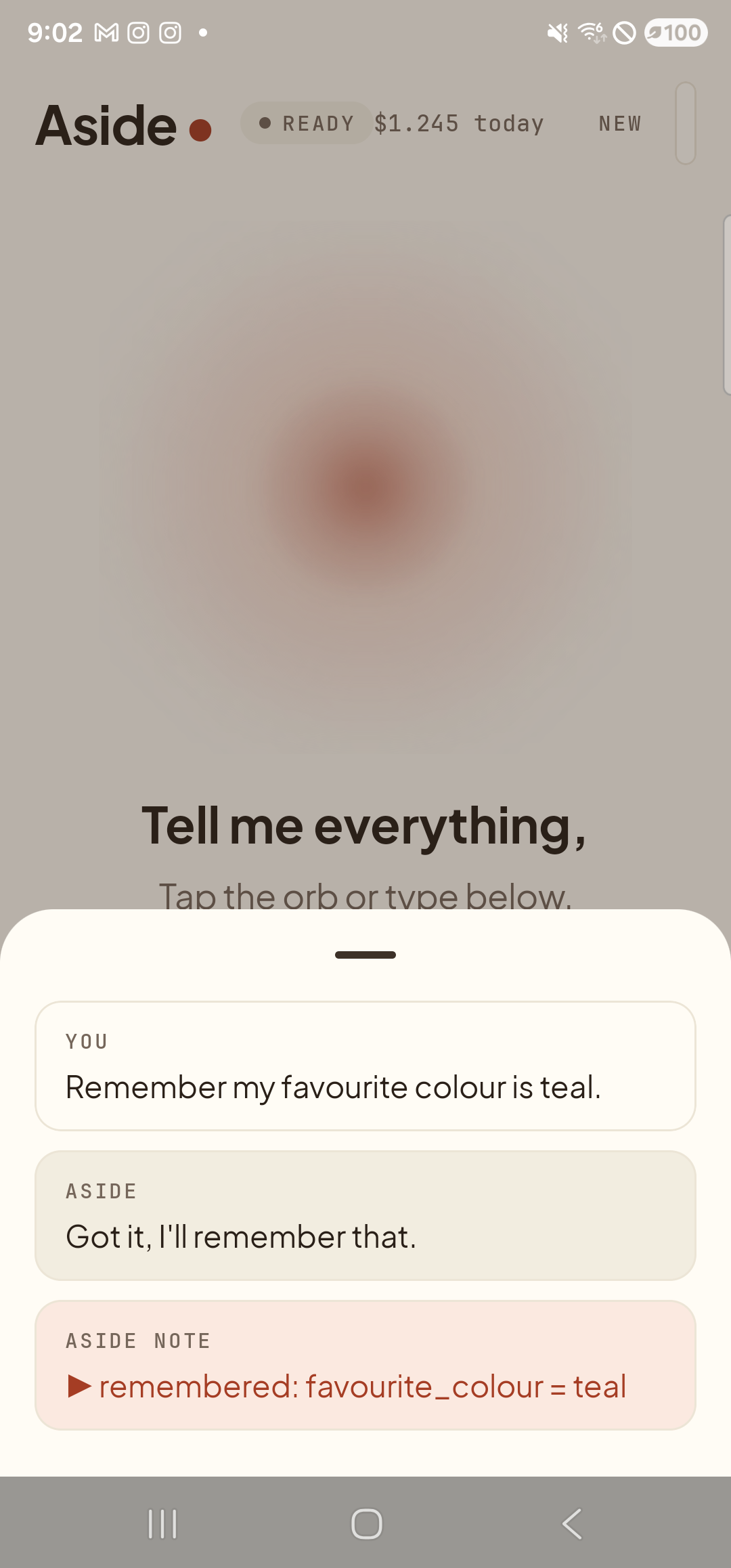
    The Aside main screen with the chat history modal sheet covering the lower half of the screen. The status pill at the top reads ‘● READY’ and the cost counter has ticked up to ‘$1.245 today’. Behind a slight scrim, the orb is dimmed; the words ‘Tell me everything,’ are still partially visible. Inside the bottom sheet are three stacked entries: a small mono label ‘YOU’ above the line ‘Remember my favorite color is teal.’; a label ‘ASIDE’ above the line ‘Got it, I’ll remember that.’; and a clay-tinted ‘ASIDE NOTE’ chip showing ‘▶ remembered: favorite_color = teal’ — the explicit memory marker.
    The action chip remembered: favorite_color = teal is your receipt that the fact was saved.
  4. See it appear in the Memory tab

    Dismiss the history sheet, then tap the memory pill at the bottom-right to open the Memory tab. Your new fact appears under About you with its category, content, and a per-row Forget button. From now on, every reply Aside gives knows about it — you don’t need to mention it again.
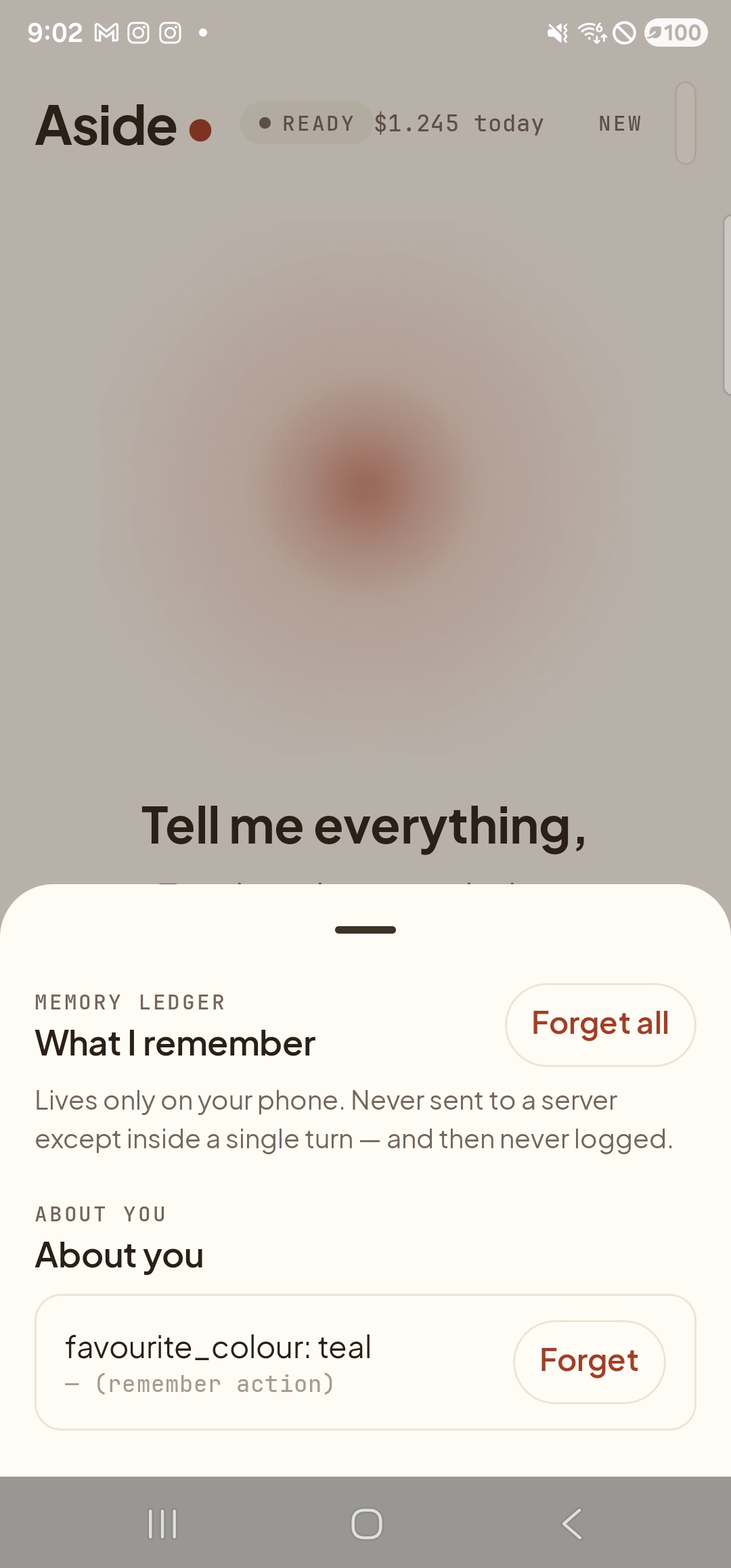
    The Aside Memory tab opened as a bottom sheet over the dimmed main screen. An eyebrow label reads ‘MEMORY LEDGER’; below it the heading ‘What I remember’. To the right of the heading is a clay-bordered ‘Forget all’ button. A small line of body copy reads ‘Lives only on your phone. Never sent to a server except inside a single turn — and then never logged.’. Below that, an eyebrow ‘ABOUT YOU’ and heading ‘About you’, followed by one row showing ‘favorite_color: teal’ in serif type with a small caption ‘— (remember action)’ underneath, and a ‘Forget’ button on the right.
    Memory tab now lists your favorite color. Every conversation knows it from now on.
Use a placeholder for your first try: Stick to something innocuous — favorite color, lucky number, the name of a fictional pet. You can always add real personal facts later, once you’ve seen how the receipts and the Memory tab work.
What is — and isn’t — sent off-device: Remembered facts live on your phone in encrypted local storage. Each turn includes a small slice as part of the system prompt sent to Aside’s server, then the server immediately discards it; nothing is logged with the contents intact. If you don’t want a fact in the model’s context for the next turn, forget it first.