How-to guide · Voice & conversation “Hey Aside” — the wake-word, hands-free

Action
Audience Vision Motor Situational
Time Hands-free; the turn fires the moment you finish the sentence
Permissions Microphone (already granted at first launch)
What this is: While Aside is open, it’s already listening for the phrase “Hey Aside”. The moment it hears the wake word, the rest of whatever you say in the same breath becomes your request — no tapping, no waiting for a beep. Say “Hey Aside, what’s the weather?” as one sentence and Aside takes the “what’s the weather” part as the turn. Useful when your hands are full, when you can’t see the screen well, or when you just want to ask without picking up the phone.
Try it now

Open Aside — or just glance at it if it’s already open — and say, naturally, in one breath:

“Hey Aside, what’s the weather?”

Aside hears the wake phrase, takes “what’s the weather” as your request, and answers aloud. You never tap anything.

Step by step

  1. Open Aside — that’s the only tap

    Wake-word listening only runs while Aside is in the foreground (this is intentional — it’s the privacy baseline). So step one is to launch the app, exactly as for any other request. The orb is in idle, breathing slowly, with the prompt “Tell me everything,” beneath it. From this point on, you don’t need to touch the phone again.
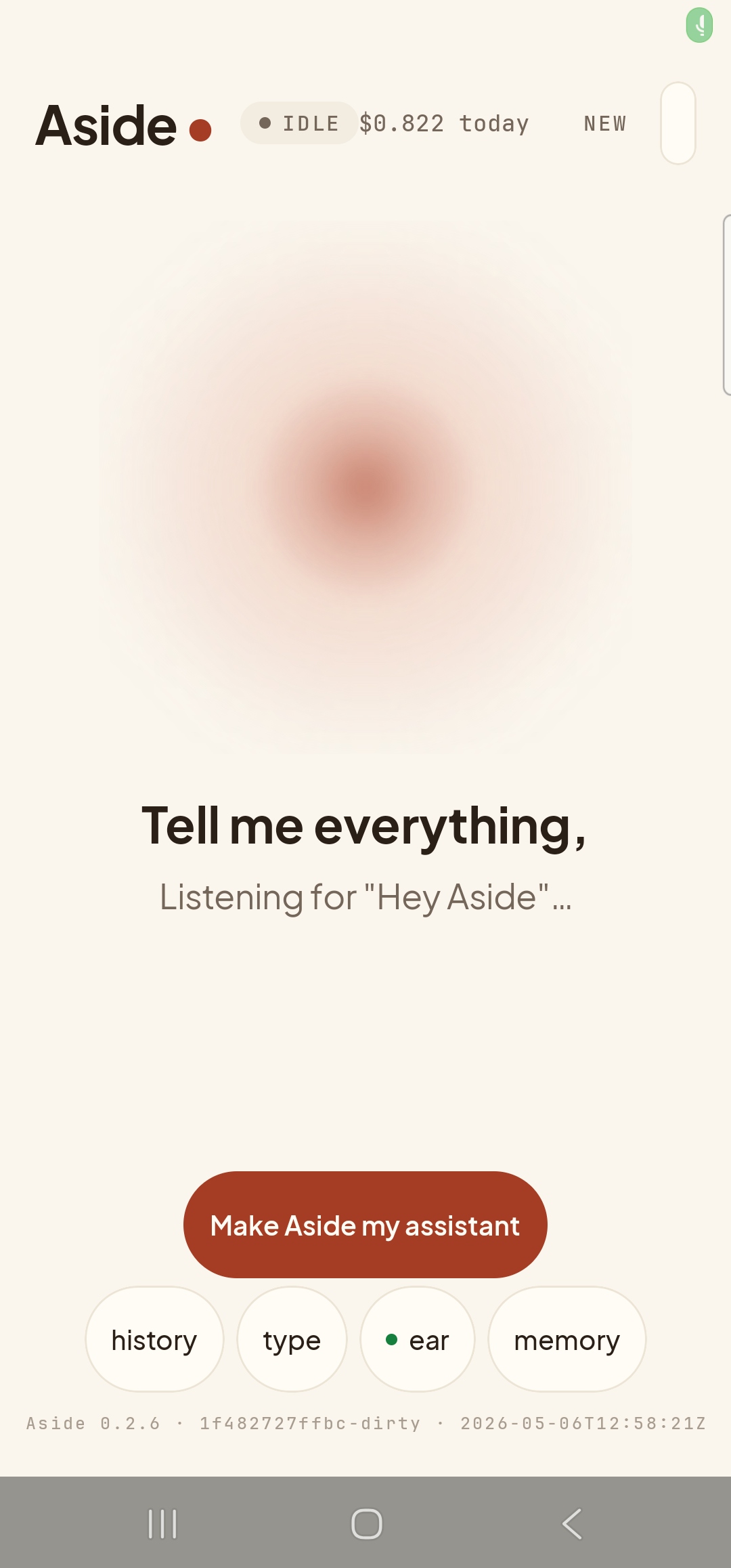
    The Aside main screen at idle on a Samsung Galaxy S23 Ultra, ready to hear the wake word. The status pill at the top reads ‘● IDLE’ with the cost counter ‘$0.822 today’ alongside. The orb is the warm-paper colored shape, slowly breathing in the center. Beneath the orb, in large bold type: ‘Tell me everything,’. Below that, in lighter type, a second line reads ‘Listening for “Hey Aside”…’ — Aside’s in-app indicator that wake-word listening is active. The bottom pill row reads ‘history’, ‘type’, ‘● ear’, ‘memory’ — the third pill has flipped to its ON form, with a small green dot prefix marking active wake-word listening (its OFF form is labeled ‘muted’). Build-identity stamp at the bottom.
    Aside open at idle. The caption beneath the orb confirms wake-word listening is active.
  2. Say it as one sentence

    Speak the wake phrase and the rest of your request together, in a single breath. Aside isn’t fussy about pronunciation — “Hey Aside”, “Hi Aside”, and several near-mishears all count. The moment the detector recognises the wake phrase, the orb shifts to its listening state and the rest of the sentence is captured as the active turn.

    Hey Aside, what’s the weather?
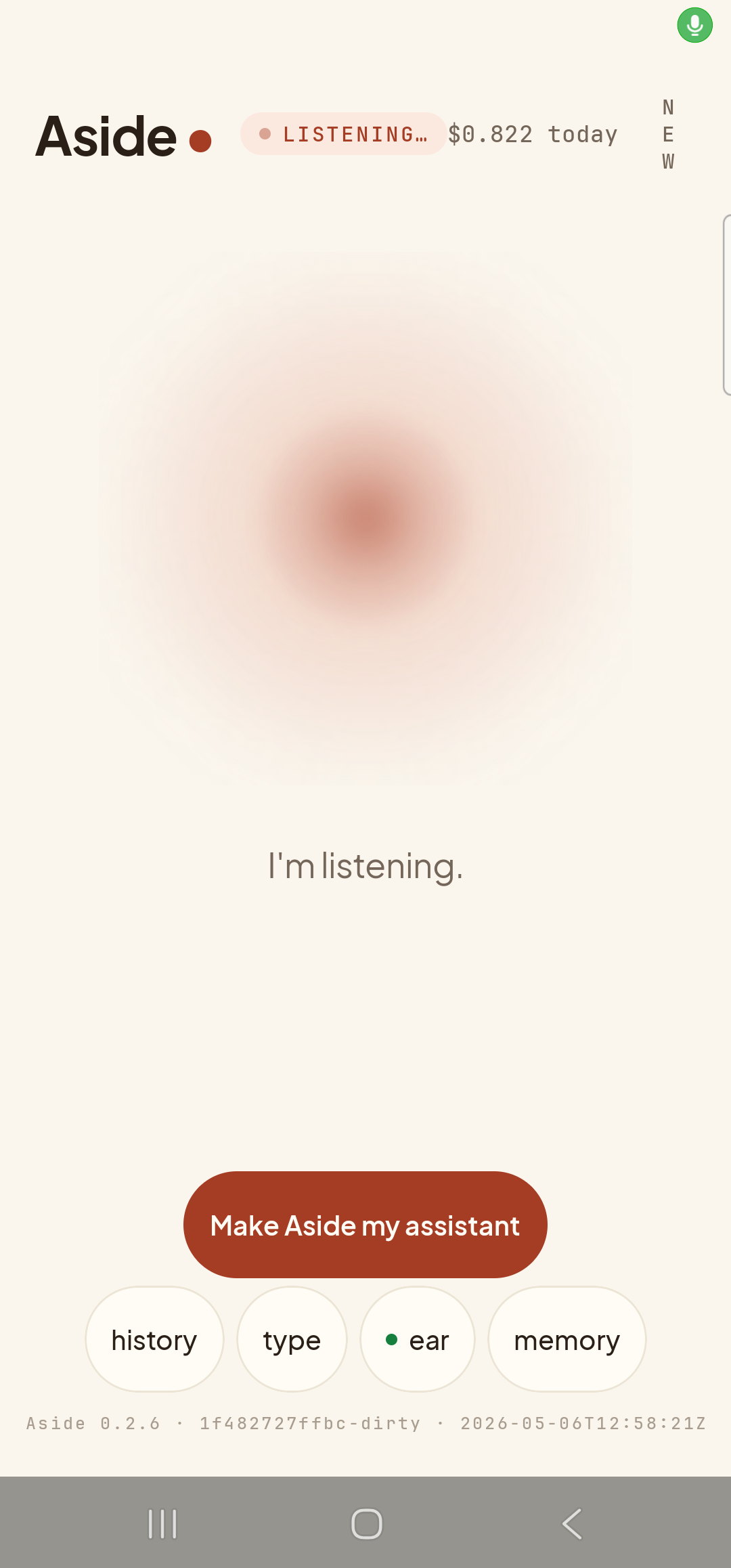
    The Aside main screen in the listening state — visually the same state a successful wake-word detection produces. The status pill at the top reads ‘● LISTENING…’ and the cost counter shows ‘$0.822 today’. The orb has shifted to its listening shape — slightly larger and softer, with a faint outline. Beneath the orb, a single sentence replaces the earlier two-line prompt: ‘I’m listening.’. The bottom pill row remains visible: ‘history’, ‘type’, ‘● ear’, ‘memory’. (For this capture the orb was opened with a tap rather than the wake phrase, because no synthetic-audio path is available on the locked S23 Ultra. The rendered state is identical to a real wake-fired listen.)
    The wake fires. The orb is listening; the sentence after “Hey Aside” is being captured.
  3. Aside takes the rest as the turn

    When you finish the sentence and pause naturally, Aside sends the post-wake-word substring as the request — in the example, “what’s the weather”. The orb passes through THINKING into SPEAKING as the answer streams back. You’ve done one thing: spoken a sentence.
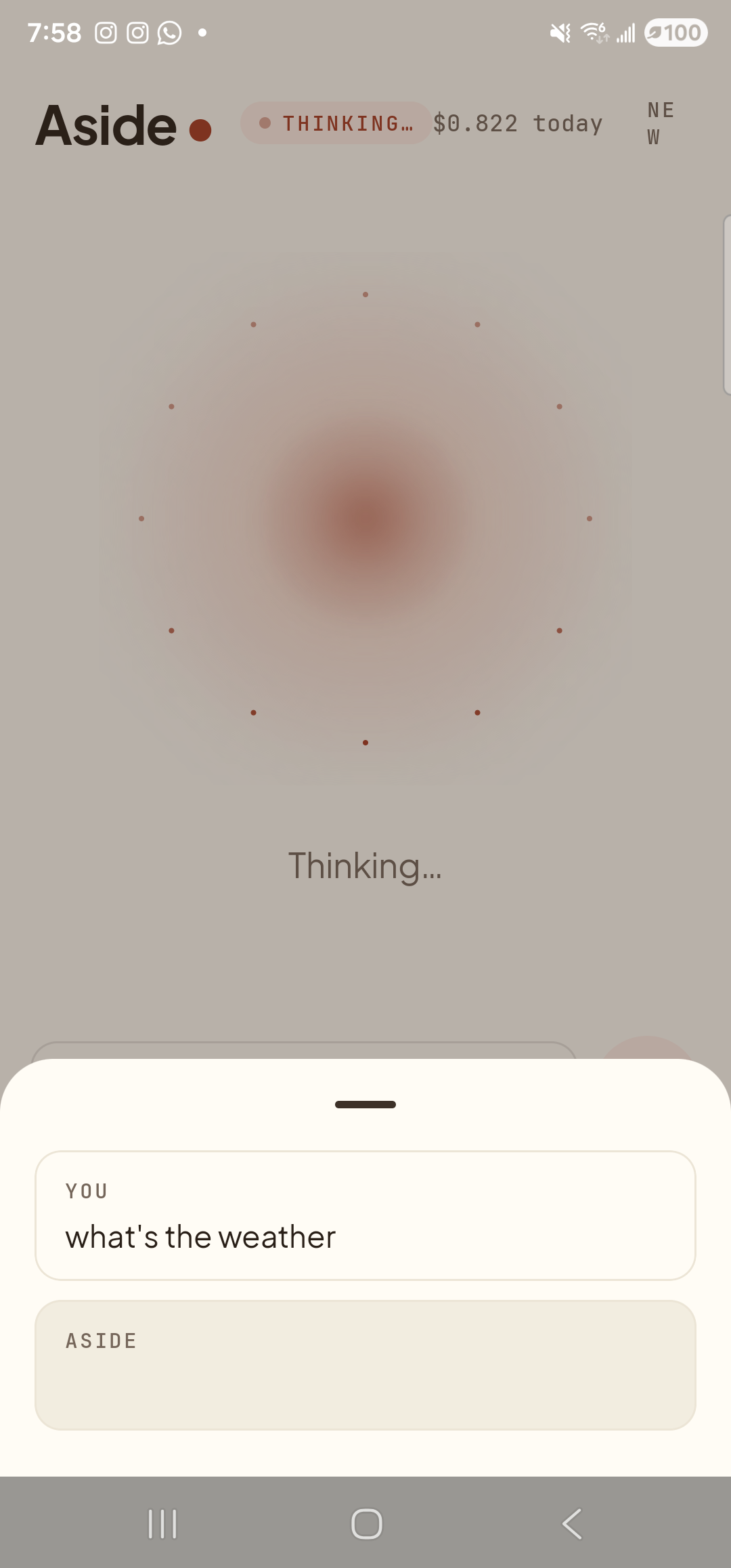
    The Aside main screen with the chat history bottom sheet open during an in-flight turn. The status pill at the top reads ‘● THINKING…’ and the cost counter shows ‘$0.822 today’. Inside the bottom sheet two entries are visible: a small mono label ‘YOU’ above the line ‘what’s the weather’ — note the absence of the ‘Hey Aside’ prefix, which Aside strips before sending — and a label ‘ASIDE’ above an empty reply box (the model is still composing; tokens have not yet started streaming). Behind the sheet, the orb is in its dotted-particle thinking halo with the caption ‘Thinking…’ visible just above the sheet.
    The post-wake substring is the request. Aside answers; the “Hey Aside” itself is stripped.
  4. It returns to listening for “Hey Aside” on its own

    When the reply finishes, the orb settles back to idle and the caption returns to “Listening for ‘Hey Aside’…”. The wake-word loop has resumed automatically. You can ask another question whenever you like — no tap, no re-launch — as long as Aside is still in the foreground.
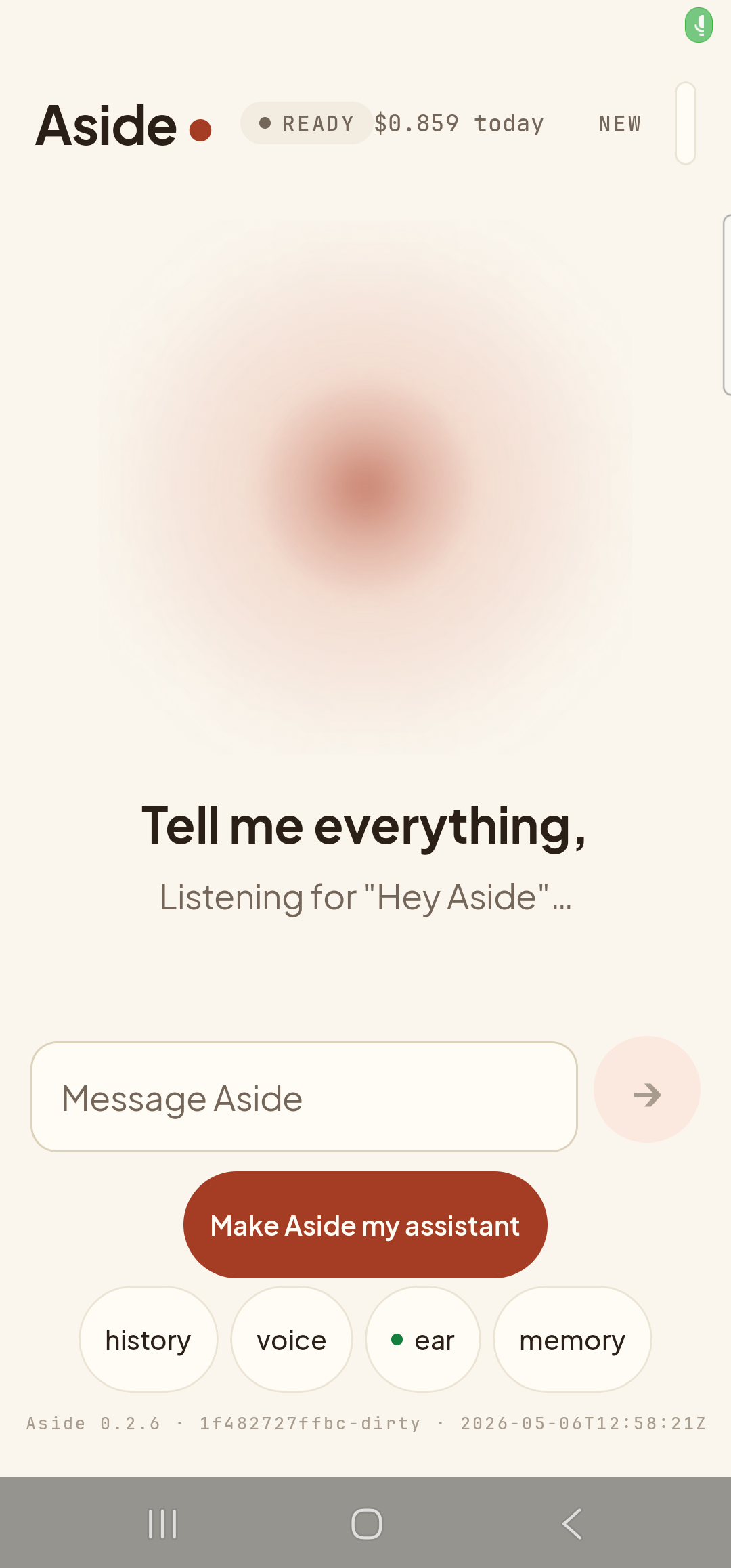
    The Aside main screen back at the idle state, after the reply has finished. The status pill at the top reads ‘● READY’ and the cost counter has settled at ‘$0.859 today’. The orb has settled back to its calm slow-breathing form. Beneath the orb, the prompt ‘Tell me everything,’ has returned, and below that the second line ‘Listening for “Hey Aside”…’ confirms the wake-word loop is active again. The Message Aside text input is still visible from the previous text-mode turn. The bottom pill row reads ‘history’, ‘voice’, ‘● ear’, ‘memory’ — the second pill is in its ‘voice’ form because text-mode is still toggled on, and the third pill still shows the green-dot ear marker.
    Idle, but the wake-word loop is running again. Just speak when you’re ready for the next one.
  5. Turn it off when you don’t want it

    If wake-word listening is too sensitive, or you’re in a quiet environment where you’d rather initiate every turn with a deliberate tap, toggle the ear pill in the bottom row to switch the wake loop off. Aside still works exactly as before via the orb tap or the type pill — this just stops it listening for “Hey Aside” in the background of the foreground app.

    Tap the ear pill in the bottom row to toggle the wake-word loop.
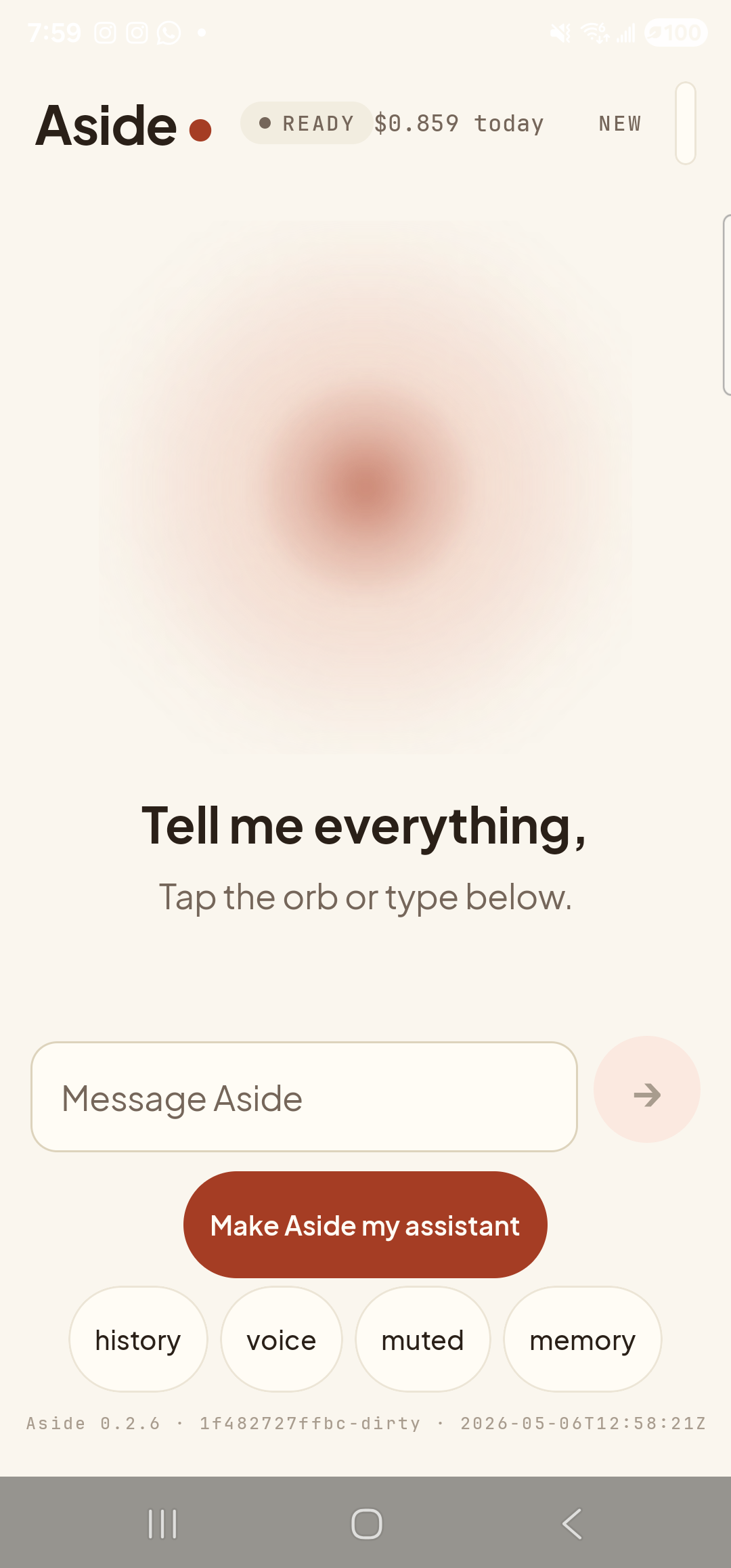
    The Aside main screen with the wake-word toggle switched off. The status pill at the top reads ‘● READY’ and the cost counter shows ‘$0.859 today’. The orb is back to its calm idle shape. Beneath the orb, the prompt ‘Tell me everything,’ remains, but the second line that previously said ‘Listening for “Hey Aside”…’ has been replaced with ‘Tap the orb or type below.’ — the wake loop is no longer running. The Message Aside text input is still in view from the prior text-mode session. In the bottom pill row — ‘history’, ‘voice’, ‘muted’, ‘memory’ — the third pill has flipped from its green-dot ‘● ear’ form back to its plain ‘muted’ form, indicating wake-word listening is off.
    Wake-word listening off. The orb tap and the type pill still work the same way.
Privacy by design. The wake-word loop runs only while Aside is in the foreground — it does not listen when the app is closed, and it does not run as a background service. Audio for the wake-word check stays on the phone; nothing is sent to any server until the wake fires and a real turn begins.
Want it to work from any screen? Combine the wake word with setting Aside as your default assistant and the assist gesture (long-press home, side-key squeeze) launches Aside straight into mic-on mode — effectively system-wide voice access without a true always-on background mic.
If “Hey Aside” isn’t firing: Double-check the ear pill is on (the second line under the orb should read “Listening for ‘Hey Aside’…”), and that microphone permission is granted — see Push-to-talk for the inline mic-permission banner if it isn’t.