How-to guide · Media & capture Search YouTube by phrase

Actionyoutube_search
Audience Cognitive Motor
Time Under 10 seconds
Permissions None — Aside hands the search off to the YouTube app
What this is: A spoken or typed phrase that opens YouTube directly to that search — without finding the YouTube icon, tapping the magnifying-glass, dictating into a separate search box, or correcting an autocomplete. Useful when your hands are busy (kneading dough, holding a baby) or when typing on a tiny search field is fiddly.
Try it now

Open Aside on your phone, then say or type:

“Find a YouTube video on bread baking.”

Aside confirms in the chat history and the YouTube app opens to the bread-baking results page.

Step by step

  1. Open Aside

    Tap the Aside icon, or trigger your assist gesture if you’ve set Aside as your default assistant. Aside opens to the orb in its idle state — calm, slowly breathing — with the prompt “Tell me everything,” beneath it.
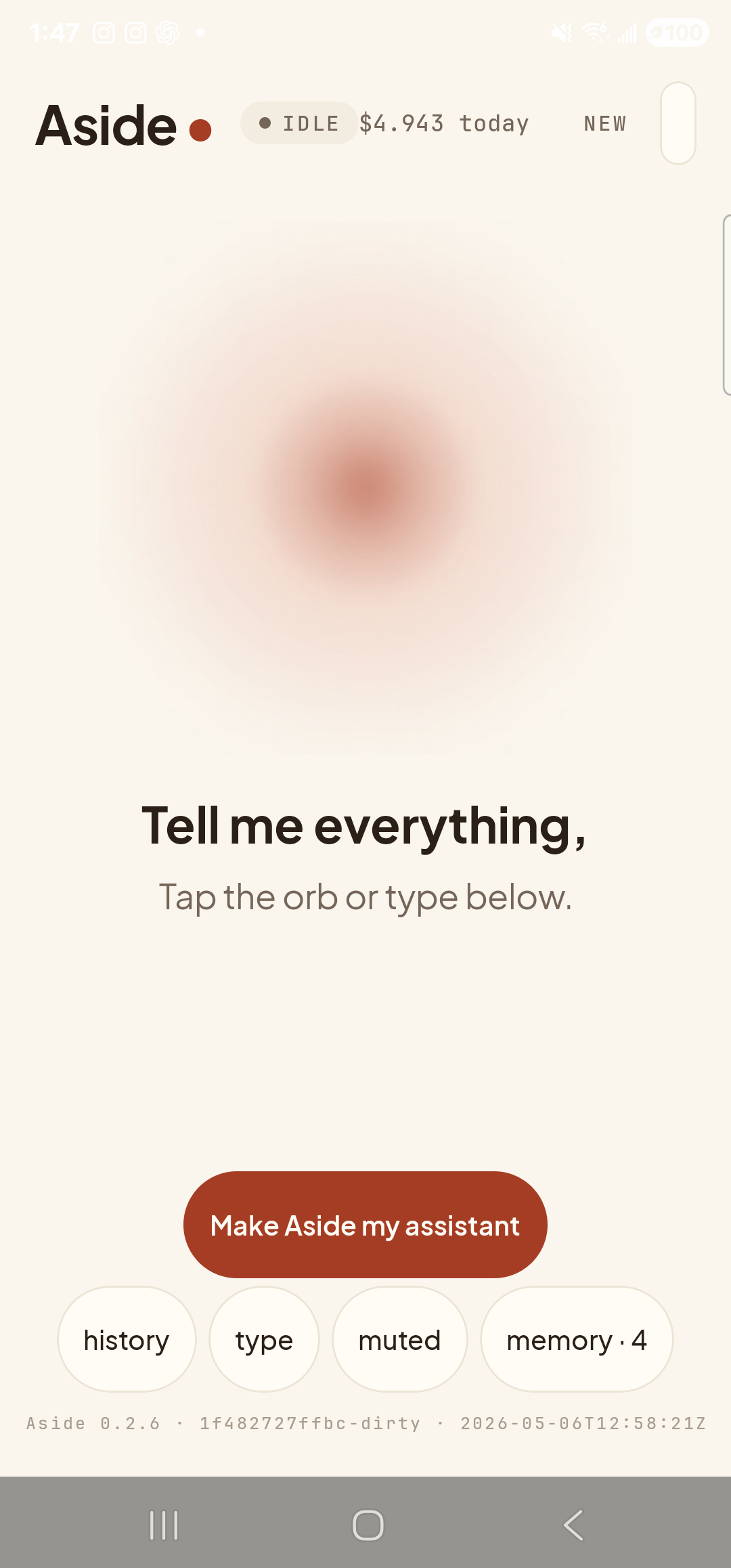
    The Aside main screen at idle on a Samsung Galaxy S23 Ultra. Across the top: the word ‘Aside’ with a red dot, a small mono status pill reading ‘● IDLE’, the cost counter ‘$4.943 today’, and a ‘NEW’ link top-right. Centered in the screen is a large warm-paper-colored orb with a soft brown core, slowly breathing. Below the orb, in large bold type: ‘Tell me everything,’. Below that, in lighter type: ‘Tap the orb or type below.’. Near the bottom is a clay-colored pill button reading ‘Make Aside my assistant’ and a row of four mono pills: ‘history’, ‘type’, ‘muted’, ‘memory · 4’. The build-stamp footer reads ‘Aside 0.2.6 · 1f482727ffbc-dirty · 2026-05-06T12:58:21Z’.
    Aside open at idle. The orb breathes; nothing else is happening.
  2. Say or type the request

    Hold the orb and say “Find a YouTube video on bread baking,” or tap the type pill at the bottom and key the same phrase in. Phrase it however feels natural — “search YouTube for sourdough,” “YouTube videos about knife sharpening,” and “show me YouTube videos on bread baking” all work.

    Find a YouTube video on bread baking.
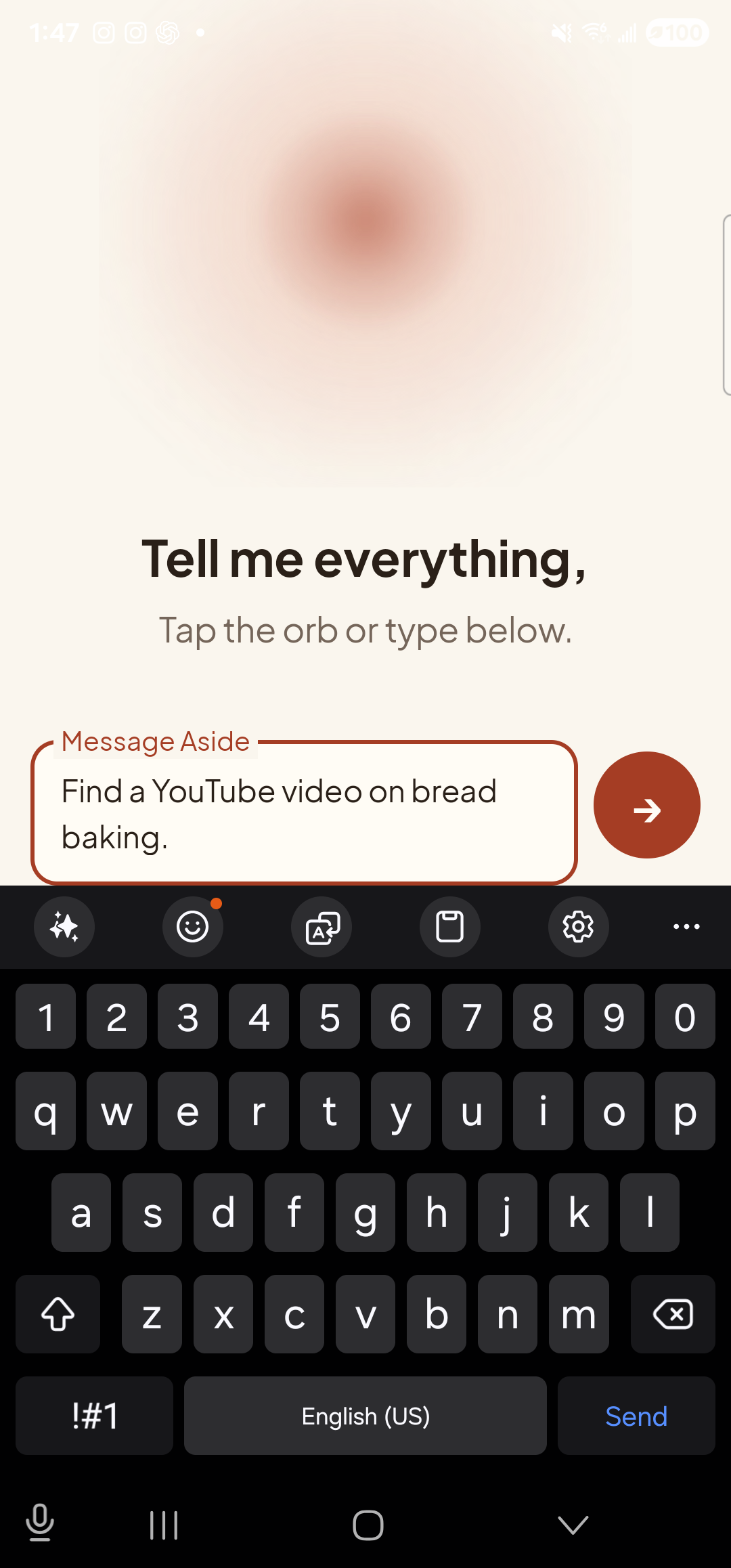
    The Aside main screen with text-input mode active. The bottom of the screen now shows an outlined text field labeled ‘Message Aside’ with the typed sentence ‘Find a YouTube video on bread baking.’ inside it. To the right of the text field is a clay-red circular Send button with a paper-plane glyph. The orb is still visible in the upper portion of the screen, in its idle state.
    The phrase typed into the chat input, ready to send.
  3. See Aside confirm

    Aside replies in the chat with a short spoken acknowledgement and an action note chip showing the exact action that ran. The chat history sheet slides up over the orb so you can read the confirmation; behind the scrim, the YouTube app is already loading.
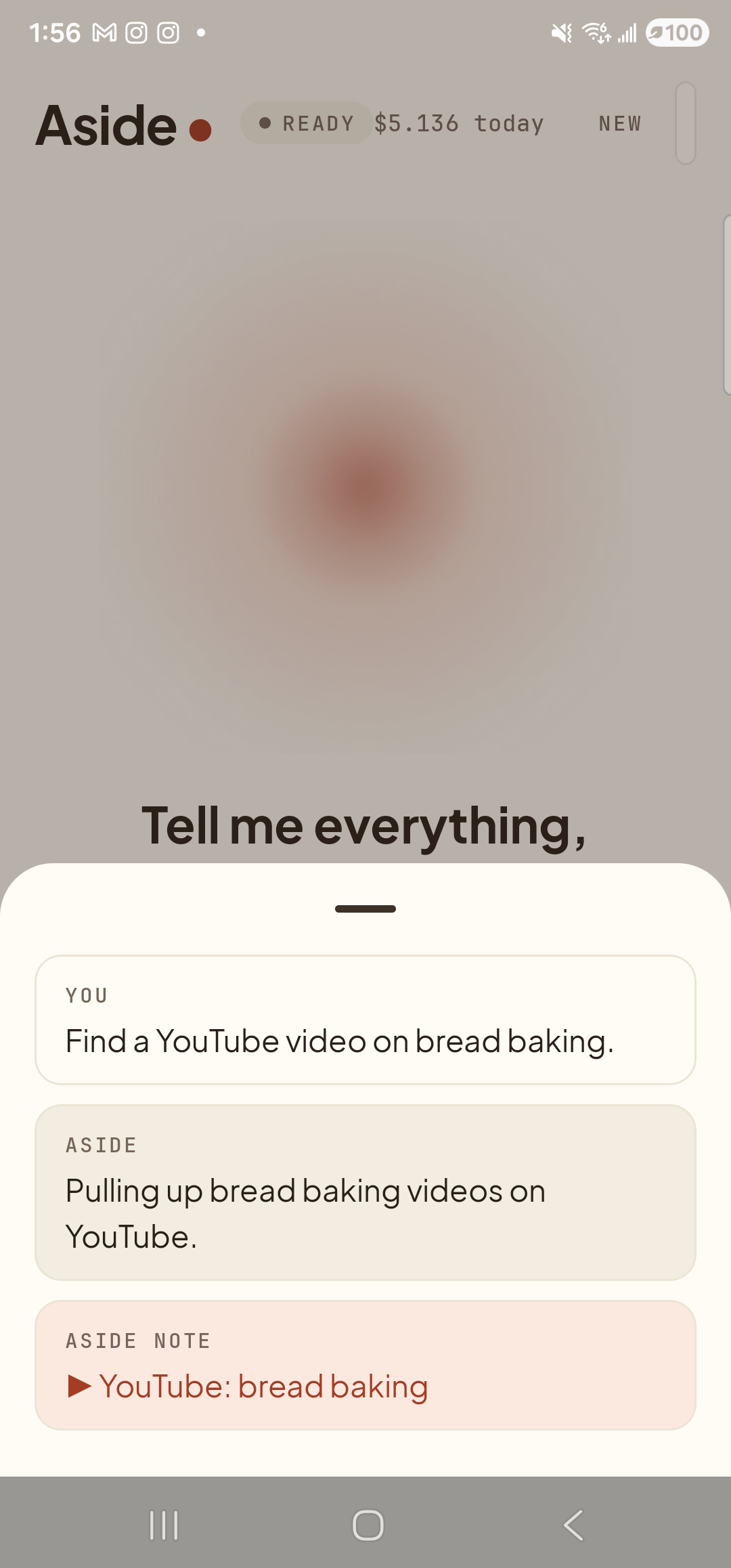
    The Aside main screen with the chat history bottom sheet covering the lower half of the screen. The status pill at the top reads ‘● READY’ and the cost counter shows ‘$5.136 today’. Behind a slight scrim the dimmed orb and the words ‘Tell me everything,’ are still partly visible. Inside the bottom sheet are three stacked entries: a small mono label ‘YOU’ above the line ‘Find a YouTube video on bread baking.’; a label ‘ASIDE’ above the line ‘Pulling up bread baking videos on YouTube.’; and a clay-tinted ‘ASIDE NOTE’ chip showing ‘▶ YouTube: bread baking’ — the explicit action marker.
    Aside confirms on screen and aloud. The action chip names the search Aside is handing off.
  4. YouTube opens to the results

    The YouTube app comes to the foreground, already showing the search-results page for your phrase — no manual search-box tap, no autocomplete to wrestle with. Pick a video and play it as normal. To return to Aside, swipe up to the home screen and re-launch (or use the back gesture).
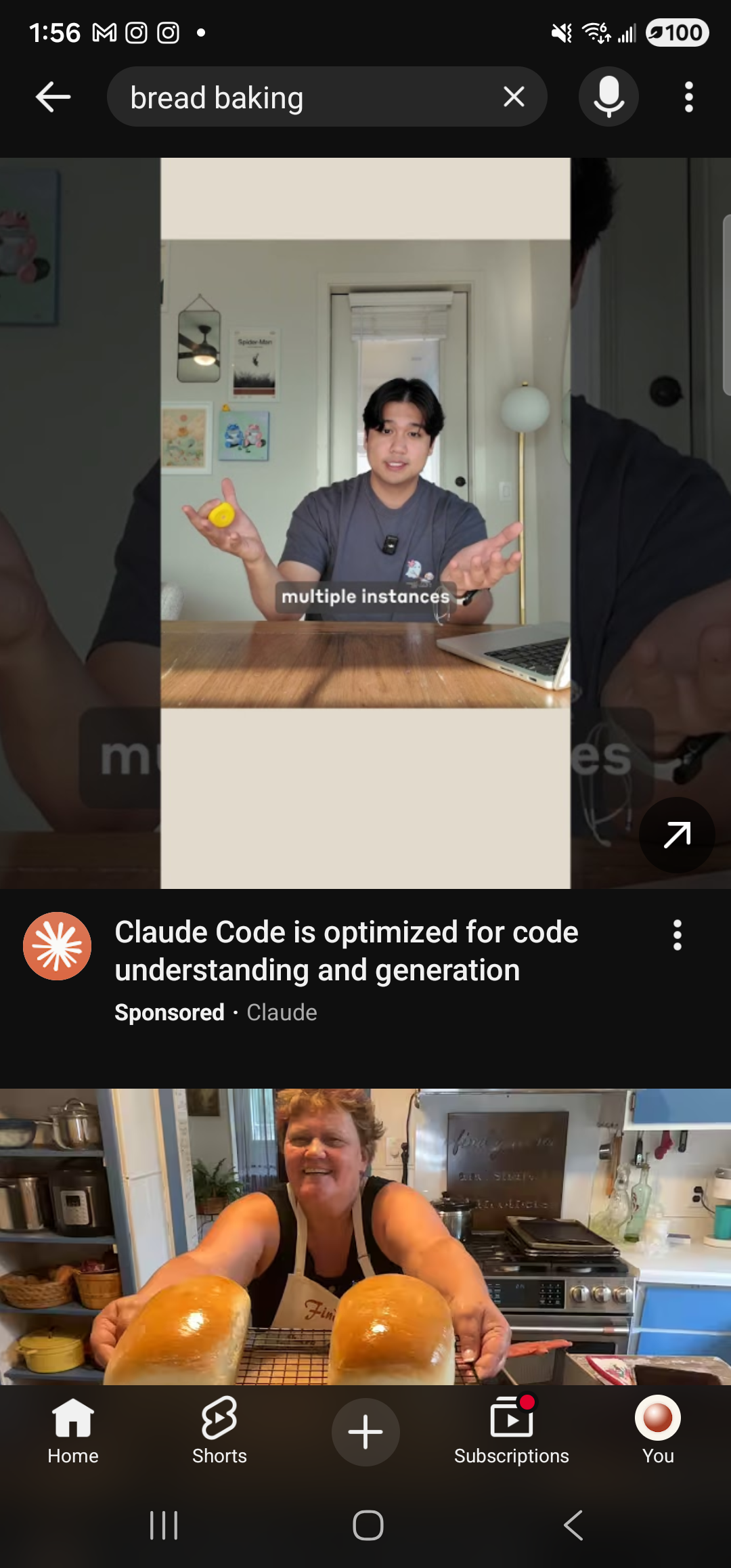
    The YouTube Android app foregrounded on the same Samsung Galaxy S23 Ultra in dark mode. At the top, a back arrow, a dark search field showing the query ‘bread baking’ with an ✕ clear button, a microphone search icon, and a 3-dot overflow menu. Below the search bar is a tall portrait video tile — a person in a gray t-shirt seated at a kitchen table, holding two yellow round loaves on either side, with the text overlay ‘multiple instances’. Beneath the tile a clay-orange channel avatar, the title ‘Claude Code is optimized for code understanding and generation’, a ‘Sponsored · Claude’ label, and a 3-dot menu — a sponsored result. Below that, the top edge of a second video thumbnail showing a smiling person with two more golden loaves on a counter. The bottom navigation bar shows YouTube’s standard tabs Home, Shorts, a centered ‘+’ create button, Subscriptions, and You.
    YouTube already on the bread-baking results page. No search-box tapping required.
If YouTube isn’t installed: Aside falls back to opening your default browser to the YouTube web search results for the same phrase. The handoff still works; you just land in a browser tab instead of the app.
Note: Aside doesn’t pick a specific video for you — it puts you in front of the search results and lets you decide. That’s a deliberate choice: which clip to watch is your call, not the assistant’s.