How-to guide · App launch & system navigation Open a web link by name

Actionopen_url
Audience Cognitive Privacy
Time Under 10 seconds
Permissions None — opens in your default browser
What this is: A spoken or typed request that opens a website by name in your default browser — without typing the URL into an address bar, without remembering whether it’s .com or .ai, and without scrolling search results to find the official site. You name the site; Aside opens it. The URL is checked against an allowlist before it opens, so only well-formed http:// and https:// links are dispatched — nothing exotic, nothing local, nothing that could be used to launch another app behind your back.
Try it now

Open Aside on your phone, then say or type:

“Open the Aside website.”

Aside confirms in the chat history and your browser opens to g3nr8.ai — the official site for Aside. Try the same with any site you can name: “open Wikipedia,” “open my bank’s website,” “open the BBC.”

Step by step

  1. Open Aside

    Tap the Aside icon, or trigger your assist gesture if you’ve set Aside as your default assistant. Aside opens to the orb in its idle state with the prompt “Tell me everything,” beneath it.
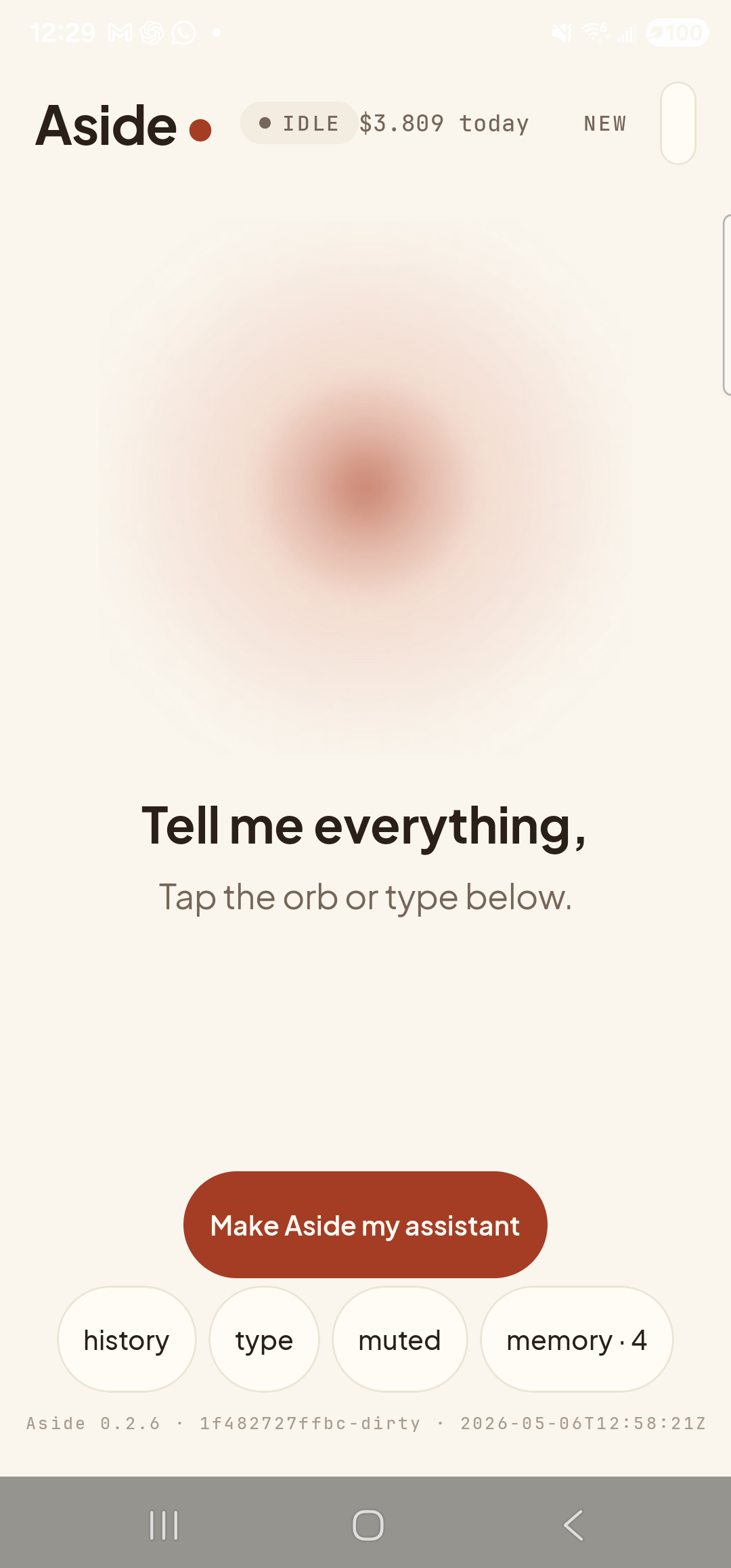
    The Aside main screen at idle on a Samsung Galaxy S23 Ultra. Across the top: the word ‘Aside’ with a red dot, a small mono status pill reading ‘● IDLE’, the cost counter ‘$3.809 today’, and a ‘NEW’ link top-right. Centered in the screen is a large warm-paper-colored orb with a soft brown core, slowly breathing. Below the orb, in large bold type: ‘Tell me everything,’. Below that, in lighter type: ‘Tap the orb or type below.’. Near the bottom is a clay-colored pill button reading ‘Make Aside my assistant’. Below that is a row of four mono pills: ‘history’, ‘type’, ‘muted’, ‘memory · 4’.
    Aside open at idle. The orb breathes; nothing else is happening.
  2. Say (or type) the site you want

    Hold the orb to talk and say “Open the Aside website,” or tap the type pill at the bottom and type the same phrase, then send. You can use the site’s name in plain language — “the Aside website,” “Wikipedia,” “the BBC” — or paste a URL outright if you have one in mind. Aside resolves the phrase to a real https:// address and dispatches it to your default browser.

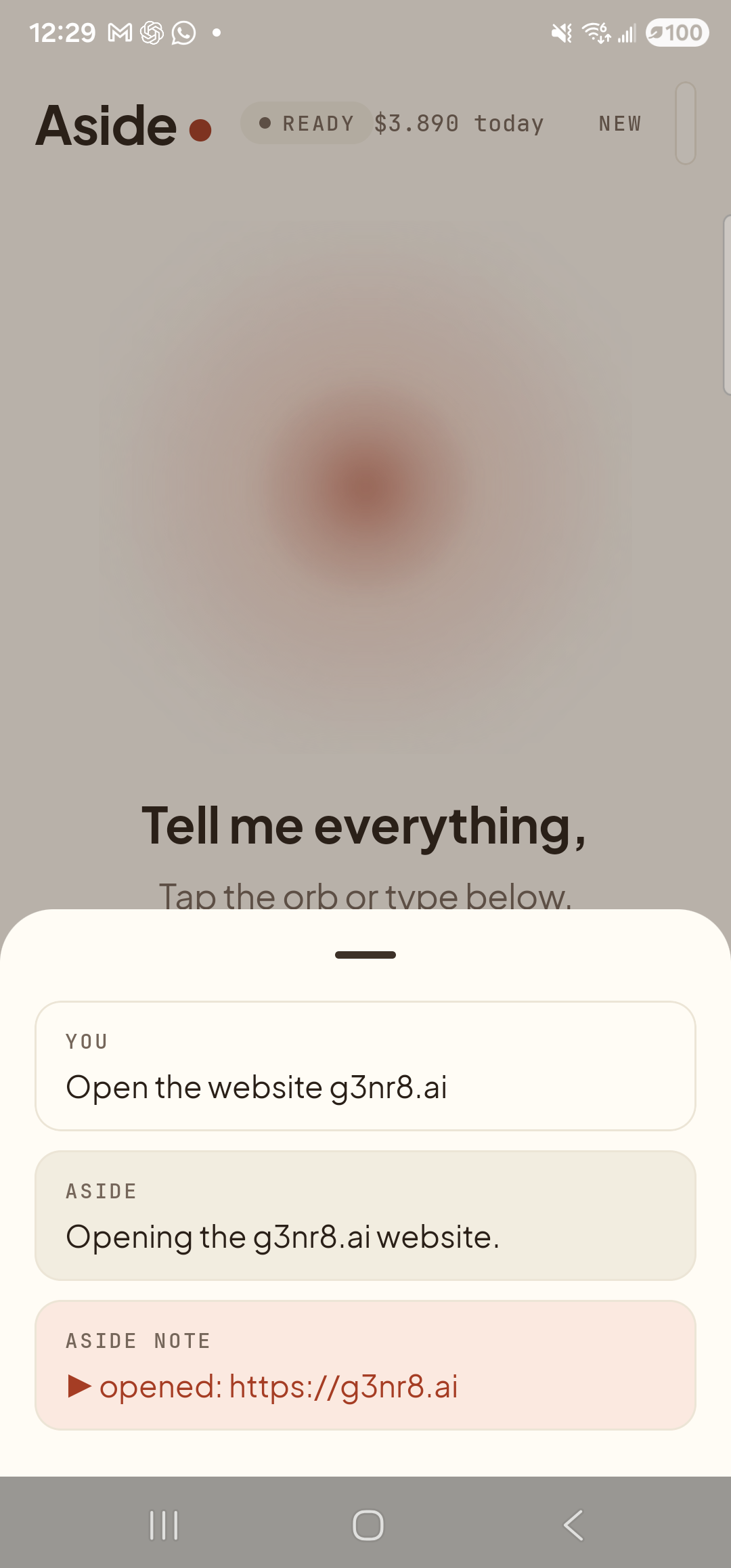
    Open the website g3nr8.ai
    The Aside main screen with the chat history bottom sheet covering the lower half of the screen. The status pill at the top reads ‘● READY’ and the cost counter has ticked up to ‘$3.890 today’. Behind a slight scrim the orb is dimmed; the words ‘Tell me everything,’ and ‘Tap the orb or type below.’ are still partially visible above the sheet. Inside the bottom sheet are three stacked entries: a small mono label ‘YOU’ above the line ‘Open the website g3nr8.ai’; a label ‘ASIDE’ above the reply ‘Opening the g3nr8.ai website.’; and a clay-tinted ‘ASIDE NOTE’ chip showing ‘▶ opened: https://g3nr8.ai’ — the explicit action marker, with the resolved URL.
    Aside confirms the request and shows the action chip with the resolved URL https://g3nr8.ai — you can see exactly where it’s about to send you.
  3. The browser opens to the site

    A moment later your default browser switches into focus and loads the page. The address bar shows the same URL Aside named in the previous step, so there’s no surprise about where you ended up. If you have a different default browser (Firefox, Brave, Samsung Internet), Aside hands the URL off to whichever one your phone is set to use.
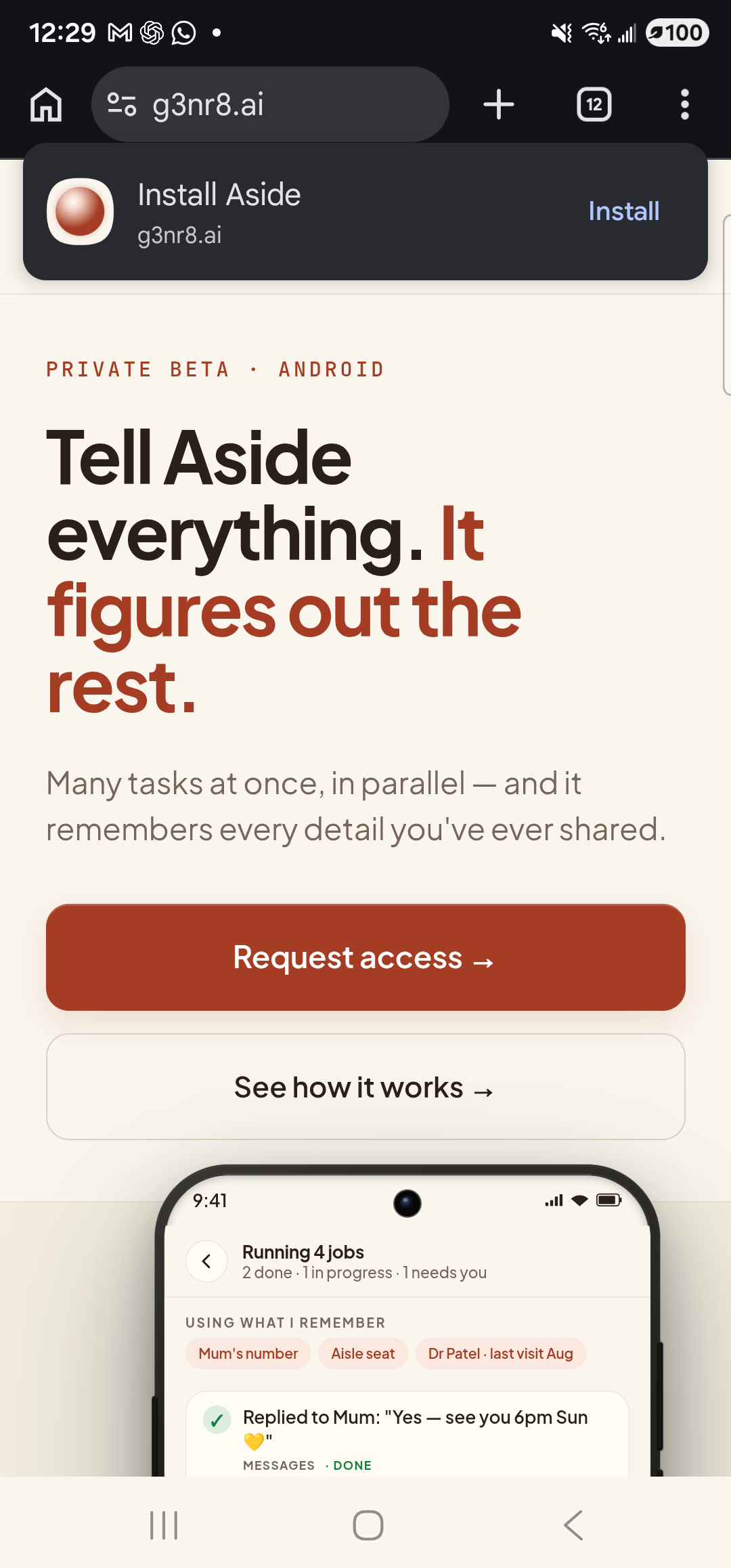
    Chrome open full-screen on the Galaxy S23 Ultra, displaying the g3nr8.ai homepage. The dark address bar at the top shows the URL ‘g3nr8.ai’ next to a small home icon, padlock icon, plus button, and a tab counter showing ‘12’. Just below the address bar is a Chrome ‘Install Aside’ banner with the Aside icon, the host ‘g3nr8.ai’, and a blue ‘Install’ link on the right. The page itself shows a warm-paper background, an eyebrow ‘PRIVATE BETA · ANDROID’, the hero headline ‘Tell Aside everything. It figures out the rest.’ in clay-red and black, a sub-paragraph about ‘Many tasks at once, in parallel — and it remembers every detail you’ve ever shared.’, two CTA buttons (‘Request access’ in clay-red, ‘See how it works’ in light), and the top of an inline phone-frame screenshot below them.
    Browser open on g3nr8.ai. The address bar confirms the destination.
  4. Done — or come back to Aside

    Read, browse, do whatever you came to do. When you’re ready to ask Aside for something else, swipe back to the launcher and tap the Aside icon (or use your assist gesture). Aside picks up exactly where you left off, with the chat history of this turn still in place.

URL allowlist: Aside only dispatches URLs whose scheme is http:// or https://. Custom schemes, local file paths, and app-deep-links that pretend to be web pages are refused at dispatch — they can’t be used to silently launch a different app on your phone. If you ever paste a URL and Aside replies that it can’t open it, that’s the allowlist talking.
Note: Aside resolves common site names (Wikipedia, BBC, the Aside website) to canonical URLs. For names it doesn’t recognize, it will tell you it doesn’t know which URL you mean rather than guess. If you want a search instead of a specific site, see Search the web for a phrase.