How-to guide · Media & capture Find music on Spotify

Actionspotify_search
Audience Cognitive Motor
Time Under 10 seconds
Permissions None — Aside hands the search off to the Spotify app
What this is: A spoken or typed phrase that opens Spotify directly to a search for the music you described — by genre, mood, artist, or whatever feels natural. No tapping the Spotify icon, no hunting for the search tab, no typing into a small search box. Useful when you’re cooking, driving, holding the dog’s lead, or just don’t want to look at the screen.
Try it now

Open Aside on your phone, then say or type:

“Play something jazz on Spotify.”

Aside confirms in the chat history and the Spotify app opens to a jazz search. Pick a track or playlist and play it as normal.

Step by step

  1. Open Aside

    Tap the Aside icon, or trigger your assist gesture if you’ve set Aside as your default assistant. Aside opens to the orb in its idle state — calm, slowly breathing — with the prompt “Tell me everything,” beneath it.
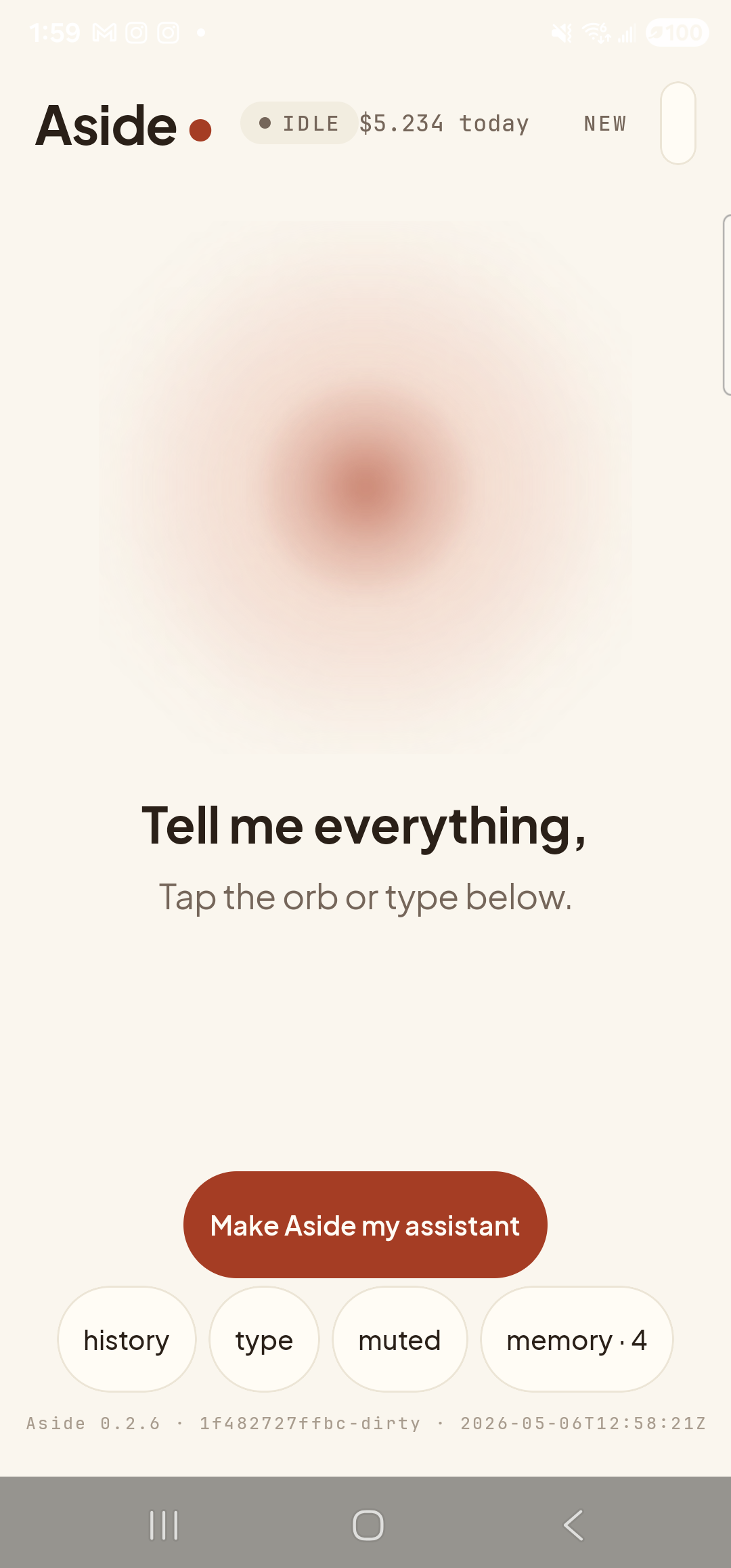
    The Aside main screen at idle on a Samsung Galaxy S23 Ultra. Across the top: the word ‘Aside’ with a red dot, a small mono status pill reading ‘● IDLE’, the cost counter ‘$5.136 today’, and a ‘NEW’ link top-right. Centered in the screen is a large warm-paper-colored orb with a soft brown core, slowly breathing. Below the orb, in large bold type: ‘Tell me everything,’. Below that, in lighter type: ‘Tap the orb or type below.’. Near the bottom is a clay-colored pill button reading ‘Make Aside my assistant’ and a row of four mono pills: ‘history’, ‘type’, ‘muted’, ‘memory · 4’. The build-stamp footer reads ‘Aside 0.2.6 · 1f482727ffbc-dirty · 2026-05-06T12:58:21Z’.
    Aside open at idle. The orb breathes; nothing else is happening.
  2. Say or type the request

    Hold the orb and say “Play something jazz on Spotify,” or tap the type pill at the bottom and key the same phrase in. Phrase it however feels natural — “put on some jazz,” “Spotify search jazz,” or “find jazz on Spotify” all work. Aside maps the request to the Spotify search action and passes the genre as the query.

    Play something jazz on Spotify.
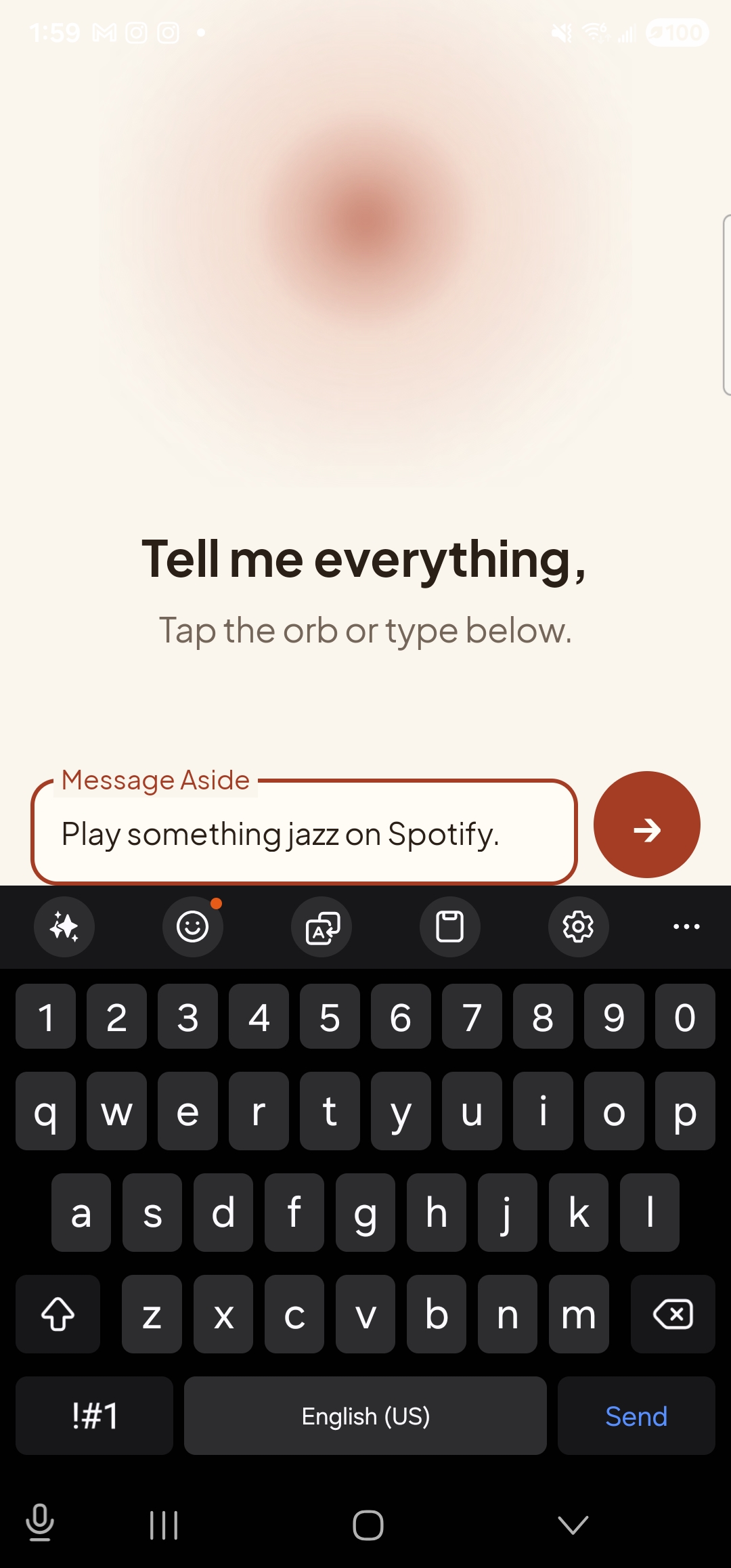
    The Aside main screen with text-input mode active. The bottom of the screen now shows an outlined text field labeled ‘Message Aside’ with the typed sentence ‘Play something jazz on Spotify.’ inside it. To the right of the text field is a clay-red circular Send button with a paper-plane glyph. The orb is still visible in the upper portion of the screen, in its idle state.
    The phrase typed into the chat input, ready to send.
  3. See Aside confirm

    Aside replies in the chat with a short spoken acknowledgement and an action note chip showing the exact action that ran and the search term. The chat history sheet slides up over the orb so you can read the confirmation; behind it, Spotify is already loading the search.
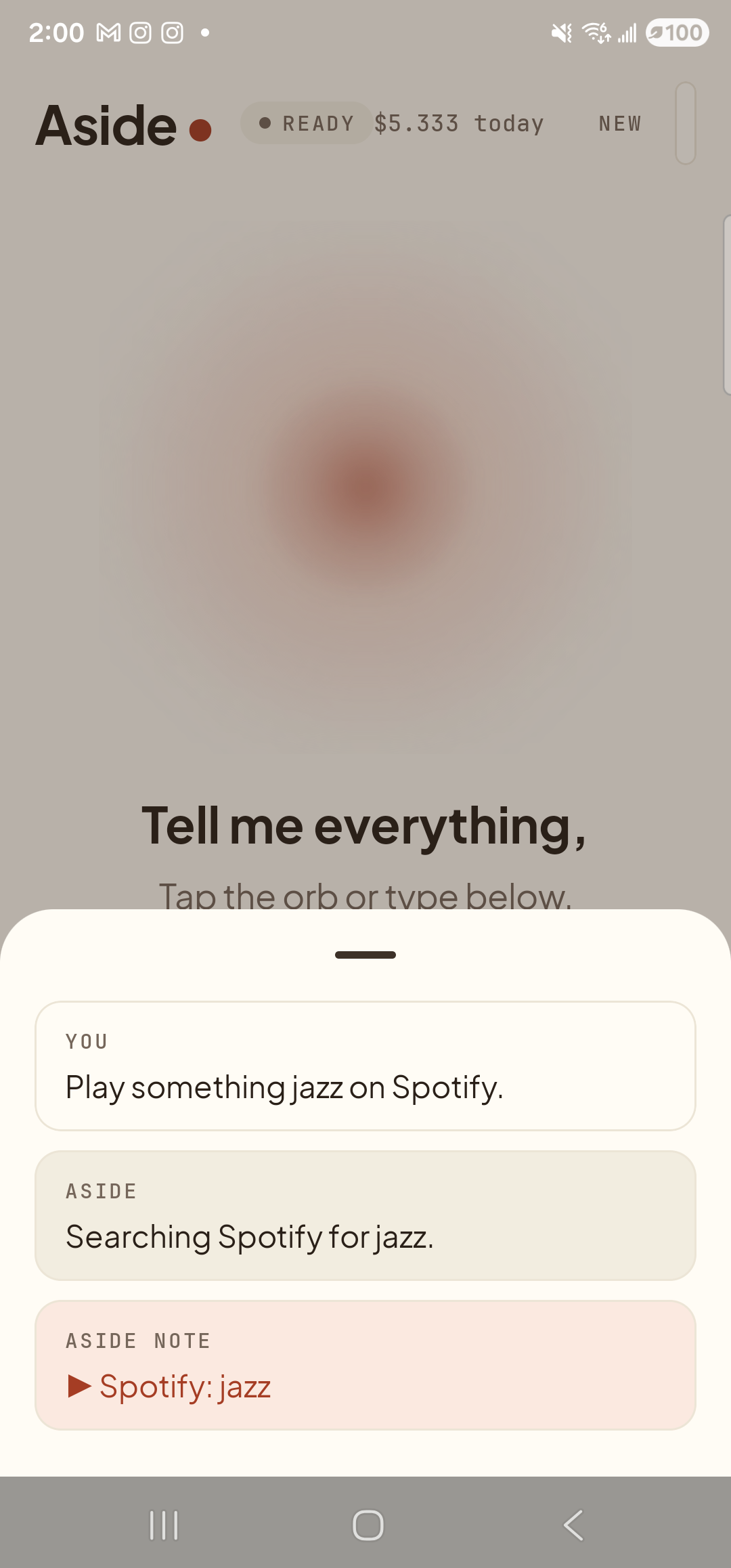
    The Aside main screen with the chat history bottom sheet covering the lower half of the screen. The status pill at the top reads ‘● READY’ and the cost counter shows ‘$5.333 today’. Behind a slight scrim the dimmed orb and the words ‘Tell me everything,’ are still partly visible. Inside the bottom sheet are three stacked entries: a small mono label ‘YOU’ above the line ‘Play something jazz on Spotify.’; a label ‘ASIDE’ above the line ‘Searching Spotify for jazz.’; and a clay-tinted ‘ASIDE NOTE’ chip showing ‘▶ Spotify: jazz’ — the explicit action marker.
    Aside confirms on screen and aloud. The action chip shows the search Aside is handing off.
  4. Spotify opens to the results

    The Spotify app comes to the foreground, already on the search-results page for your phrase — tracks, albums, playlists, podcasts, all grouped under the standard Spotify tabs. Pick what you want and play it. To return to Aside, swipe up to the home screen and re-launch (or use the back gesture).
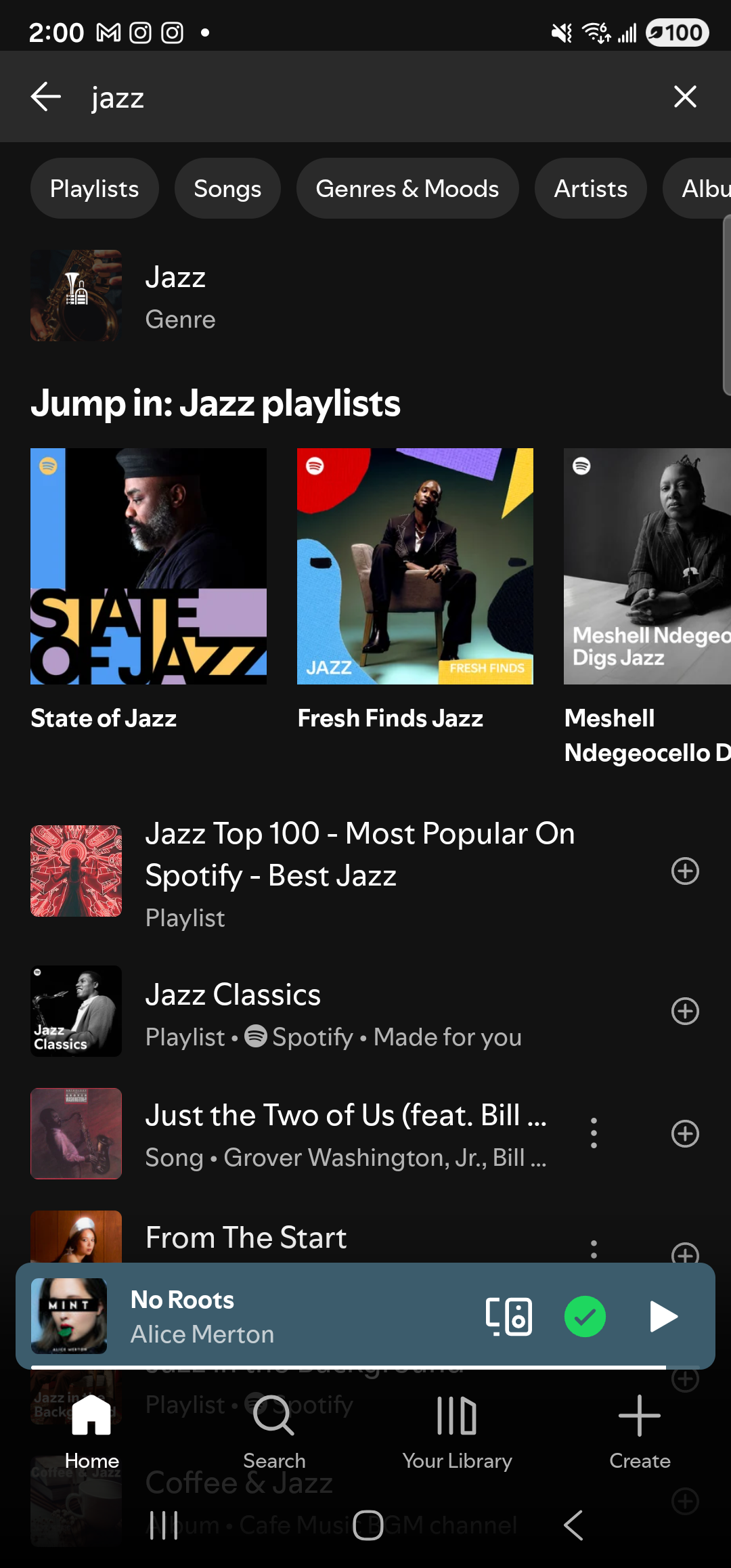
    The Spotify Android app foregrounded on the same Samsung Galaxy S23 Ultra in dark mode. At the top, a back arrow, a dark search field showing the query ‘jazz’, and an ✕ clear button. Below the search bar a horizontal row of filter chips: Playlists, Songs, Genres & Moods, Artists, Albums. Below the chips is a top-hit row labeled ‘Jazz · Genre’ with a small cover. A heading reads ‘Jump in: Jazz playlists’ above three large cover tiles in a horizontal row: ‘State of Jazz’ (red overlay), ‘Fresh Finds Jazz’, and ‘Meshell Ndegeocello Digs Jazz’. Below that, a vertical list of more results: ‘Jazz Top 100 - Most Popular On Spotify - Best Jazz · Playlist’, ‘Jazz Classics · Playlist · Spotify · Made for you’, ‘Just the Two of Us (feat. Bill …) · Song · Grover Washington Jr., Bill …’, and ‘From The Start’. A persistent now-playing bar near the bottom shows ‘No Roots — Alice Merton’ with cast / connected and play controls. The bottom navigation bar shows Spotify’s standard tabs Home, Search, Your Library, Create.
    Spotify already on the jazz results page. No search-box tapping required.
If Spotify isn’t installed: Aside falls back to opening your default browser to the Spotify web search results for the same phrase. The handoff still works; you just land in a browser tab instead of the app, and you may need to log in or pick the “open in app” banner if Spotify gets installed later.
Note: Aside doesn’t auto-play a specific track — it lands you on the search results so you can choose. Spotify’s in-app autoplay still works as normal once you tap a song.