How-to guide · Navigation & wayfinding Open Maps to a search with your voice

Actionopen_maps
Audience Cognitive Vision
Time Under 10 seconds
Permissions None — Aside hands off to Google Maps, which uses its own location permission
What this is: A spoken or typed request that opens Google Maps directly to the search you described — so you don’t have to find the Maps icon, tap into the search box, and type. Useful when you want to see results on a map (nearest pharmacy, coffee shop, park) rather than start turn-by-turn directions.
Try it now

Open Aside on your phone, then say or type:

“Show me the nearest pharmacy on the map.”

Aside confirms in the chat history and Google Maps opens with that search already executed. Pinch and pan to compare results — or say “navigate to the first one” when you’ve picked one.

Step by step

  1. Open Aside

    Tap the Aside icon, or trigger your assist gesture if you’ve set Aside as your default assistant. Aside opens to the orb in its idle state with the prompt “Tell me everything,” beneath it.
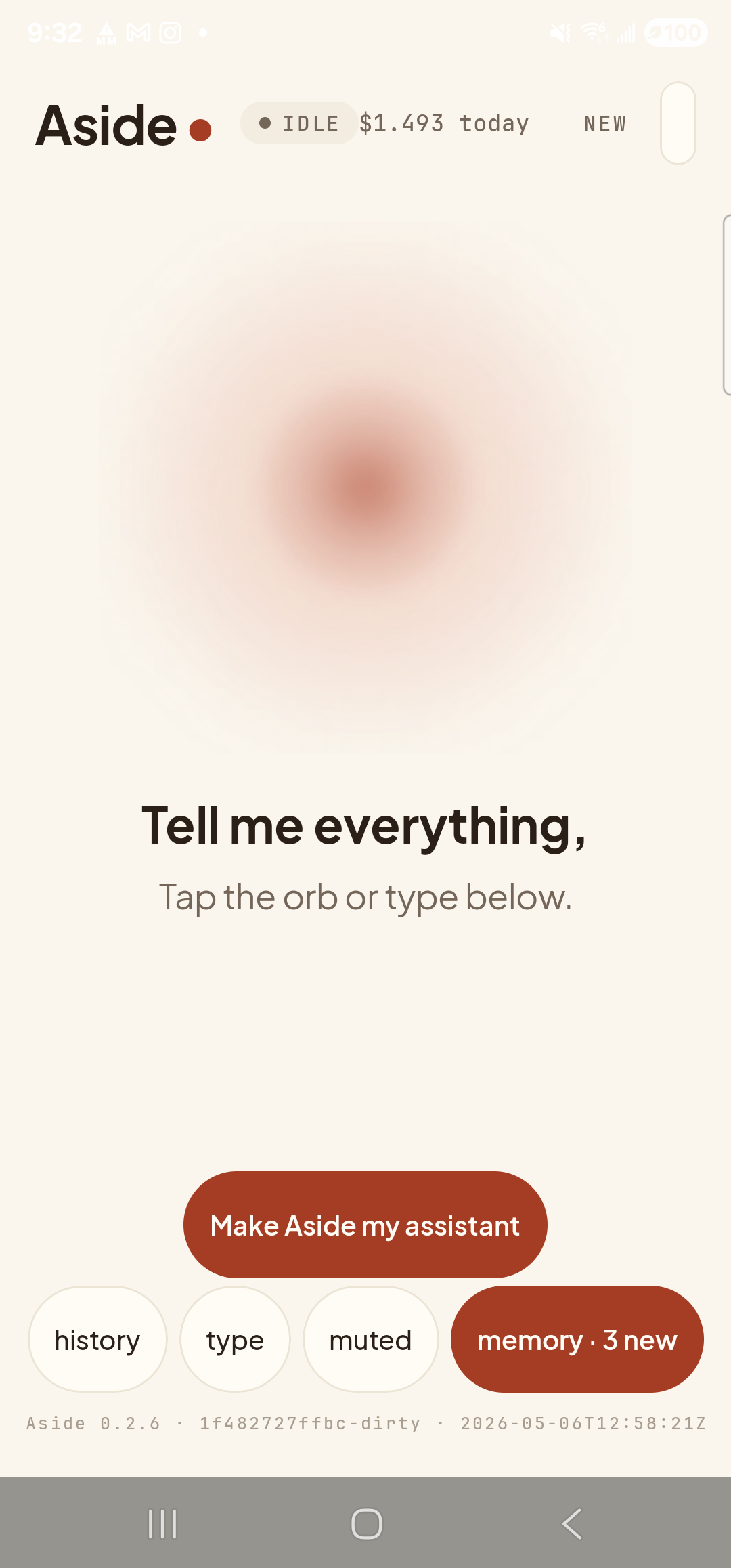
    The Aside main screen at idle on a Samsung Galaxy S23 Ultra. Across the top: the word ‘Aside’ with a red dot, a small mono status pill reading ‘● IDLE’, the cost counter ‘$1.493 today’, and a ‘NEW’ link top-right. Centered in the screen is a large warm-paper-colored orb with a soft brown core, slowly breathing. Below the orb, in large bold type: ‘Tell me everything,’. Below that, in lighter type: ‘Tap the orb or type below.’. Near the bottom is a clay-colored ‘Make Aside my assistant’ button and a row of four mono pills: ‘history’, ‘type’, ‘muted’, ‘memory · 3 new’.
    Aside open at idle. The orb breathes; nothing else is happening.
  2. Say (or type) the place you’re looking for

    Hold the orb to talk and say “Show me the nearest pharmacy on the map,” or tap the type pill at the bottom and type the same phrase, then send. You can phrase it any way that feels natural — “find a coffee shop near me,” “where’s the closest grocery store,” “parks in this neighbourhood” all work.

    Show me the nearest pharmacy on the map.
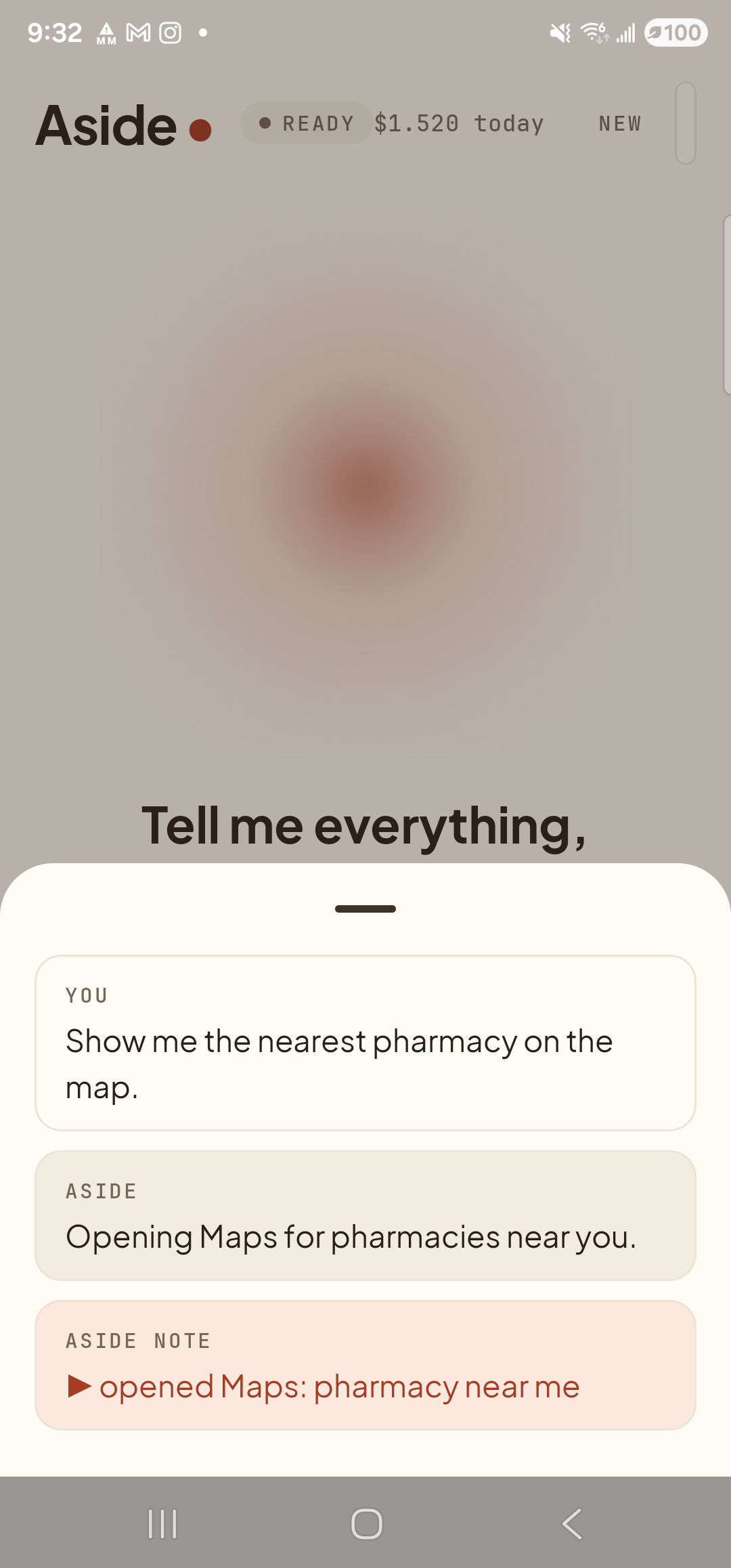
    The Aside main screen with the chat history bottom sheet covering the lower half of the screen. The status pill at the top reads ‘● READY’ and the cost counter has ticked up to ‘$1.520 today’. Inside the bottom sheet are three stacked entries: a small mono label ‘YOU’ above the line ‘Show me the nearest pharmacy on the map.’; a label ‘ASIDE’ above the line ‘Opening Maps for pharmacies near you.’; and a clay-tinted ‘ASIDE NOTE’ chip showing ‘▶ opened Maps: pharmacy near me’.
    Aside confirms the request and shows the action chip ‘open_maps — nearest pharmacy’ before it hands off to Google Maps.
  3. Maps opens with the search already done

    A moment later the screen switches to Google Maps, with your phrase already in the search bar and the results plotted on the map — pins for each place, with the closest one highlighted. You didn’t tap into a search box, you didn’t spell anything. The query was handed off as a structured search intent.
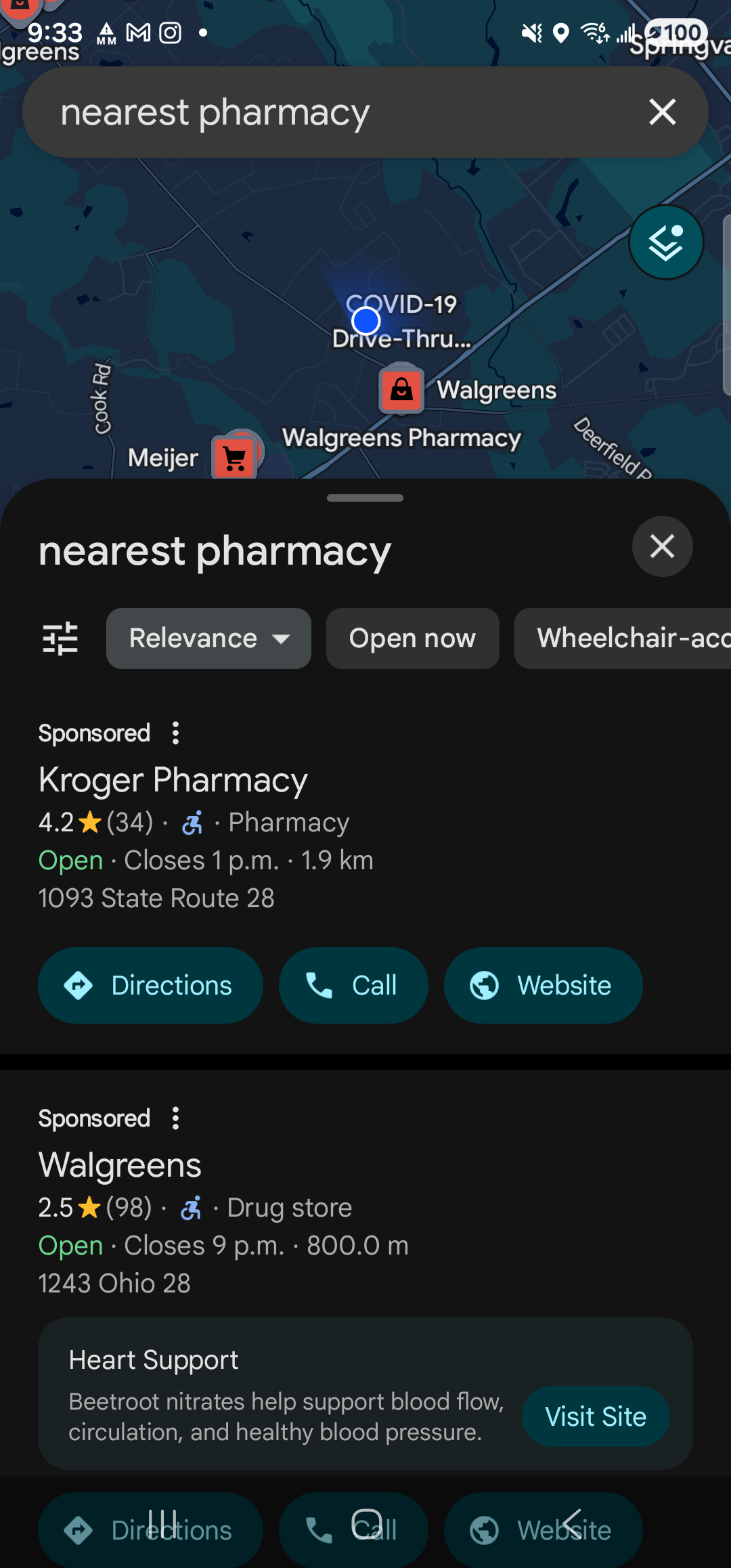
    Google Maps full-screen on the Samsung Galaxy S23 Ultra in dark mode. The search bar at the top reads ‘nearest pharmacy’. The map below shows nearby pharmacy pins (Walgreens, Walgreens Pharmacy, Meijer, COVID-19 Drive-Thru) plotted along the surrounding streets. A bottom results sheet titled ‘nearest pharmacy’ lists ‘Kroger Pharmacy’ first — 4.2 stars, Open, Closes 1 p.m., 1.9 km, with ‘Directions’, ‘Call’ and ‘Website’ buttons — followed by a ‘Walgreens’ entry below.
    Google Maps opens to the search results — closest pharmacies plotted as pins, with a card for the nearest one ready to tap.
  4. Pick a result, or ask Aside to navigate

    Tap any pin to see details, or tap the Directions button on the bottom card to start turn-by-turn from inside Maps. If you’d rather keep your hands free, swipe back to Aside and say “navigate to the closest one.” See the turn-by-turn navigation guide for that flow.

If Maps opens to a generic search instead of nearby results: Google Maps needs location permission to know what “nearest” means. The first time you ask, Maps may prompt you to grant location access. After that, “nearest” / “close to me” / “in this neighbourhood” all anchor on your real position.
Note: Aside hands the query off to whatever your default maps app is. On most phones that’s Google Maps; on some it may be a different app that handles the same search intent. Either way, Aside doesn’t pick the result for you — you do.