How-to guide · Core capabilities Ask about now without opening apps

Actionlive device context
Audience Vision Cognitive Motor
Time Under 10 seconds
Permissions Location and Calendar (already granted at first launch)
What this is: Every turn carries a small bundle of live phone facts — the time, your battery level, your last-known location, today’s calendar entries, and a server-side pre-fetched real-time weather reading. So when you ask “what’s the weather like?” you get a real answer about your real spot, right now — no Weather app, no Calendar app, no map. Aside already has the data.
Try it now

Open Aside on your phone, then say or type:

“What’s the weather like today?”

Aside replies aloud and on screen with the temperature, the conditions, and a short outlook — pulled from a live open-meteo reading at your last-known location. Try the same phrasing for “what’s on my calendar today?” or “what’s my battery at?” and you’ll see the same pattern: the answer is grounded in what your phone actually knows.

Step by step

  1. Open Aside

    Tap the Aside icon, or trigger your assist gesture if you’ve set Aside as your default assistant. Aside opens to the orb in its idle state — calm, slowly breathing — with the prompt “Tell me everything,” beneath it.
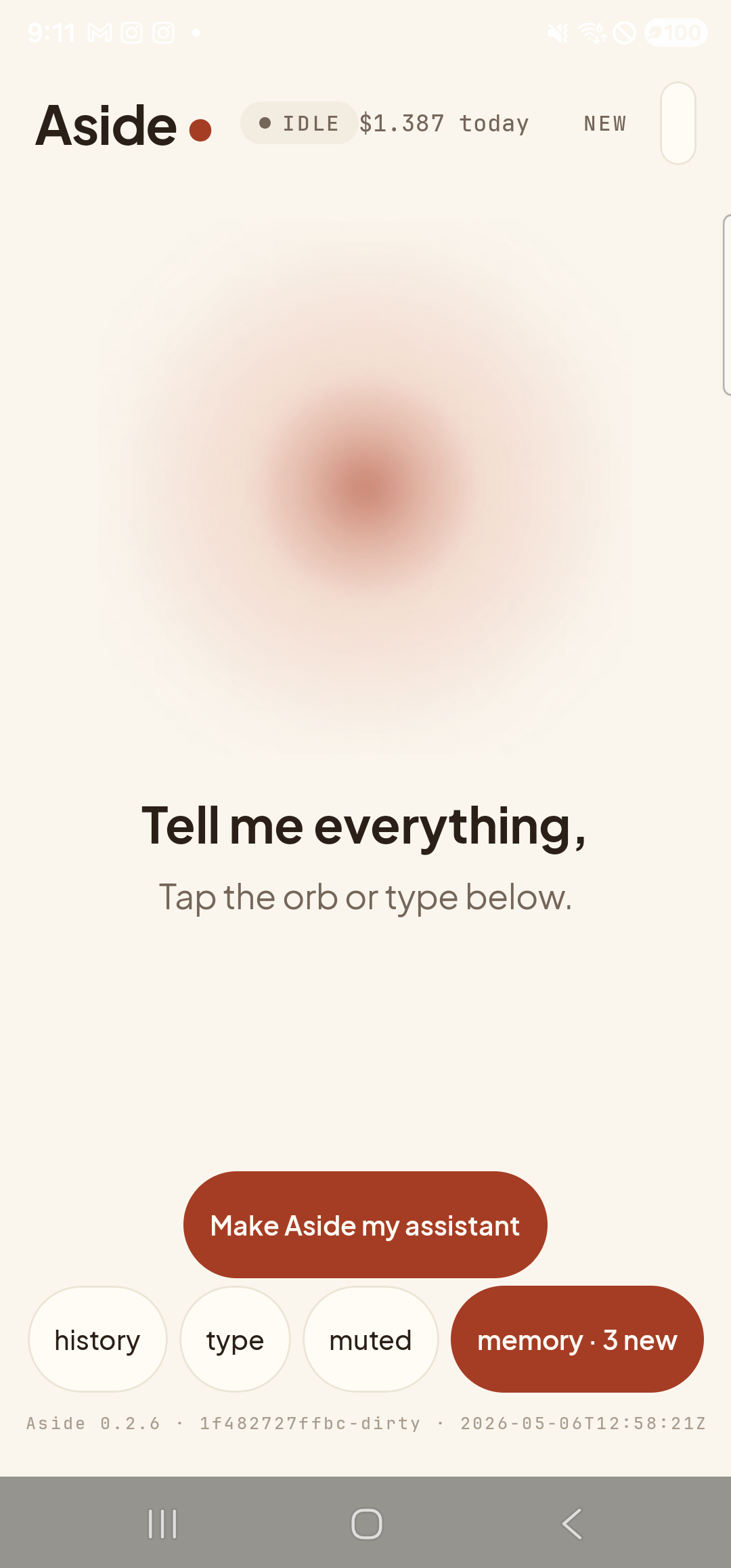
    The Aside main screen at idle on a Samsung Galaxy S23 Ultra. Across the top: the word ‘Aside’ with a red dot, a small mono status pill reading ‘● IDLE’, the cost counter ‘$1.387 today’, and a ‘NEW’ link top-right. Centered is the warm-paper orb with a soft brown core, slowly breathing. Below the orb, in large bold type: ‘Tell me everything,’. Below that, in lighter type: ‘Tap the orb or type below.’. Near the bottom is the clay-colored ‘Make Aside my assistant’ button. Below that, the bottom pill row reads ‘history’, ‘type’, ‘muted’, and a wider ‘memory · 3 new’ pill. The very bottom shows the build-identity line.
    Aside open at idle. Nothing is happening yet, but the device-context bundle is ready to go on your next turn.
  2. Ask about the weather

    Hold the orb to talk and say “what’s the weather like today?” or tap the type pill at the bottom and type the same phrase. As soon as the microphone activates, the orb shifts to its listening state — clear visual confirmation that the mic is live.

    What’s the weather like today?
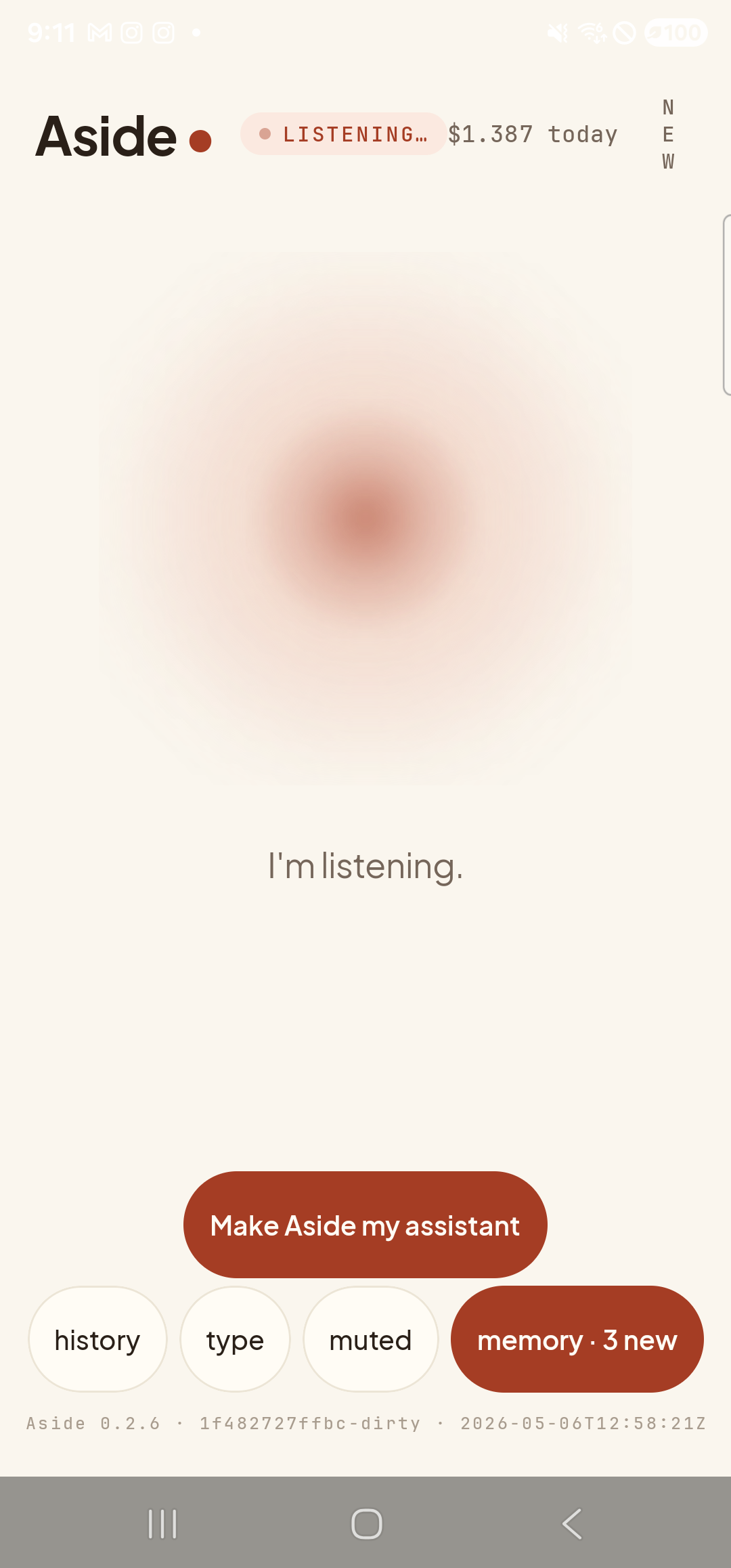
    The Aside main screen now in the listening state. The status pill at the top has changed to ‘● LISTENING…’. The orb is the same warm shape, ringed with a soft dotted halo that moves with the room sound. Beneath the orb, replacing the earlier two-line prompt, a single sentence reads ‘I’m listening.’. The bottom pill row (history / type / muted / memory · 3 new) and build stamp are unchanged.
    Orb shifts to listening state once the mic activates. The caption beneath the orb says ‘I’m listening.’
  3. See the reply

    Aside starts speaking before the full reply has been written — audio begins coming out of the speaker while the text fills in on screen. Once the turn settles, tap the history pill at the bottom-left to slide up the chat history and read the answer at your own pace: your transcribed question and Aside’s reply — current temperature, conditions, humidity and wind — pulled from a live open-meteo reading at your last-known location. No Weather app was opened. No browser tab. The answer came from the live device-context bundle that ships with every turn.
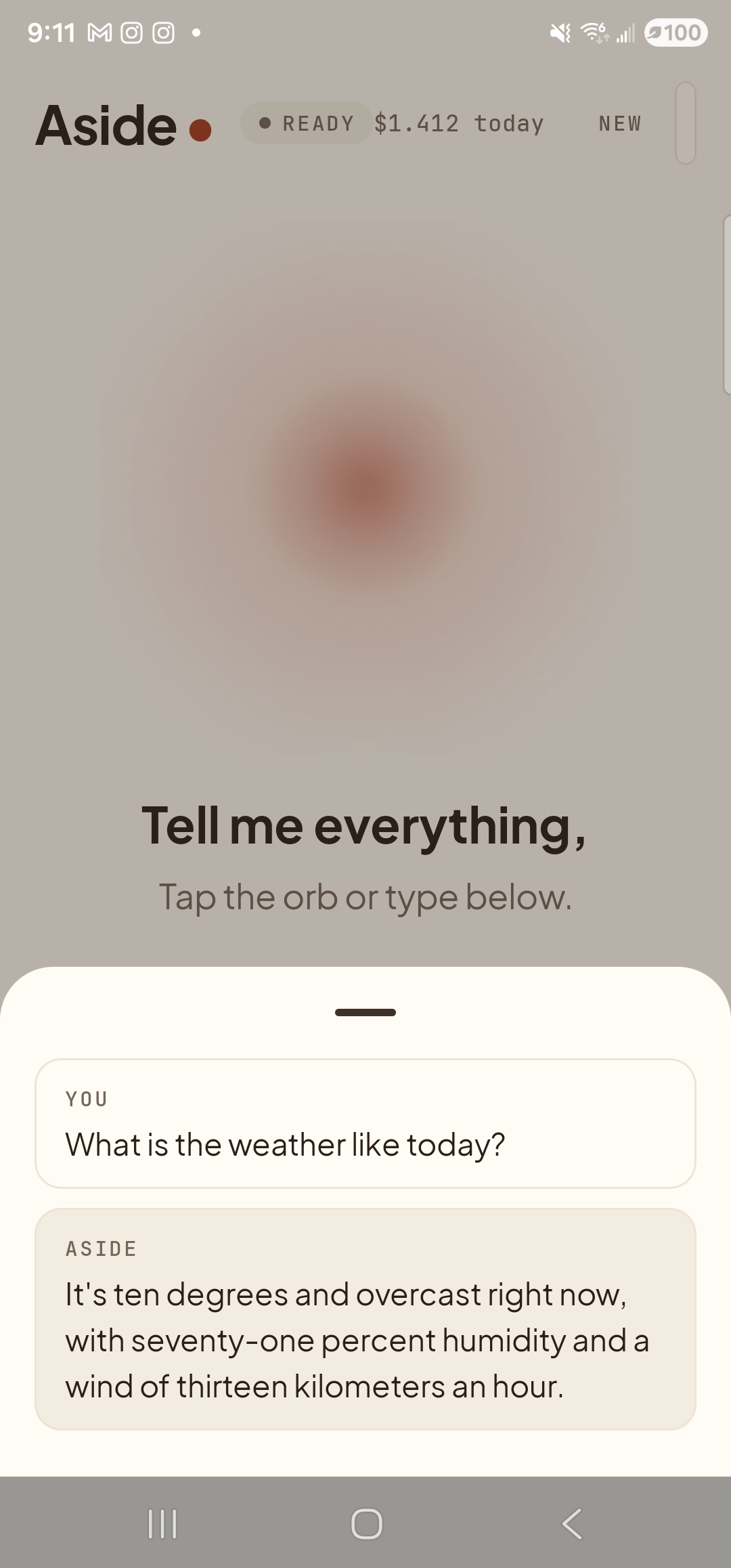
    The Aside main screen with the chat history modal sheet covering the lower half of the screen. The status pill at the top reads ‘● READY’ and the cost counter shows ‘$1.412 today’. Behind a slight scrim the orb is dimmed. Inside the bottom sheet are two stacked entries: a small mono label ‘YOU’ above the line ‘What is the weather like today?’, and a label ‘ASIDE’ above a multi-clause reply ‘It’s ten degrees and overcast right now, with seventy-one percent humidity and a wind of thirteen kilometers an hour.’.
    Aside replies aloud and on screen with live weather pulled from the per-turn context bundle.
  4. Try a follow-up about the same day

    Because the device-context bundle also carries today’s calendar and your battery level, you can chain straight into “what’s on my calendar today?” or “what’s my battery at?” — same conversation, same zero apps opened. Aside answers from the same live snapshot.

    What’s on my calendar today?
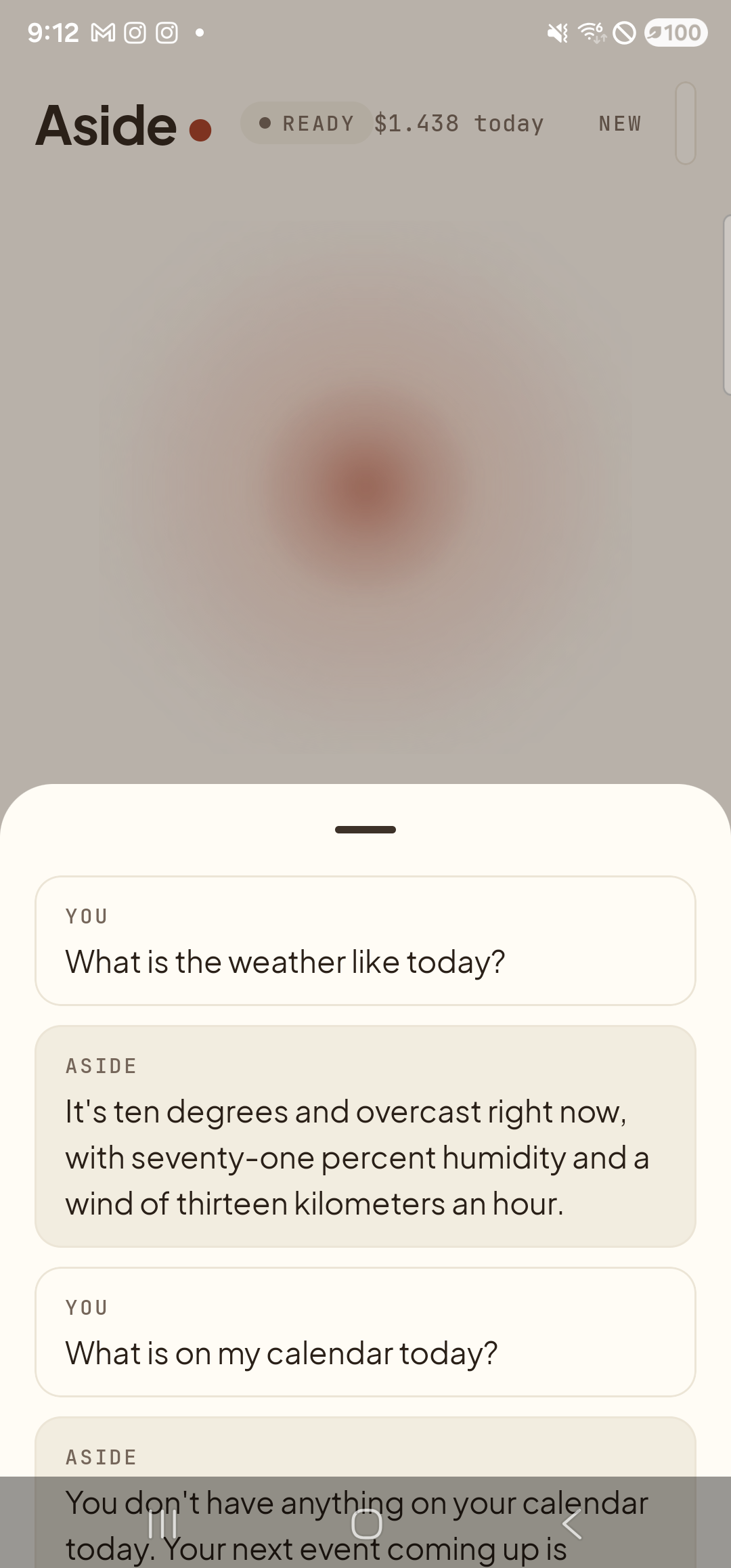
    The Aside main screen still showing the chat history bottom sheet, now extended with a follow-up exchange. The status pill reads ‘● READY’ and the cost counter shows ‘$1.438 today’. From top to bottom inside the sheet: ‘YOU — What is the weather like today?’, ‘ASIDE — It’s ten degrees and overcast right now, with seventy-one percent humidity and a wind of thirteen kilometers an hour.’, ‘YOU — What is on my calendar today?’, and the start of an ‘ASIDE — You don’t have anything on your calendar today. Your next event coming up is…’ reply visible at the bottom.
    Follow-ups on the same day’s context just work — calendar, battery, location, recent notifications all flow into every turn.
If the weather answer feels wrong: The pre-fetch uses your phone’s last-known location, which can lag if the GPS hasn’t had a fix recently. Walk to a window or step outside for a few seconds, then ask again — the next turn picks up the fresh location and the open-meteo cache turns over every 5 minutes.
Note: The device-context bundle never leaves Anthropic’s API call — it’s assembled on your phone, sent as part of the system prompt for that turn, and never written anywhere persistent. Calendar entries and notifications are read-only on the device and excluded from memory extraction. See Commitments for the full data-handling story.