How-to guide · System controls & safety Switch ringer mode by voice

Actionset_ringer
Audience Motor Cognitive
Time Under 10 seconds (under 30 if you need to grant Do Not Disturb access the first time)
Permissions Do Not Disturb access — required by modern Android to switch the ringer between normal, vibrate, and silent. Aside takes you to the right Settings page if you haven’t granted it yet.
What this is: A spoken or typed request that switches your ringer between normal, vibrate, and silent. Your phone’s side keys, the slider behind the power button, or the Quick Settings tile all also do this — but each is a small target that can be hard to hit, easy to mix up with the volume rocker, or buried two swipes deep. Asking out loud is steady and unambiguous.
Try it now

Open Aside on your phone, then say or type:

“Set the ringer to vibrate.”

Aside confirms in the chat history and the ringer flips to vibrate. Variations: “put the phone on silent,” “ringer back to normal,” “mute the ringer” all map to the same three modes.

Step by step

  1. Open Aside

    Tap the Aside icon, or trigger your assist gesture if you’ve set Aside as your default assistant. Aside opens to the orb in its idle state with the prompt “Tell me everything,” beneath it.
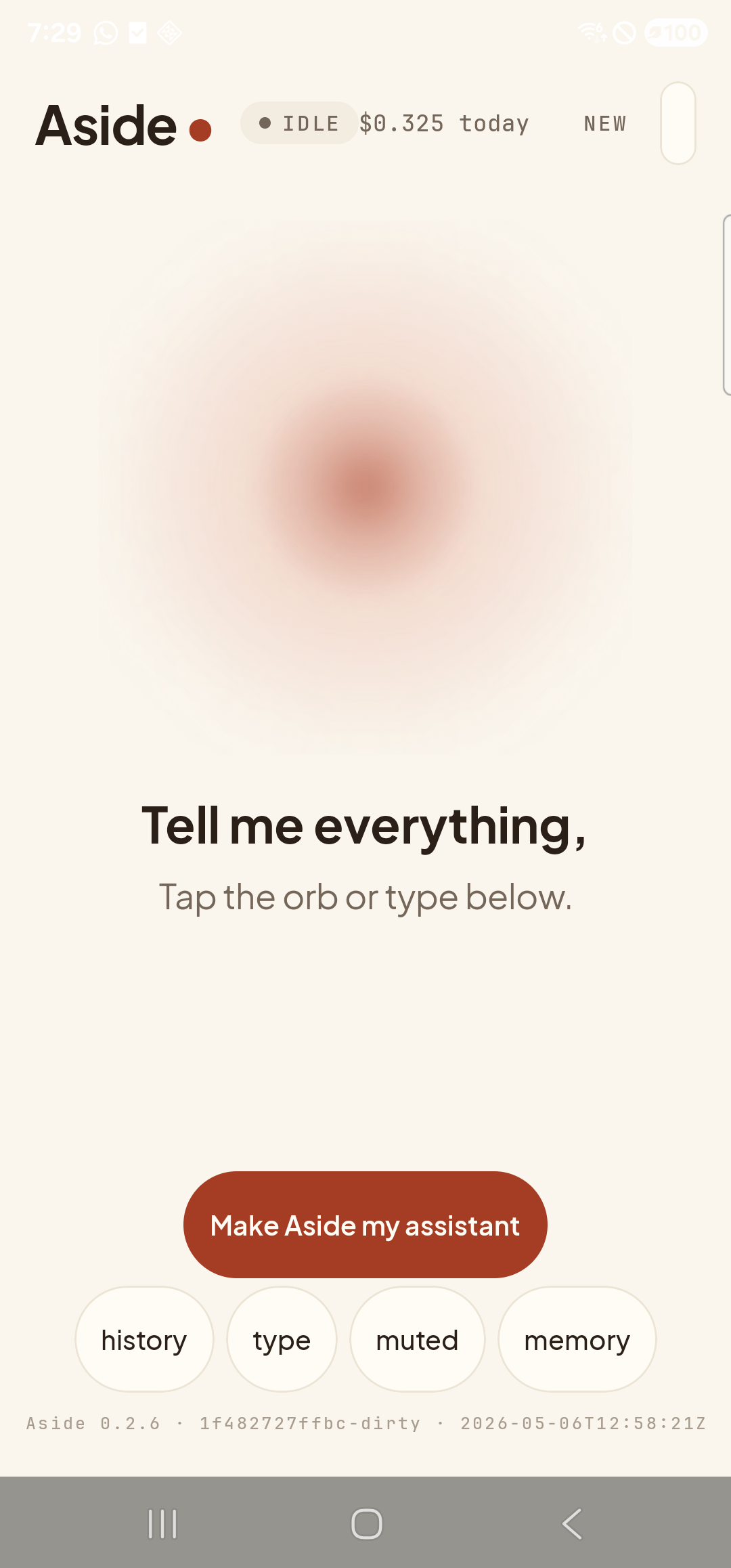
    The Aside main screen at idle on a Samsung Galaxy S23 Ultra. Across the top: the word ‘Aside’ with a red dot, a small mono status pill reading ‘● IDLE’, the cost counter, and a ‘NEW’ link top-right. Centered in the screen is a large warm-paper-colored orb with a soft brown core, slowly breathing. Below the orb, in large bold type: ‘Tell me everything,’. Below that, in lighter type: ‘Tap the orb or type below.’. Near the bottom is a clay-colored pill button reading ‘Make Aside my assistant’, and below that a row of four mono pills: ‘history’, ‘type’, ‘muted’, ‘memory’.
    Aside open at idle. The orb breathes; nothing else is happening.
  2. Say (or type) the ringer mode you want

    Hold the orb to talk and say “Set the ringer to vibrate,” or tap the type pill at the bottom and type the same phrase, then send. The three modes are normal (the ringer plays a tone aloud), vibrate (the phone buzzes but doesn’t make a sound), and silent (no sound, no buzz).

    Set the ringer to vibrate.
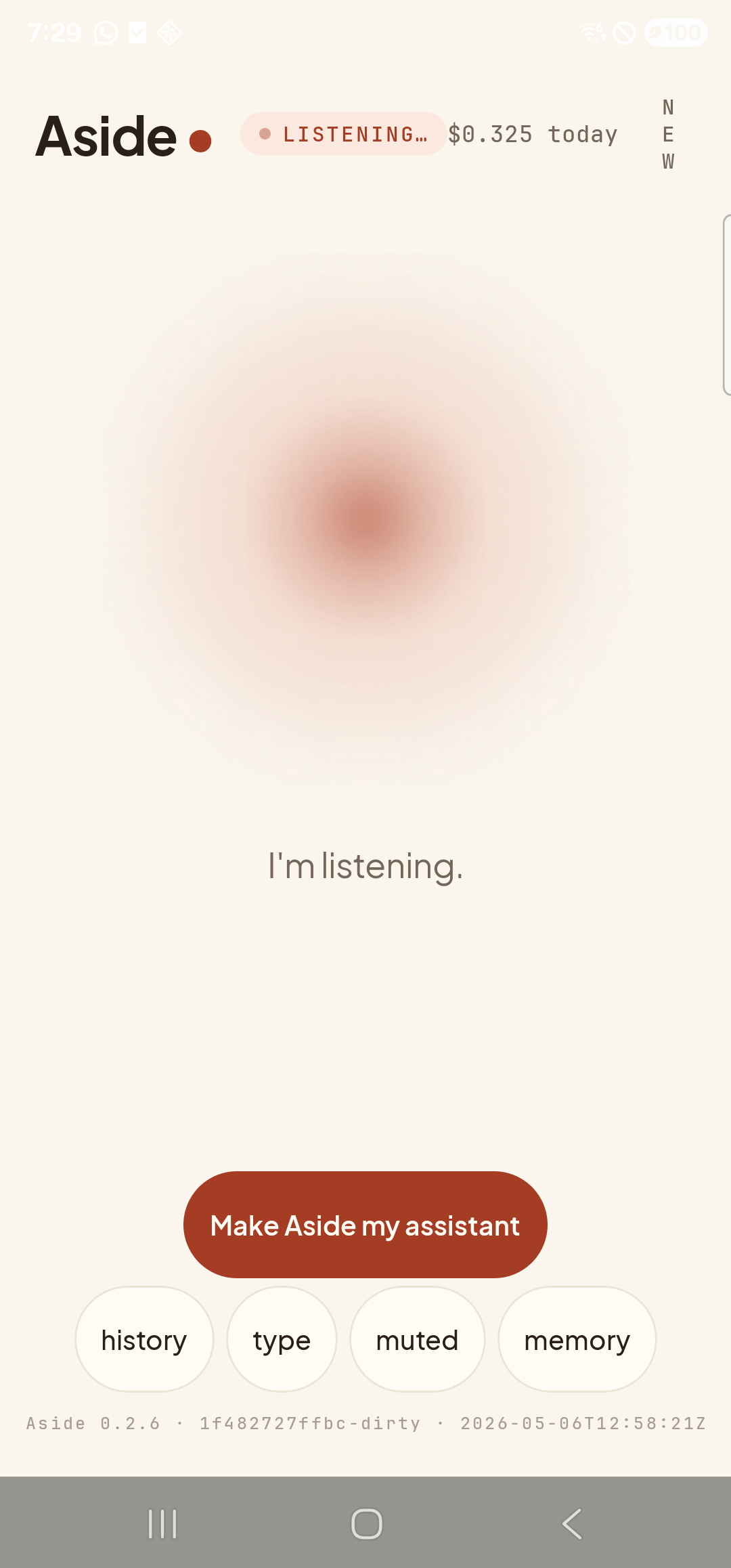
    The Aside main screen now in the listening state. The status pill at the top has changed to ‘● LISTENING…’. The orb is the same warm shape, slightly larger and animated with a soft outline. Beneath the orb, replacing the earlier two-line prompt, a single sentence reads ‘I’m listening.’.
    Orb shifts to listening state once the mic activates.
  3. What happens next depends on whether Do Not Disturb access is granted

    On modern Android, switching the ringer between normal, vibrate, and silent counts as a Do Not Disturb operation, and it requires a one-time permission called Do Not Disturb access. Aside handles the two cases for you, so the same spoken request works either way:

    Path A — permission already granted. Aside flips the ringer immediately and confirms in the chat history. The action chip reads set_ringer — vibrate (or silent / normal, depending on what you asked for). You feel a brief buzz to acknowledge the new mode and that’s the whole story.

    Path B — permission missing. Aside replies in the chat with a friendly note explaining that Android wants to confirm the ringer change is OK, then opens the Do Not Disturb access Settings page directly. You toggle Aside on, swipe back, and ask again — this only happens once.
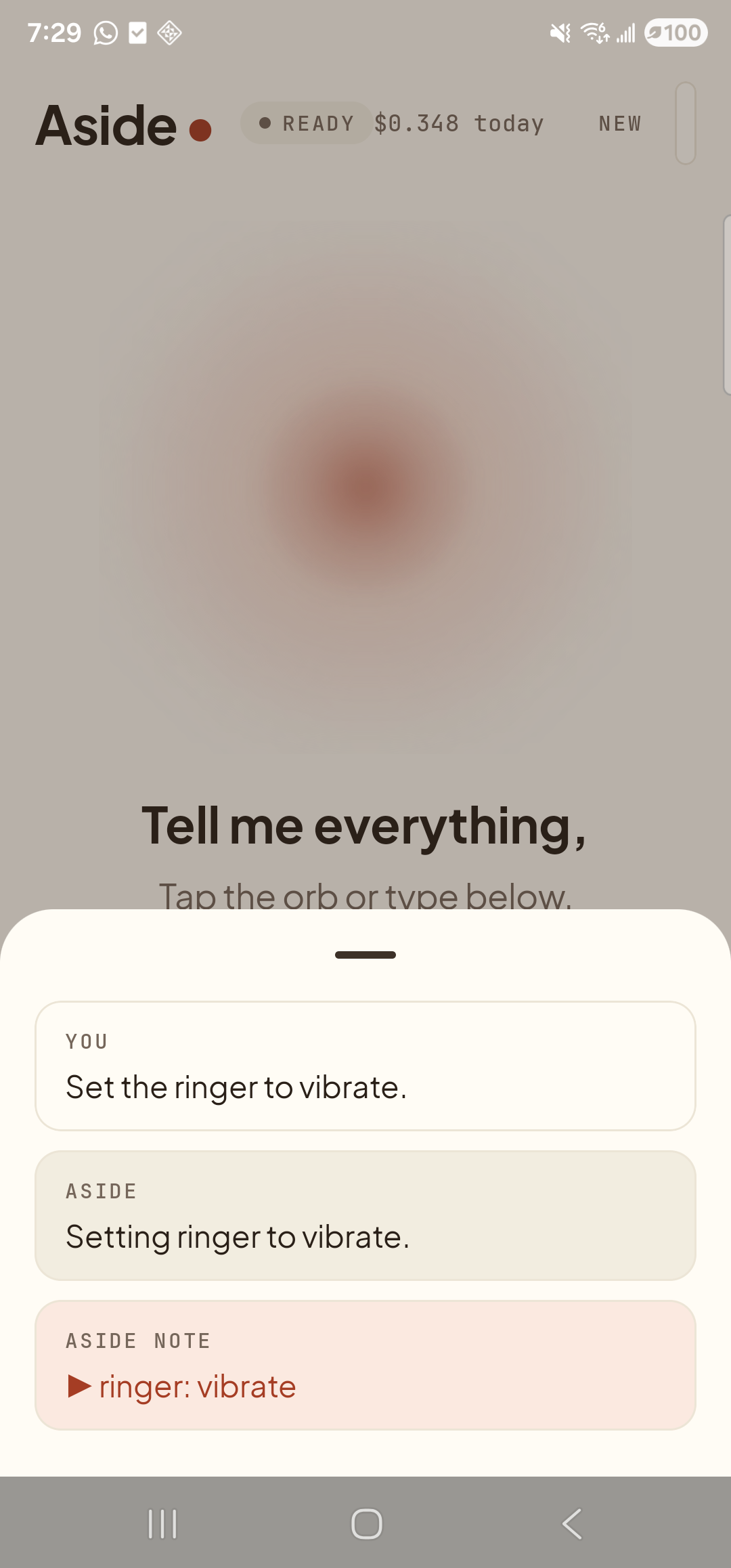
    The Aside main screen with the chat history modal sheet covering the lower half of the screen. The status pill at the top has changed to ‘● READY’. Inside the bottom sheet are three stacked entries: a small mono label ‘YOU’ above the line ‘Set the ringer to vibrate.’; a label ‘ASIDE’ above the line ‘Setting ringer to vibrate.’; and a clay-tinted ‘ASIDE NOTE’ chip showing ‘▶ ringer: vibrate’ — the explicit action marker.
    Path A: permission granted, ringer flipped to vibrate. Action chip ‘ringer: vibrate’ confirms what ran.
  4. Switch back the same way

    When you’re ready to take the phone off vibrate, just say “put the ringer back to normal,” or “set the ringer to silent” if you’d rather mute it entirely. The flow is identical and the chat history grows by one more pair of messages. After you’ve granted Do Not Disturb access once, every future switch follows path A.

    Put the ringer back to normal.
If Aside reports it can’t change the ringer: That almost always means Do Not Disturb access has been revoked — some Android skins quietly turn the permission off after a system update. Just ask again; Aside will detect the missing permission and open the Settings page (path B above).
Note: “Silent” on most phones means no audible ring and no vibration on incoming calls. If you want a tactile cue without a sound, ask for vibrate instead. The exact behavior of each mode depends on your phone’s manufacturer — the three modes Aside sets are the underlying Android RINGER_MODE_NORMAL, RINGER_MODE_VIBRATE, and RINGER_MODE_SILENT.