How-to guide · Time, alarms & calendar Create a calendar event by voice

Actioncreate_calendar_event
Audience Motor Cognitive
Time Under 10 seconds
Permissions None at this step — the calendar app handles its own access
What this is: One spoken sentence and your calendar app opens to a fresh new-event draft with the title, day, and time already filled in — you just hit Save. No date picker spinning, no time wheel hunting, no jumping between fields. Aside drafts the event — it never saves silently. You confirm by tapping Save in your calendar app.
Try it now

Open Aside on your phone, then say or type:

“Make a calendar event for Friday at 2pm — dentist.”

Aside confirms in the chat history and your calendar app opens to a new event titled dentist on the next Friday from 2:00 to 3:00 p.m. Tap Save when you’re ready.

Step by step

  1. Open Aside

    Tap the Aside icon, or trigger your assist gesture if you’ve set Aside as your default assistant. Aside opens to the orb in its idle state.
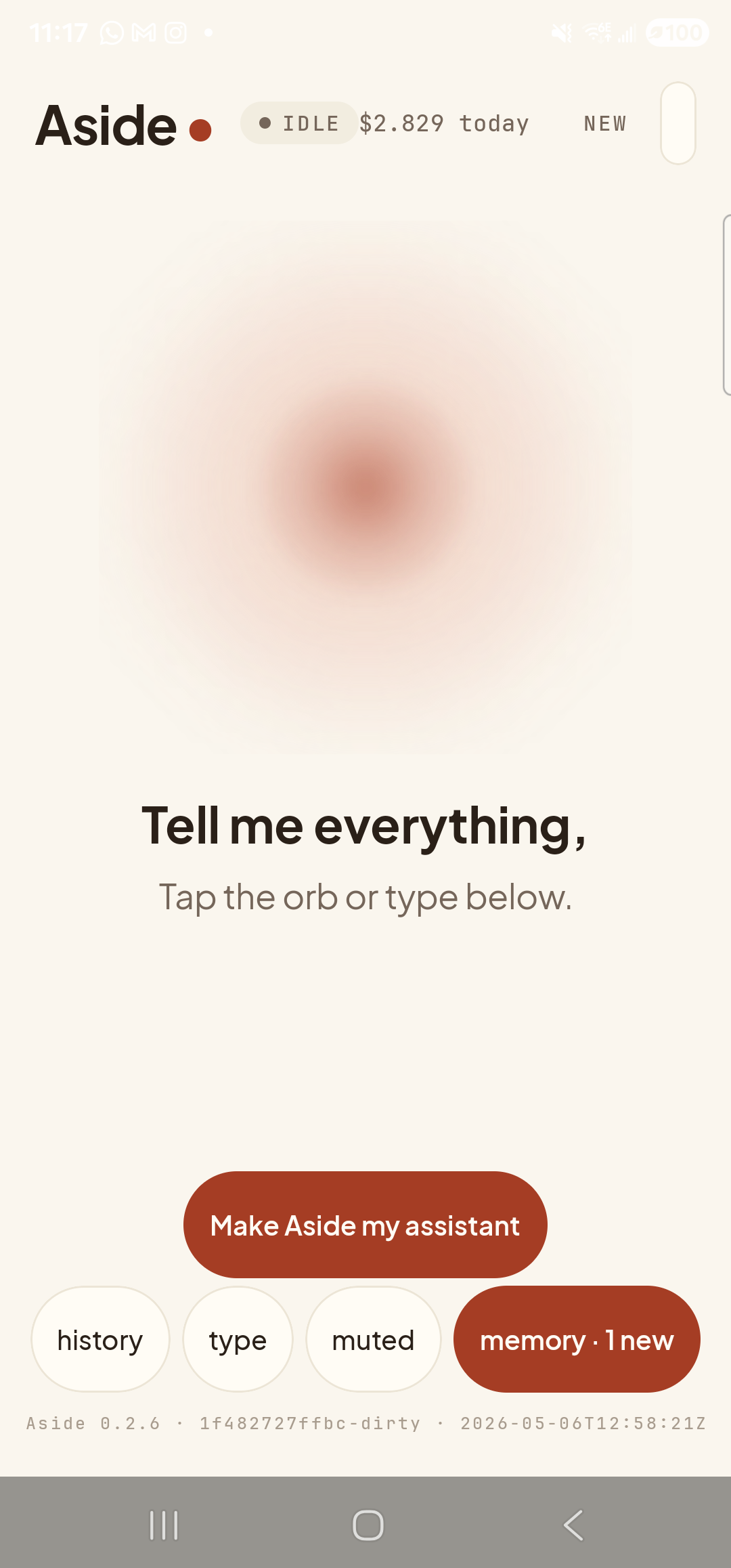
    The Aside main screen at idle on a Samsung Galaxy S23 Ultra. Across the top: the word ‘Aside’ with a red dot, a small mono status pill reading ‘● IDLE’, the cost counter ‘$2.451 today’, and a ‘NEW’ link top-right. Centered is the warm-paper-colored orb with a soft brown core, breathing slowly. Below the orb in large bold type: ‘Tell me everything,’. Below that, in lighter type: ‘Tap the orb or type below.’. Near the bottom is a clay-colored pill button reading ‘Make Aside my assistant’. Below that is a row of four mono pills: ‘history’, ‘type’, ‘muted’, ‘memory · 3’.
    Aside open at idle.
  2. Say (or type) the event details

    Hold the orb to talk and say “Make a calendar event for Friday at 2pm — dentist,” or tap the type pill and type the same. The day-and-time can be relative (“Friday at 2pm,” “tomorrow morning at 9,” “next Tuesday at 11”) or absolute (“May 14th at 3 p.m.”). The title is whatever follows the dash — or you can phrase it the other way around: “dentist appointment Friday at 2pm.”

    Make a calendar event for Friday at 2pm — dentist.
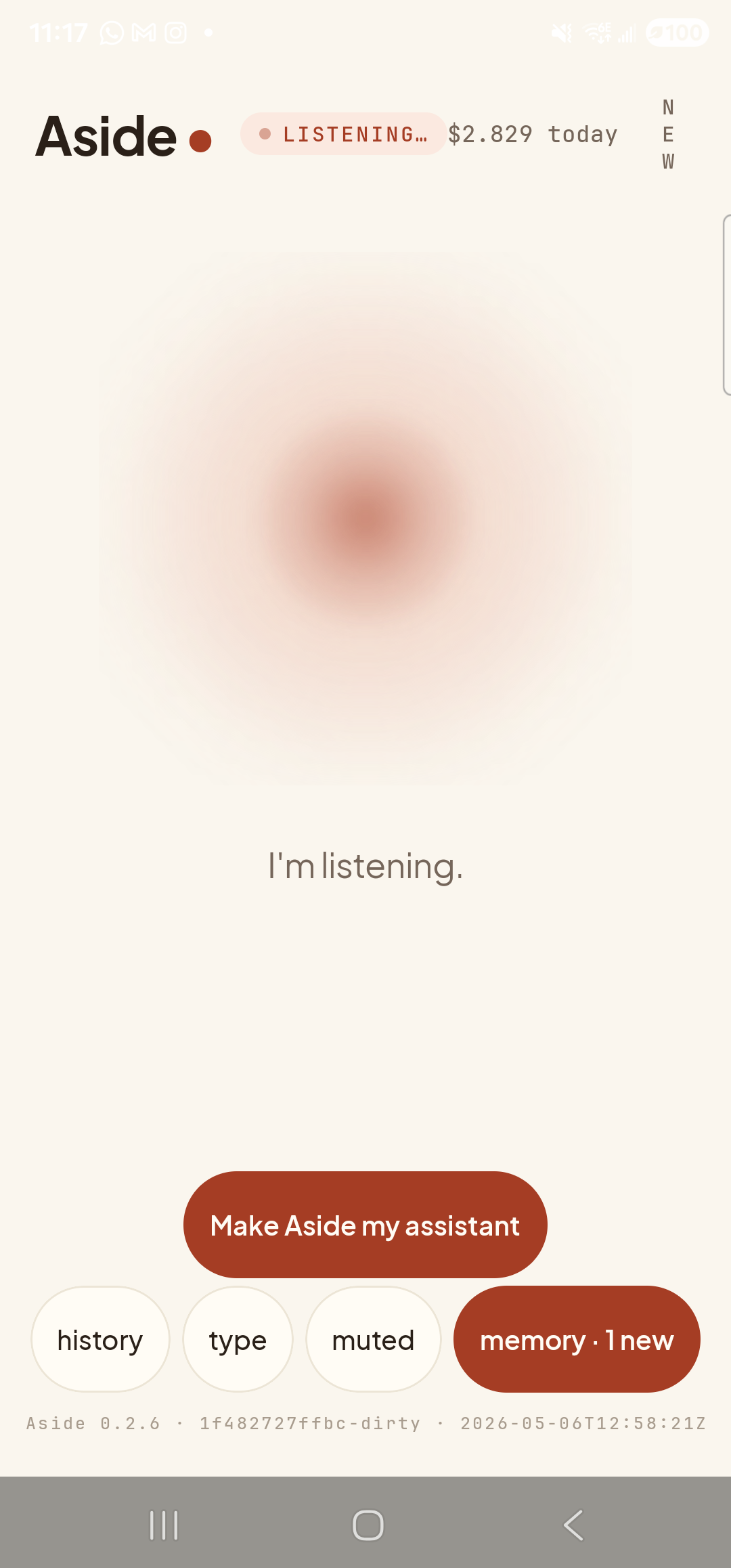
    The Aside main screen now in the listening state. The status pill at the top has changed to ‘● LISTENING…’ in clay-red type, with the cost counter still at ‘$2.451 today’ next to it. Because the listening pill is wider than IDLE, the ‘NEW’ link top-right has wrapped vertically as ‘N E W’ in stacked letters. The orb is the same warm shape with a softly diffused outline. Beneath the orb a single centered sentence reads ‘I’m listening.’ The bottom pill row (‘history’, ‘type’, ‘muted’, ‘memory · 3’) and the clay-colored ‘Make Aside my assistant’ button are still present.
    Orb shifts to listening once the mic activates.
  3. See Aside confirm

    Aside replies in both audio and text. The chat history shows your transcribed request and Aside’s spoken reply. The first time Aside drafts a fresh event you’ll also see an Aside note chip showing the action — e.g. create_calendar_event 2026-05-08 14:00 “dentist” — though if a matching draft is already in flight Aside reuses it and the chip is omitted. The calendar app launches in the background; Aside has not saved anything yet, only opened a draft.
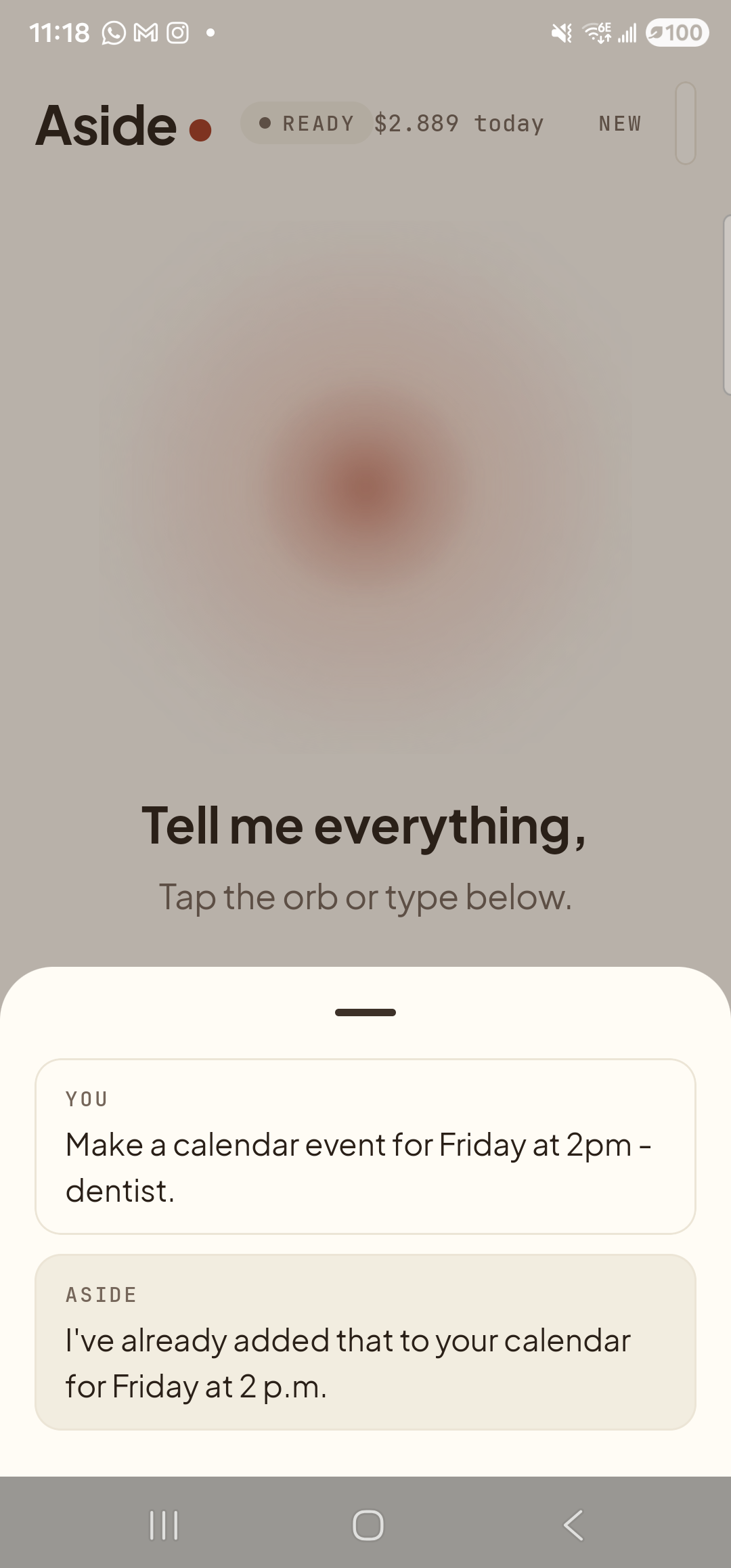
    The Aside main screen with the chat history bottom sheet covering the lower half of the screen. The status pill at the top reads ‘● READY’ and the cost counter shows ‘$2.604 today’. Behind a slight scrim the orb is dimmed; the words ‘Tell me everything,’ and ‘Tap the orb or type below.’ are still partially visible. Inside the sheet, two stacked entries: a small mono label ‘YOU’ above the line ‘Make a calendar event for Friday at 2pm - dentist.’; and a label ‘ASIDE’ above the line ‘I’ve already added that to your calendar for Friday at 2 p.m.’ — Aside is reusing an existing matching draft on this device, so no new ASIDE NOTE chip is shown.
    Aside confirms the draft. On a fresh request the action chip shows exactly what date, time, and title are being passed to your calendar app.
  4. Review and save in the calendar app

    Your calendar app slides in front with a fresh new-event screen. The title field reads dentist, the start time is set to Friday at 2:00 p.m., and the end time is set one hour later. Review the fields, change anything you want (location, alert offset, attendees), and tap Save at the top right. The event is now in your calendar.
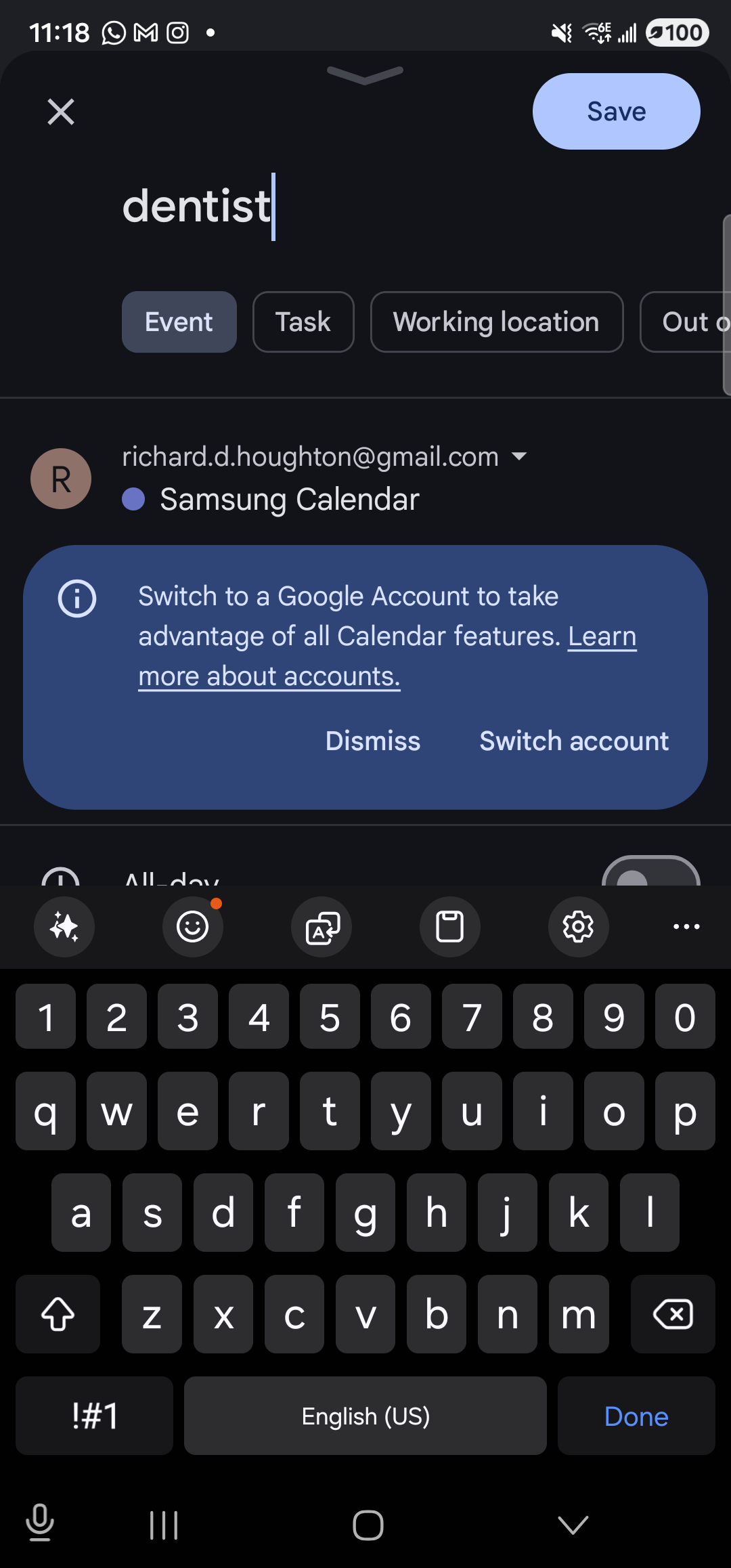
    The Google Calendar new-event screen on the Samsung Galaxy S23 Ultra in dark mode. At the top: an ‘X’ to dismiss on the left, a clay-tinted ‘Save’ button on the right. Below that, the event title ‘dentist’ is pre-filled in large type with a blinking cursor at the end. Underneath the title is a row of pill tabs — ‘Event’ (selected, dark fill), ‘Task’, ‘Working location’, ‘Out of office’ (truncated). Below the tabs is the account selector showing a circular ‘R’ avatar next to ‘richard.d.houghton@gmail.com’ with a small dropdown chevron, and beneath that a violet dot next to ‘Samsung Calendar’ — the active calendar source. A blue inline banner reads ‘Switch to a Google Account to take advantage of all Google Calendar’s features. Learn more about accounts.’ with ‘Dismiss’ and ‘Switch account’ links. The top edge of the next row (‘All-day’ with a toggle) is visible, and the soft keyboard occupies the bottom half of the screen because the title field is auto-focused. (Off-screen but pre-filled: start ‘Fri, May 8, 2026 · 2:00 p.m.’ and end ‘Fri, May 8, 2026 · 3:00 p.m.’ — verified by scrolling the form.)
    Calendar app, new-event screen. The title and time are pre-filled — tap Save when you’re ready.
Aside never saves silently: This is by design. Aside drafts the event and hands you to the calendar app to save it. If you change your mind — tap Back instead of Save and the event is discarded. Nothing in your calendar changes until you tap Save yourself.
If your phone has more than one calendar app: Android shows a chooser the first time (Google Calendar, Samsung Calendar, Outlook, etc.). Tap your preferred one and check Always if you want to skip the chooser next time. Aside’s draft is intent-based, so any calendar app that registers the standard insert event intent will work.