How-to guide · Time, alarms & calendar Jump straight to today

Actionopen_calendar_today
Audience Cognitive Age
Time Under 4 seconds
Permissions None — just opens the calendar app
What this is: One spoken question and your calendar app opens, already scrolled to today. No icon hunting on the home screen, no navigating away from another month, no pinch-zooming a busy week view. Useful first thing in the morning when you just want to see what’s on the day ahead.
Try it now

Open Aside on your phone, then say or type:

“What’s on my calendar today?”

Aside reads back what’s on the day, then opens your calendar app to today’s view so you can see for yourself. Phrasings like “open my calendar,” “show me today,” and “what’s on for today” all work.

Step by step

  1. Open Aside

    Tap the Aside icon, or trigger your assist gesture if you’ve set Aside as your default assistant. Aside opens to the orb in its idle state.
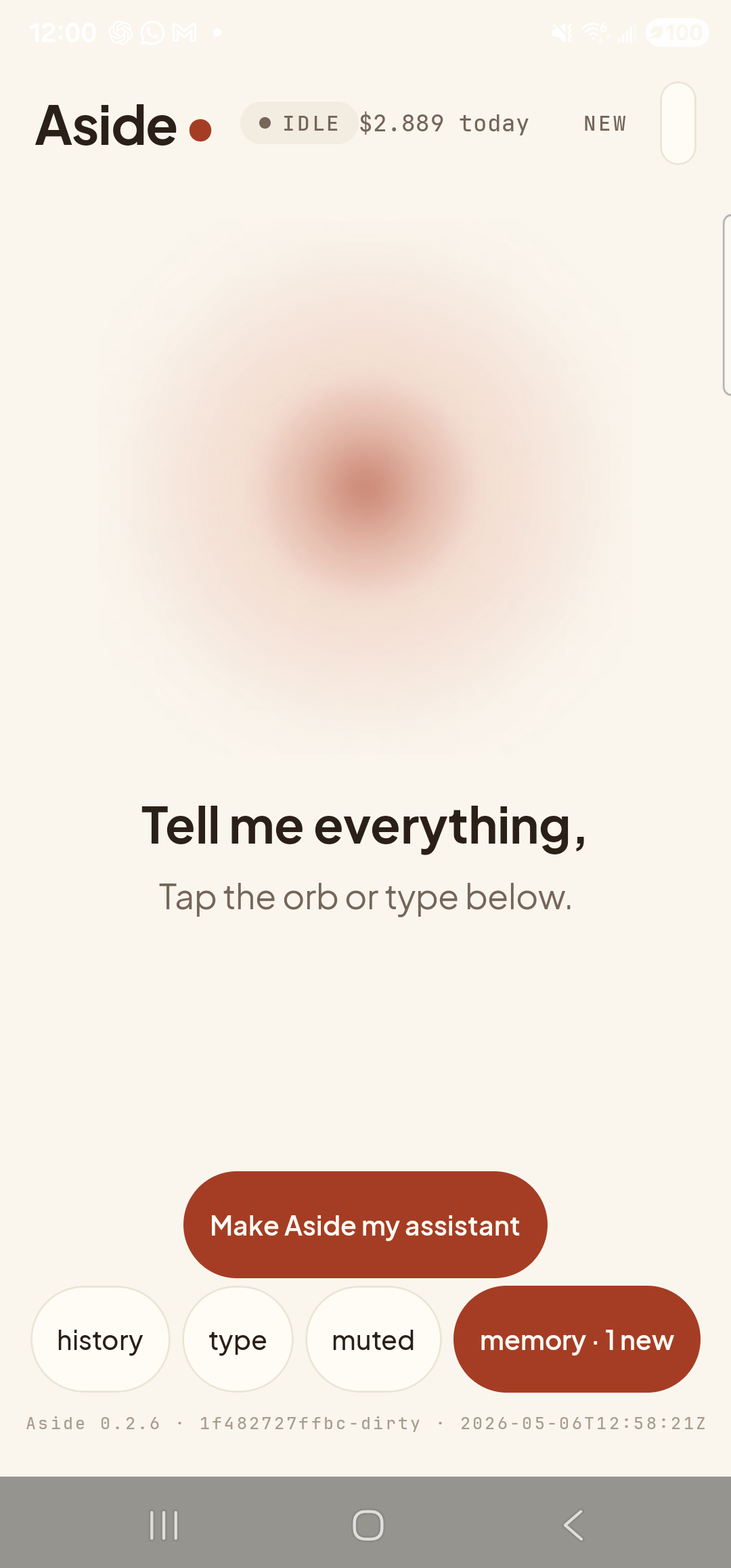
    The Aside main screen at idle on a Samsung Galaxy S23 Ultra. The status pill at the top reads ‘● IDLE’ next to the cost counter ‘$2.889 today’ and a ‘NEW’ link top-right. Centered is the warm-paper-colored orb, breathing slowly. Below the orb in large bold type: ‘Tell me everything,’. Below that, in lighter type: ‘Tap the orb or type below.’. Near the bottom is a clay-colored ‘Make Aside my assistant’ button. Below that, the bottom row of mono pills reads ‘history’, ‘type’, ‘muted’, ‘memory · 1 new’.
    Aside open at idle.
  2. Ask about today

    Hold the orb to talk and say “What’s on my calendar today?,” or tap the type pill and type the same.

    What’s on my calendar today?
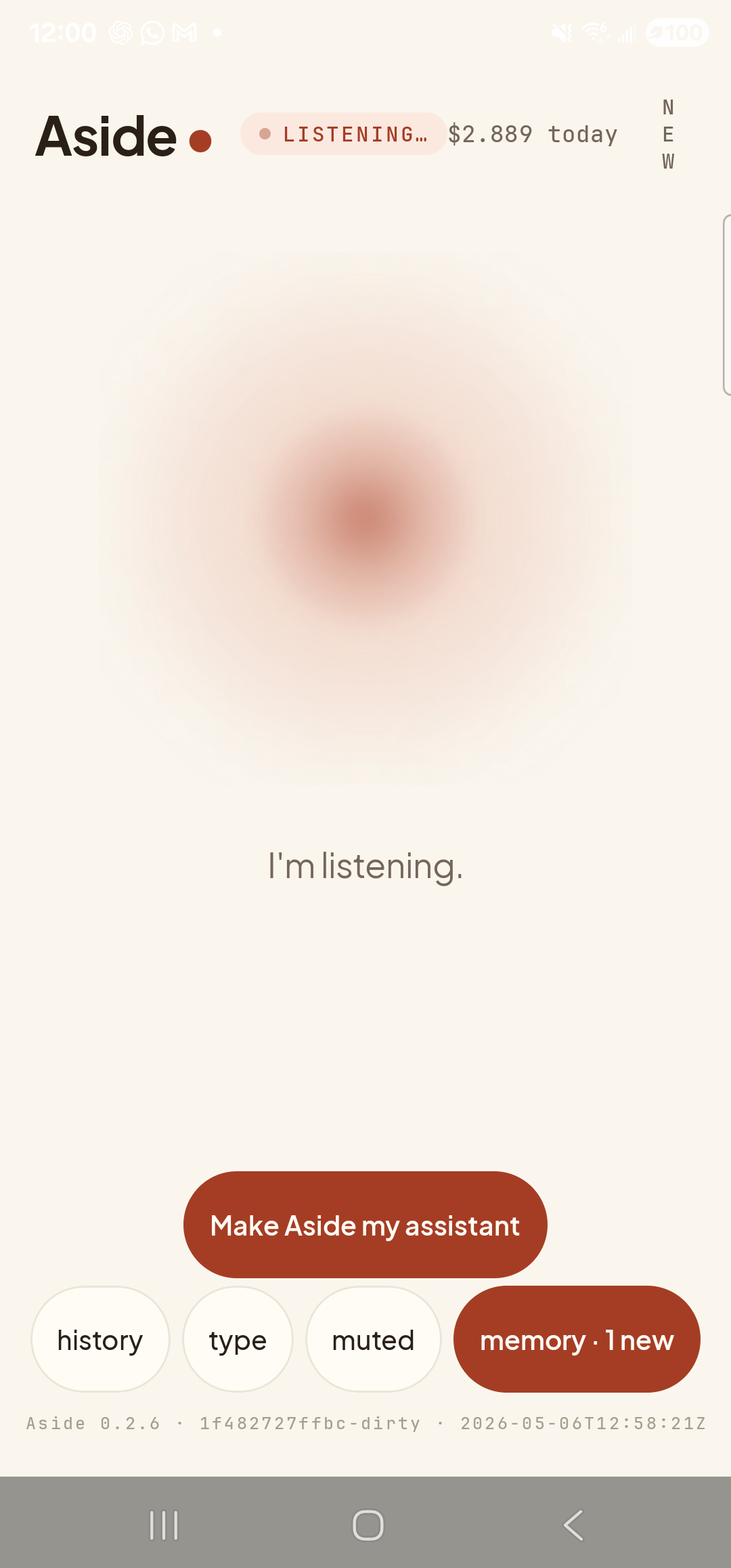
    The Aside main screen now in the listening state. The status pill at the top reads ‘● LISTENING…’ in clay-red type, with the cost counter still at ‘$2.889 today’ next to it. Because the listening pill is wider than IDLE, the ‘NEW’ link at the top-right has wrapped vertically as ‘N E W’ in stacked letters. The orb is animated with a soft outline that pulses with the microphone level. Beneath the orb a single centered sentence reads ‘I’m listening.’. The bottom pill row (‘history’, ‘type’, ‘muted’, ‘memory · 1 new’) and the clay-colored ‘Make Aside my assistant’ button are still present.
    Orb shifts to listening once the mic activates.
  3. See Aside confirm and read the day back

    Aside replies in both audio and text. Because Aside already has read access to your calendar, it speaks a short summary of what’s on today before opening the app — “You have one event today: dentist at 2 p.m.”. The chat history shows your question, Aside’s reply, and an Aside note chip with the action open_calendar_today. The calendar app is launching in the background.
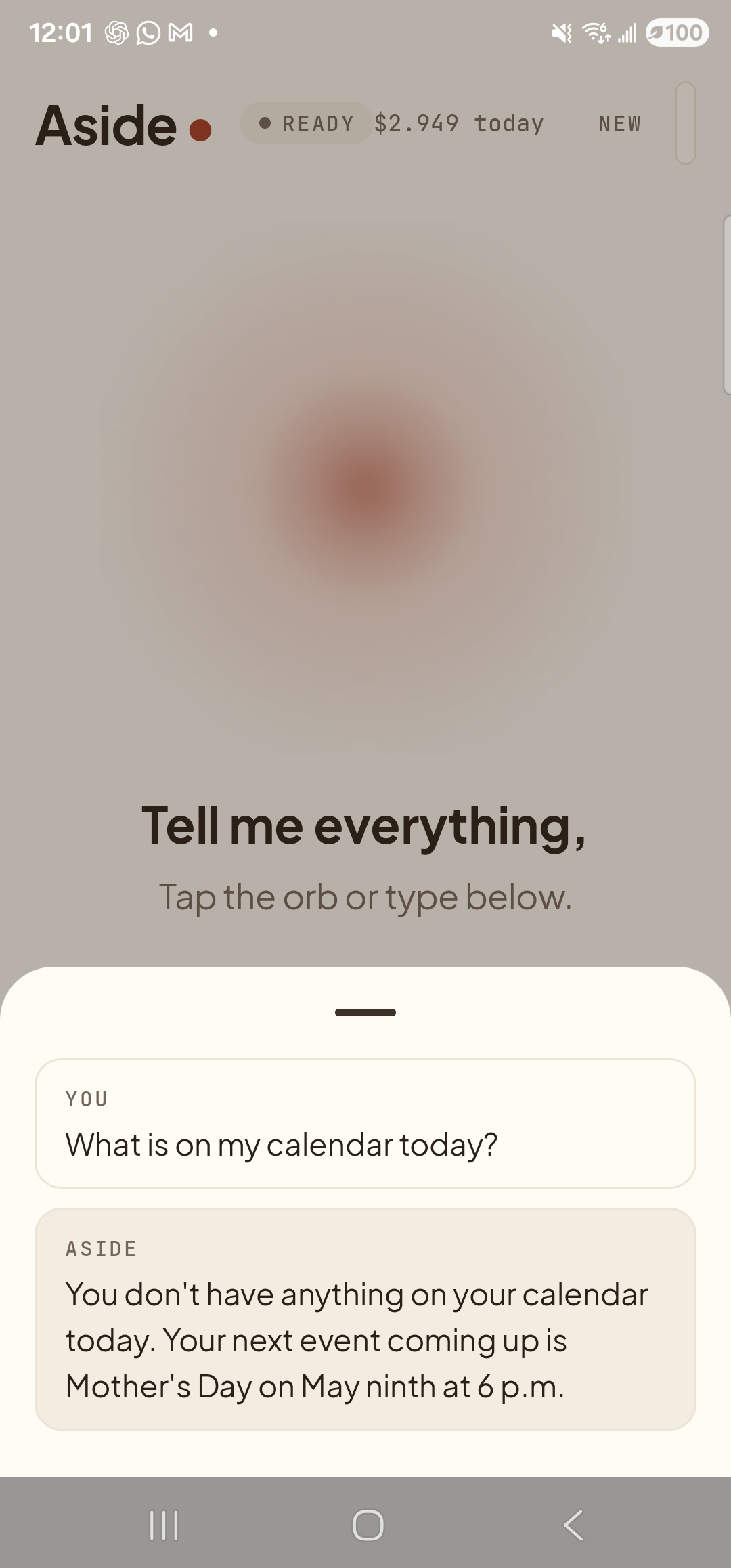
    The Aside main screen with the chat history bottom sheet covering the lower half of the screen. The status pill at the top has changed to ‘● READY’ and the cost counter has ticked up to ‘$2.949 today’. Behind a slight scrim the orb is dimmed; the words ‘Tell me everything,’ and ‘Tap the orb or type below.’ are still partially visible. Inside the sheet are two stacked entries: a small mono label ‘YOU’ above the line ‘What is on my calendar today?’ (the apostrophe is dropped because the request was typed); and a label ‘ASIDE’ above the multi-line reply ‘You don’t have anything on your calendar today. Your next event coming up is Mother’s Day on May ninth at 6 p.m.’.
    Aside reads today’s events back, then opens the calendar app for you.
  4. See today in the calendar app

    Your calendar app slides in front, scrolled to today’s date in whatever view you usually use (Day, Schedule, or Week). The current time is highlighted with a thin red line; today’s events are highlighted in color. Scroll up or down to see earlier or later in the day.
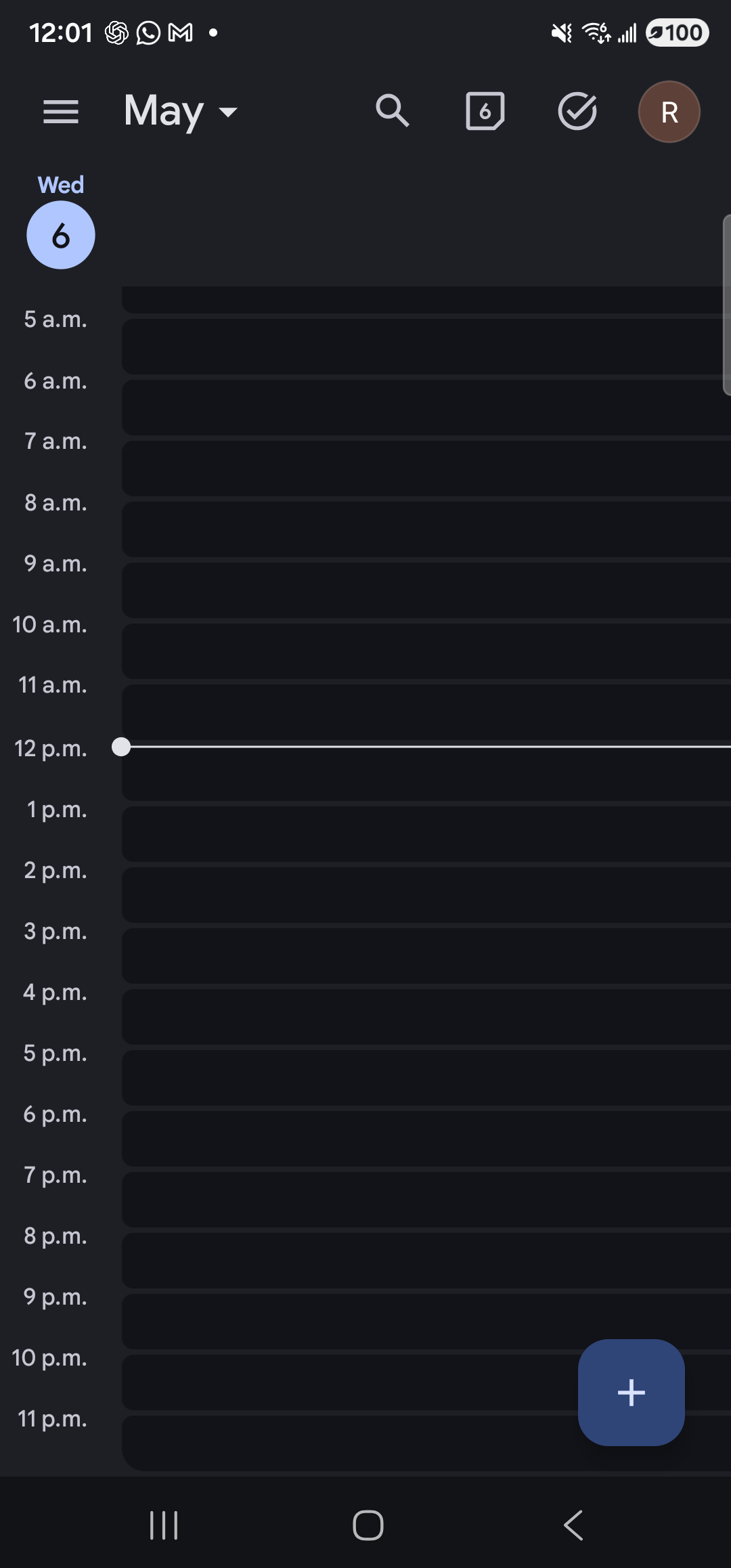
    Google Calendar in dark mode on the Samsung Galaxy S23 Ultra, in Day view, scrolled to today. The top bar shows a hamburger menu, the month label ‘May’ with a dropdown caret, a search icon, a date-jump icon, a tasks check icon, and a brown ‘R’ avatar. Below the bar, a slim left-hand day strip shows the label ‘Wed’ above the day number ‘6’ in a filled blue circle — today. The main pane is a vertical timeline of empty hourly rows from ‘5 a.m.’ down to ‘11 p.m.’. A thin white horizontal line with a small dot at its left end cuts across the ‘12 p.m.’ row, marking the current time. No event blocks are drawn — nothing is on the calendar today. A blue floating-action button with a white plus sign sits in the bottom-right corner. The system gesture-bar / 3-button nav is visible at the very bottom.
    Calendar app, Day view, scrolled to today. The line marks now.
Want a fuller picture of the day? Try “give me my morning briefing” — Aside reads back the time, weather, today’s calendar, recent notifications, and battery in a single spoken paragraph, without you opening any apps. See Get a morning briefing.
If Aside says “I don’t have access to your calendar”: Android’s read-calendar permission may not be granted. Aside will still open the calendar app, but it can’t read events back to you until you grant access. Open Settings » Apps » Aside » Permissions and turn Calendar on.