How-to guide · Time, alarms & calendar Set an alarm by voice

Actionset_alarm
Audience Cognitive Motor Age
Time Under 5 seconds
Permissions None — uses the system Clock app
What this is: Tell Aside what time you want to wake up and the system Clock app sets a one-time alarm for that time. No scrolling through hour pickers, no remembering which day-of-week dot to tap, no fumbling at bedtime.
Try it now

Open Aside on your phone, then say or type:

“Wake me up at 6:45 tomorrow.”

Aside confirms in the chat history and the system Clock app opens with the alarm filled in for 6:45 a.m. on the next day.

Step by step

  1. Open Aside

    Tap the Aside icon, or trigger your assist gesture if you’ve set Aside as your default assistant. Aside opens to the orb in its idle state.
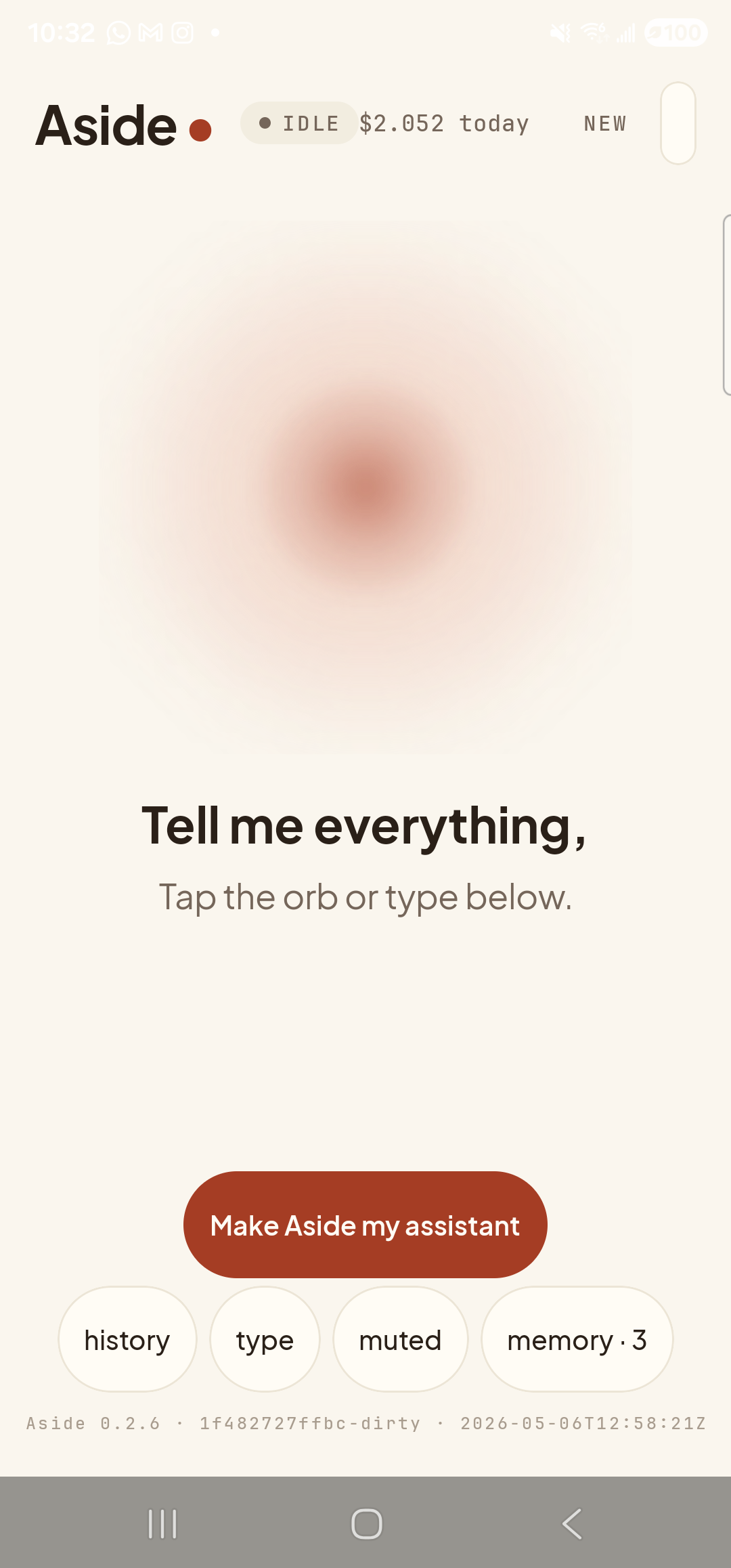
    The Aside main screen at idle on a Samsung Galaxy S23 Ultra. Across the top: the word ‘Aside’ with a red dot, a small mono status pill reading ‘● IDLE’, the cost counter ‘$2.013 today’, and a ‘NEW’ link top-right. Centered is the warm-paper-colored orb with a soft brown core, breathing slowly. Below the orb in large bold type: ‘Tell me everything,’. Below that, in lighter type: ‘Tap the orb or type below.’. Near the bottom is a clay-colored pill button reading ‘Make Aside my assistant’. Below that is a row of four mono pills: ‘history’, ‘type’, ‘muted’, ‘memory · 3’.
    Aside open at idle.
  2. Say (or type) when you want to wake up

    Hold the orb to talk and say “Wake me up at 6:45 tomorrow,” or tap the type pill and type the same. You can phrase it any way that feels natural — “set an alarm for 7am,” “wake me at quarter to seven,” “alarm for 8:30 in the morning” all work.

    Wake me up at 6:45 tomorrow.
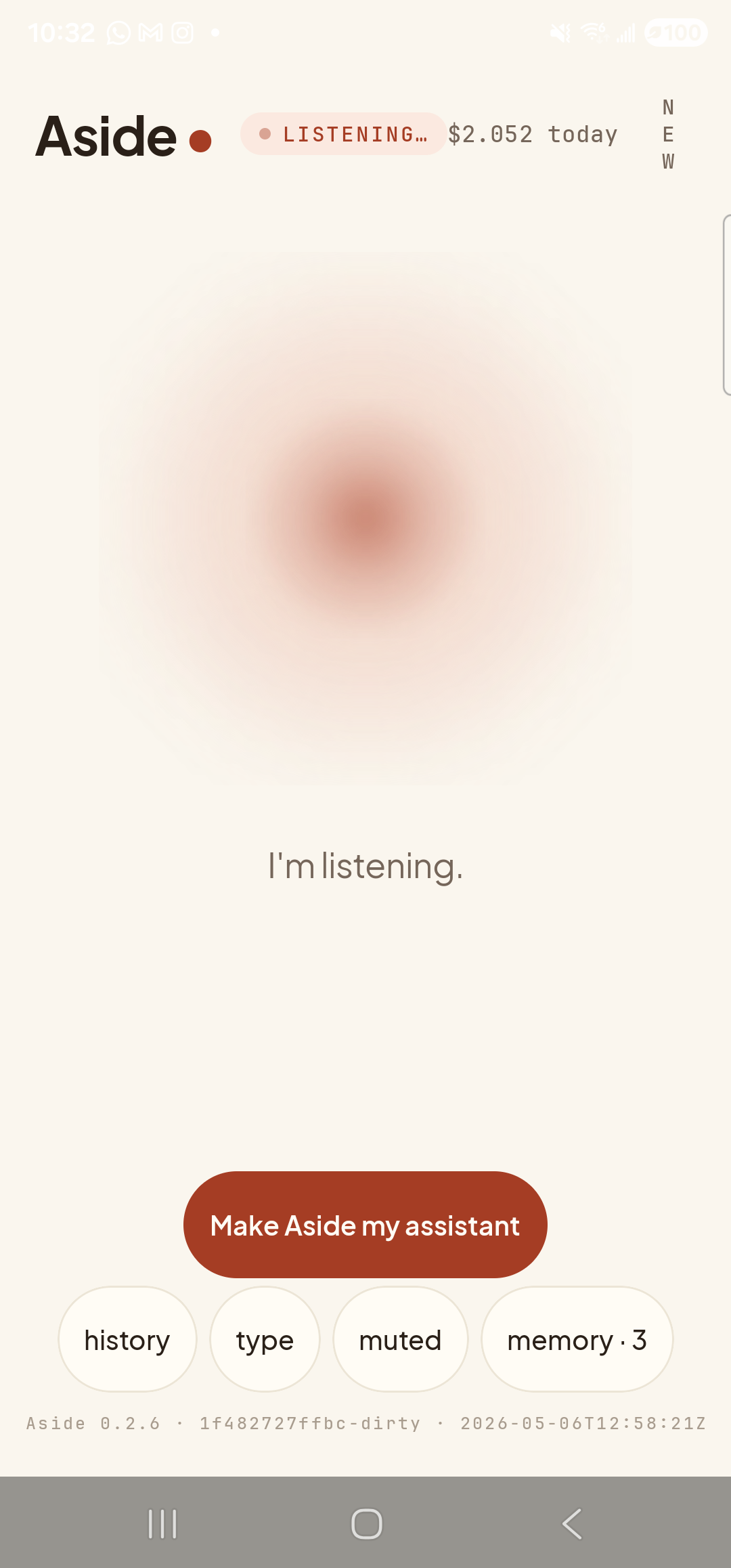
    The Aside main screen now in the listening state. The status pill at the top has changed to ‘● LISTENING…’ in clay-red type, with the cost counter still at ‘$2.013 today’ next to it. Because the listening pill is wider than IDLE, the ‘NEW’ link top-right has wrapped vertically as ‘N E W’ in stacked letters. The orb is the same warm shape with a softly diffused outline. Beneath the orb a single centered sentence reads ‘I’m listening.’ The bottom pill row (‘history’, ‘type’, ‘muted’, ‘memory · 3’) and the clay-colored ‘Make Aside my assistant’ button are still present.
    Orb shifts to listening once the mic activates.
  3. See Aside confirm

    Aside replies in both audio and text. The chat history shows your transcribed request, Aside’s spoken reply, and an Aside note chip showing the action that was performed — in this case set_alarm 06:45. The Clock app is launching in the background.
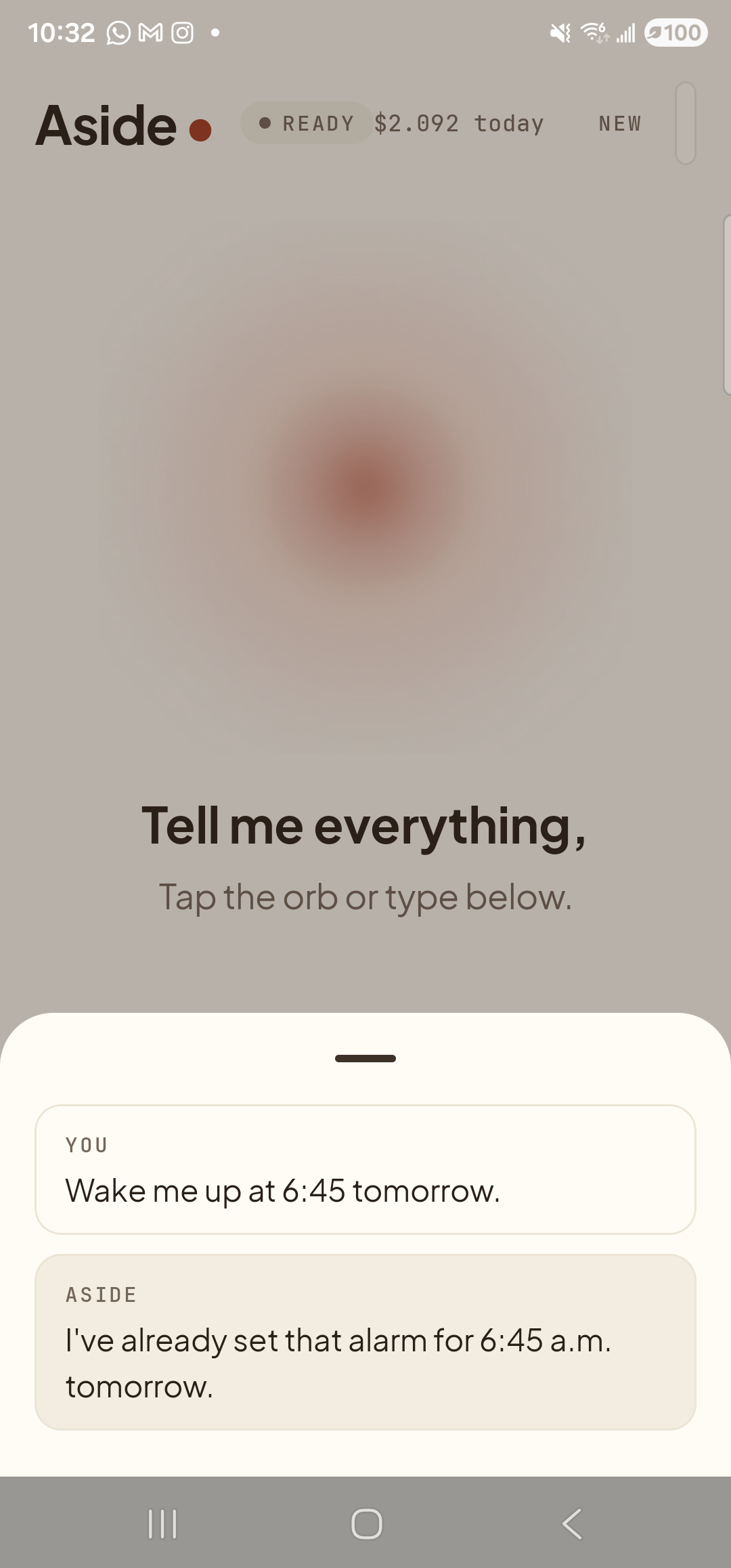
    The Aside main screen with the chat history bottom sheet covering the lower half of the screen. The status pill at the top has changed to ‘● READY’ and the cost counter has ticked up to ‘$2.092 today’. Behind a slight scrim the orb is dimmed; the words ‘Tell me everything,’ and ‘Tap the orb or type below.’ are still partially visible. Inside the sheet are two stacked entries: a small mono label ‘YOU’ above the line ‘Wake me up at 6:45 tomorrow.’; and a label ‘ASIDE’ above the line ‘I’ve already set that alarm for 6:45 a.m. tomorrow.’ — Aside is reusing an existing matching alarm on this device, so no new ASIDE NOTE chip is shown.
    Aside confirms on screen and aloud. The action chip shows the time the alarm was set for.
  4. See the alarm in the Clock app

    The system Clock app slides in front and lands you on the Alarm tab with the new 6:45 alarm at the top of the list and its toggle already on. You can leave it as-is, change the ringtone, or add a label by tapping the alarm row. Lock your phone and walk away; it will ring at the time you said.
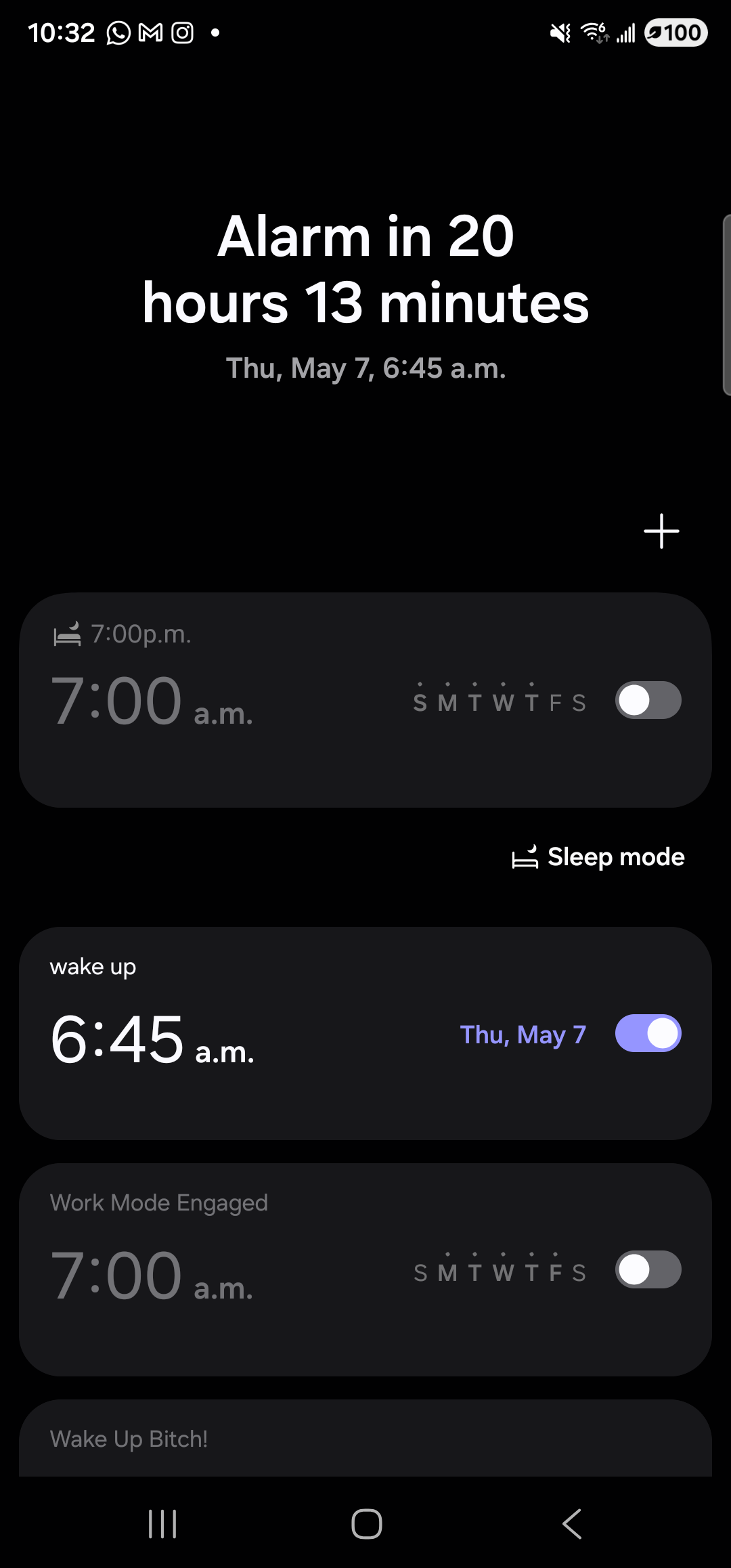
    The Samsung Clock app on the Galaxy S23 Ultra in dark mode, on the Alarm tab. At the top of the screen, large white text reads ‘Alarm in 20 hours 13 minutes’ with a smaller line beneath it: ‘Thu, May 7, 6:45 a.m.’. A ‘+’ add-alarm button sits at the right. Below that is a list of alarm rows; the second row is the freshly created one — labeled ‘wake up’ above ‘6:45 a.m.’ on the left, with the day descriptor ‘Thu, May 7’ in violet on the right next to a violet toggle in the on position. Other rows above and below (a 7:00 a.m. ‘Sleep mode’ row, a ‘Work Mode Engaged’ 7:00 a.m. row, a ‘Wake Up Bitch!’ row peeking from the bottom edge) are pre-existing personal alarms, all toggled off.
    Clock app, Alarm tab. The 6:45 alarm is set, toggle on, and Clock confirms how long until it fires.
Some Android versions show a confirmation: On a few phones the Clock app pops up a small “Set alarm for 6:45 AM?” sheet rather than going straight to the alarm list. Tap Set (or just say “Aside, tap set” if you have go home or go back set up). Either way, the alarm lands.
If the alarm time looks wrong: Aside takes its idea of “tomorrow” from your phone’s timezone. If you’ve recently flown and the time is off by a few hours, check that the phone’s timezone is correct in Settings » Date & time. You can also be explicit: “set an alarm for 6:45 a.m. on Saturday.”