How-to guide · Core capabilities Get a morning briefing

Actiondaily briefing
Audience Vision Cognitive Age
Time About 15 seconds end-to-end
Permissions Location, Calendar, Notifications (already granted at first launch)
What this is: One phrase — “Give me my morning briefing” — that returns a single composite summary of your day so far: the current time, the weather where you are, today’s calendar entries, what’s in your recent notifications, and your battery level. Replaces “open the Clock, the Weather app, the Calendar, and your notification shade” with one spoken sentence and one spoken reply.
Try it now

Open Aside on your phone, then say or type:

“Give me my morning briefing.”

Aside replies aloud and on screen with a short paragraph covering the time, the weather, today’s calendar, anything notable in your recent notifications, and a battery check. The whole thing usually fits inside two breaths of audio.

Step by step

  1. Open Aside

    Tap the Aside icon, or trigger your assist gesture if you’ve set Aside as your default assistant. Aside opens to the orb in its idle state — calm, slowly breathing — with the prompt “Tell me everything,” beneath it.
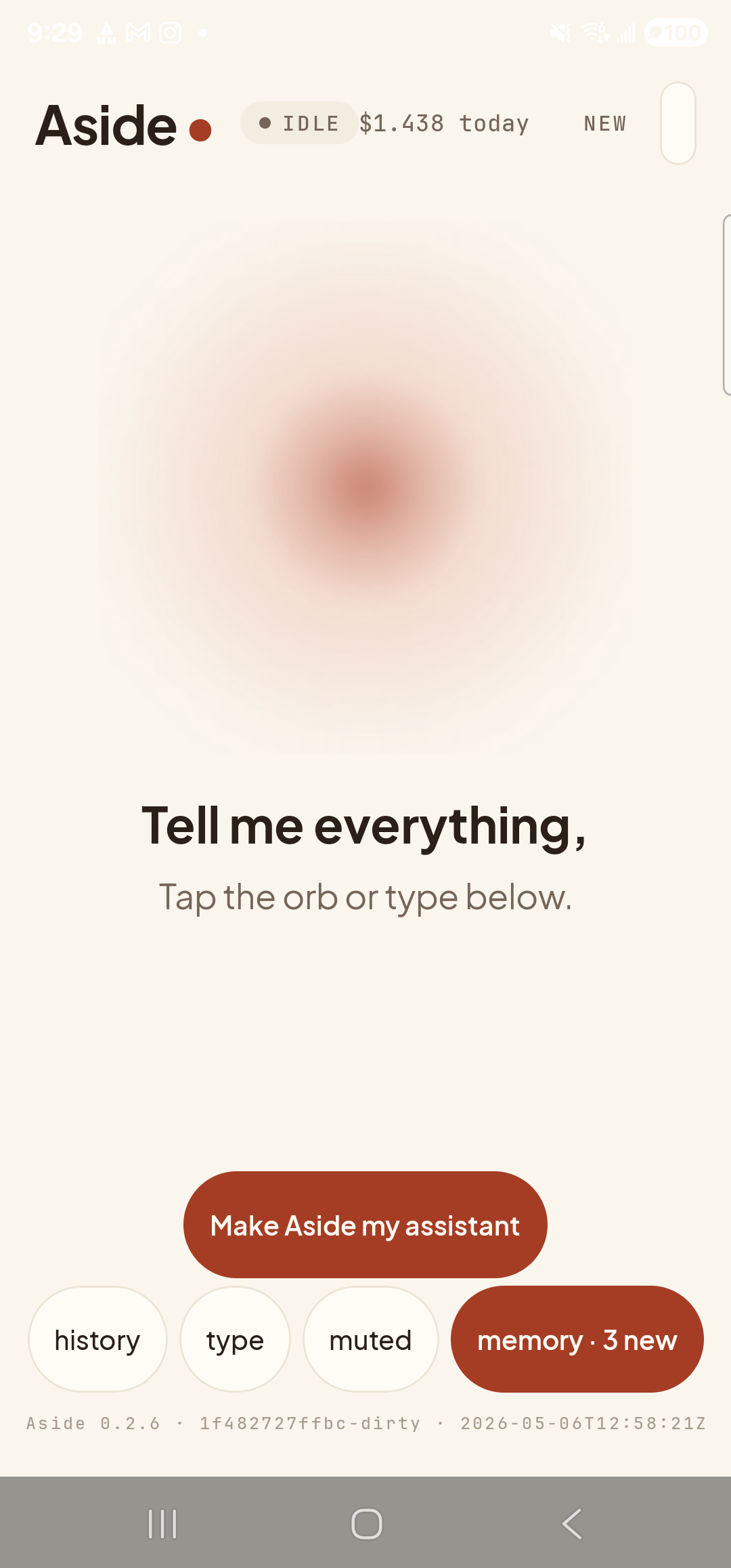
    The Aside main screen at idle on a Samsung Galaxy S23 Ultra. Across the top: the word ‘Aside’ with a red dot, a small mono status pill reading ‘● IDLE’, the cost counter ‘$1.438 today’, and a ‘NEW’ link top-right. Centered on the screen is a large warm-paper-colored orb, slowly breathing. Below the orb in large type: ‘Tell me everything,’. Below that in lighter type: ‘Tap the orb or type below.’. Near the bottom is a clay-colored ‘Make Aside my assistant’ button. Below that is a row of four mono pills: ‘history’, ‘type’, ‘muted’, ‘memory · 3 new’. The very bottom shows a build-identity line.
    Aside open at idle, ready to take the request.
  2. Ask for the briefing

    Hold the orb to talk and say “give me my morning briefing,” or tap the type pill at the bottom and type the same phrase, then send. As soon as the request lands, the orb shifts to its thinking state and the status pill at the top changes to match.

    Give me my morning briefing.
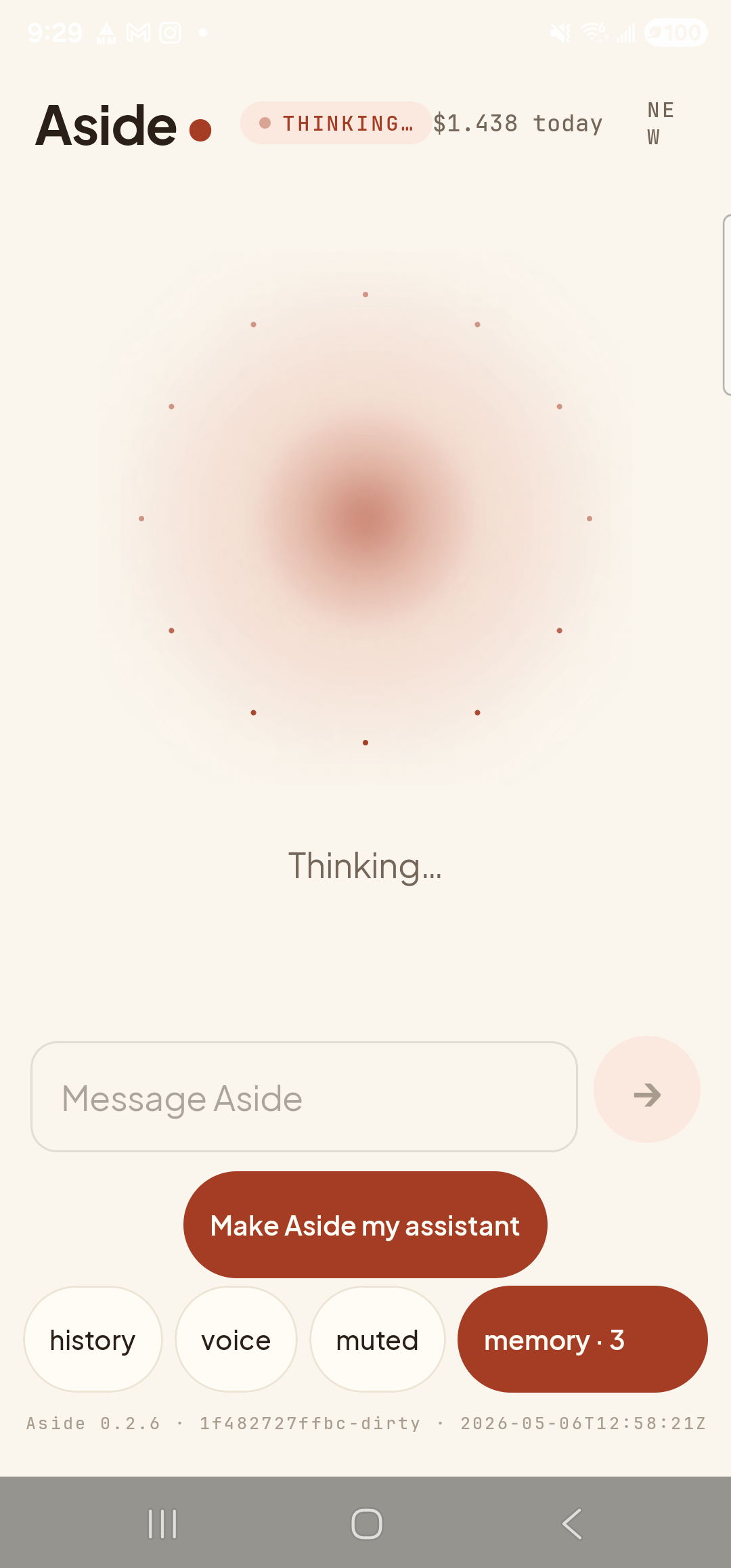
    The Aside main screen now in the thinking state. The status pill at the top reads ‘● THINKING…’ and the cost counter still shows ‘$1.438 today’. The orb is the same warm shape, scattered with small dots. Beneath the orb a single line reads ‘Thinking…’. Below that the text-input field shows the placeholder ‘Message Aside’ with a clay send arrow on its right. The bottom pill row reads history, voice, muted, memory · 3.
    Orb shifts to thinking state while Aside assembles the briefing from time, weather, calendar, notifications, and battery.
  3. Hear (and read) the streaming briefing

    Aside starts speaking before the full reply has finished writing — the orb shifts to its speaking state and audio comes out of the speaker while the text fills in on screen. A bottom sheet slides up showing the chat history with your transcribed request and Aside’s reply: a short composite paragraph covering the time, the weather where you are, today’s calendar entries, recent notifications, and your battery level.
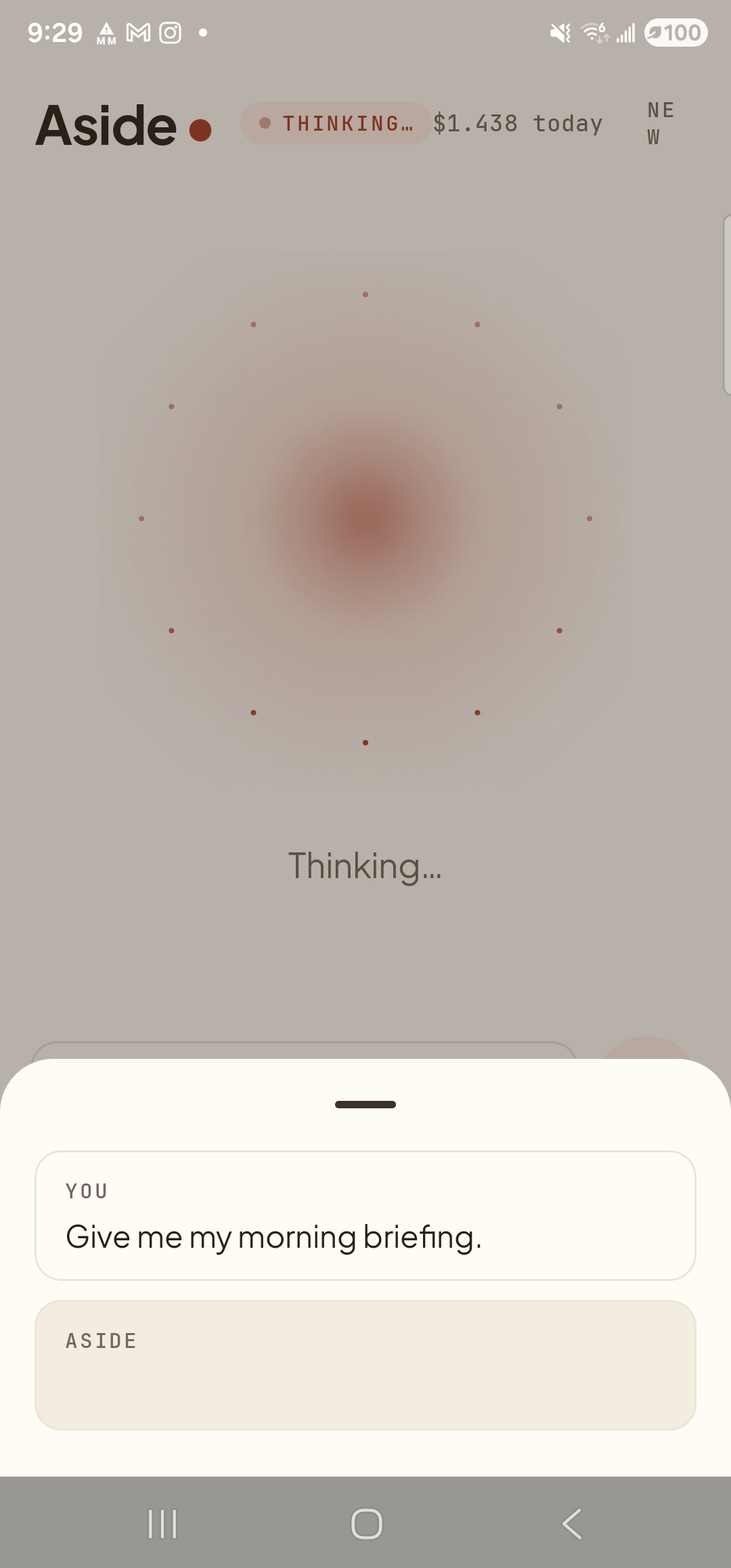
    The Aside main screen with the chat history modal sheet sliding up over the lower half of the screen. The status pill at the top reads ‘● THINKING…’ as Aside assembles the briefing. Inside the bottom sheet are two stacked entries: a small mono label ‘YOU’ above the line ‘Give me my morning briefing.’; and a label ‘ASIDE’ with the reply box still empty as the answer is being composed.
    Streaming briefing — audio + text together. One request replaces opening four apps.
  4. Let it finish, or chain a follow-up

    When the briefing finishes, the orb returns to ready. You can leave it there, or chain a follow-up like “what time is my first meeting?” — the next turn carries the same live device-context bundle and the conversation just continues.
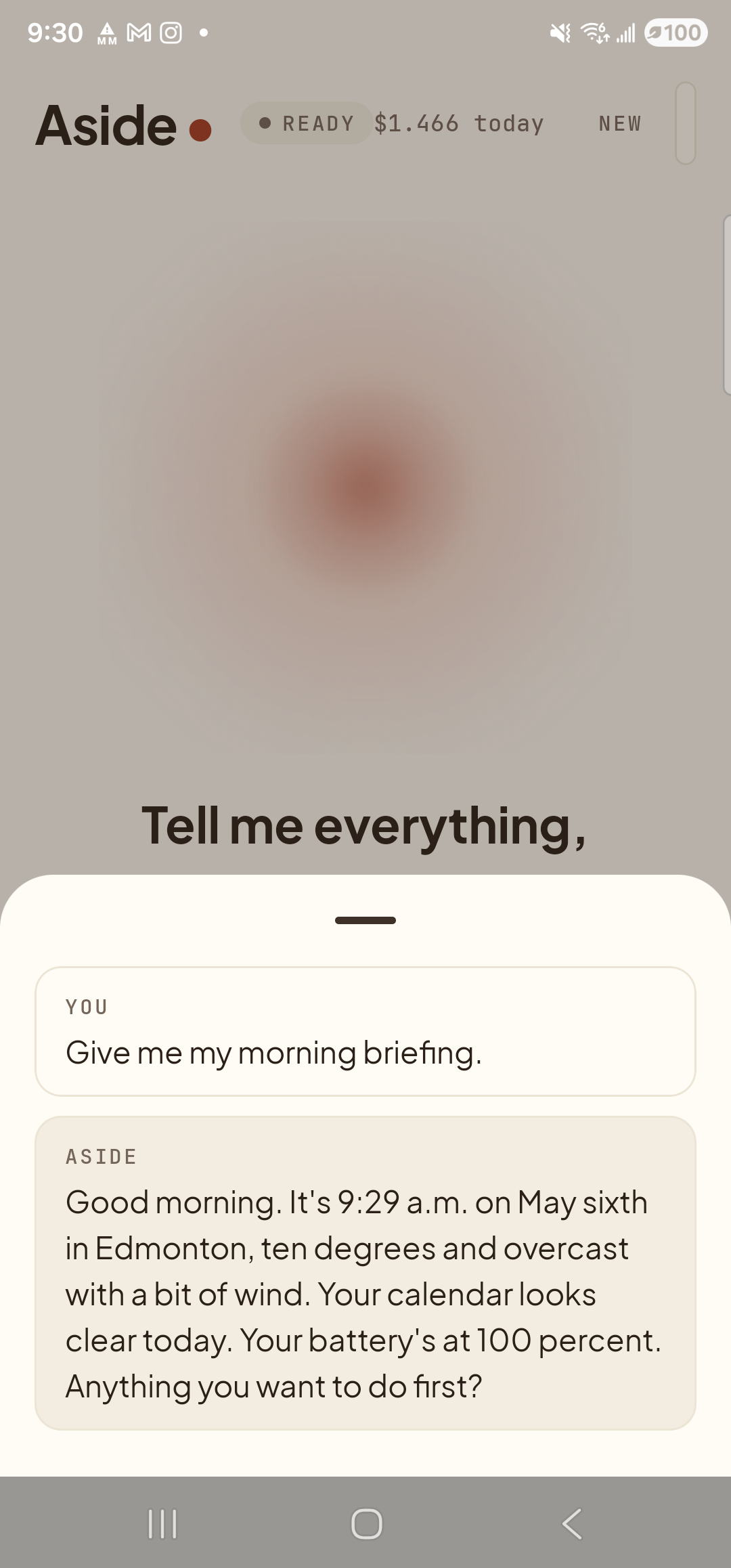
    The Aside main screen with the chat history bottom sheet now showing the completed briefing. The status pill at the top reads ‘● READY’ and the cost counter has ticked to ‘$1.466 today’. Inside the sheet a ‘YOU’ block holds the request ‘Give me my morning briefing.’ and below it an ‘ASIDE’ block holds the reply, which begins with the current time and date, the city and weather, a calendar summary, and the battery level — for example, ‘Good morning. It’s 9:29 a.m. on May sixth in Edmonton, ten degrees and overcast with a bit of wind. Your calendar looks clear today. Your battery’s at 100 percent. Anything you want to do first?’
    Briefing complete. The history sheet keeps the full reply in case you missed any of the audio.
If the briefing seems thin: The fuller a day Aside can see, the fuller the briefing. If your calendar is empty for the day, Aside says so — it doesn’t make up entries. If notifications are quiet, that’s reflected too. The briefing is honest about what it knows.
Note: Notifications are read with NotificationListenerService on the phone and treated as untrusted input — nothing the briefing reads from a notification is allowed to write to memory or trigger an action. See Commitments for the tainted-source guard story.