How-to guide · Core capabilities Forget a single fact

Actionforget
Audience Privacy Cognitive
Time Under 15 seconds
Permissions None
What this is: A spoken or typed request that asks Aside to remove one specific fact from its memory. The fact is gone immediately — from the next turn onwards, Aside no longer knows it. To wipe everything at once, say “forget everything” instead, or use the Forget all button at the top of the Memory tab.
Try it now

Open Aside, then say or type:

“Forget my favorite color.”

Aside confirms aloud and on screen. The fact is removed from your phone. The next time you ask what Aside knows about you, your favorite color is no longer in the answer.

Step by step

  1. Start from a known state

    This guide assumes Aside currently remembers something. If you haven’t taught it anything yet, run Teach Aside something to remember first — we’ll use the favorite-color example throughout. Open Aside; the orb is in idle.
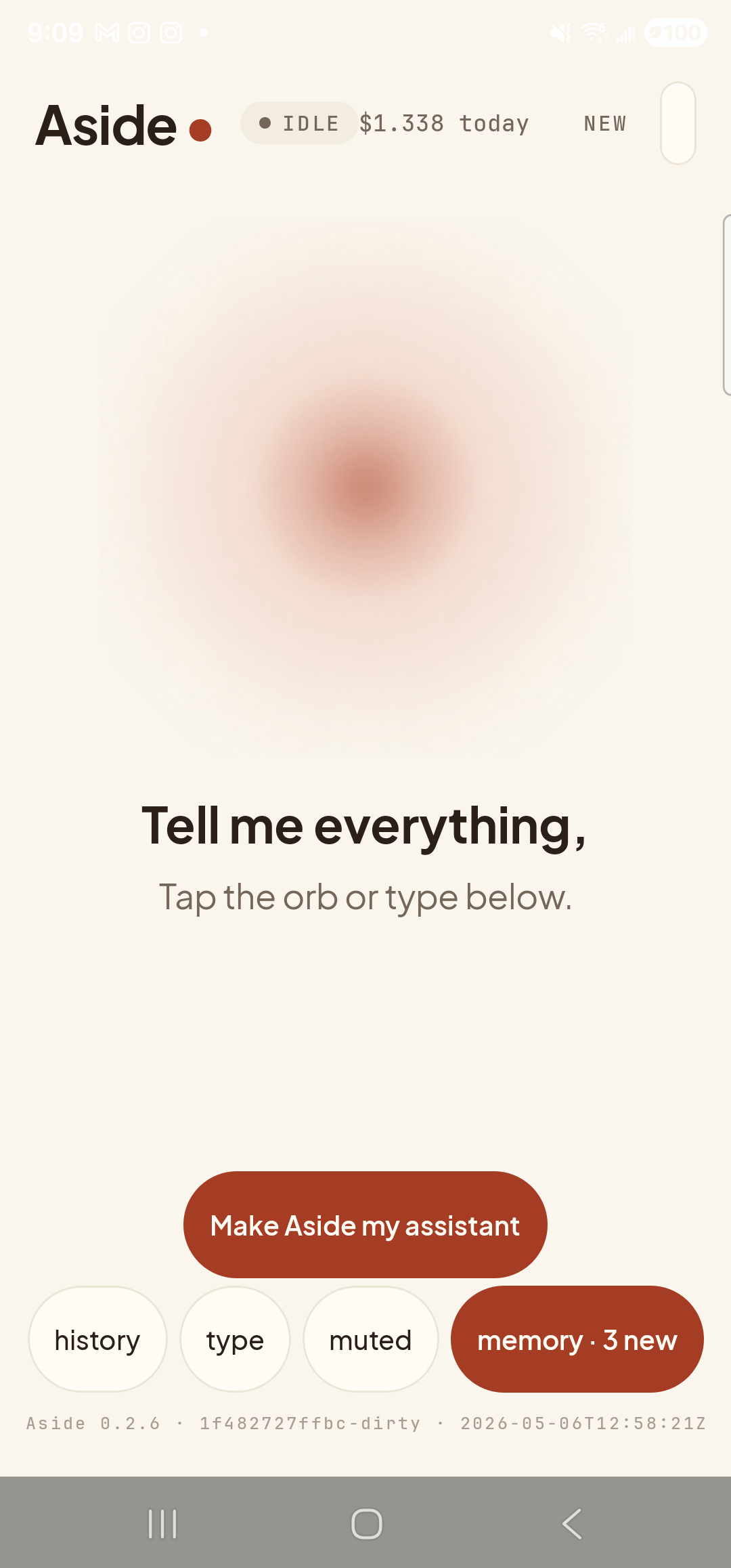
    The Aside main screen at idle on a Samsung Galaxy S23 Ultra. Across the top: the word ‘Aside’ with a red dot, a small mono status pill reading ‘● IDLE’, the cost counter ‘$1.338 today’, and a ‘NEW’ link top-right. Centered is the warm-paper orb with a soft brown core, slowly breathing. Below the orb: ‘Tell me everything,’ and ‘Tap the orb or type below.’. Near the bottom: the clay-colored ‘Make Aside my assistant’ button. Below that, the bottom pill row reads ‘history’, ‘type’, ‘muted’, and a wider ‘memory · 3 new’ pill — there’s a fact in memory ready to be forgotten.
    Aside at idle. There’s a fact in memory ready to be forgotten.
  2. Type the ‘forget’ phrase

    Tap the type pill at the bottom of the screen, then type the fact you want removed in plain English starting with the word forget. Tap the red Send button to send it.

    Forget my favorite color.

    You can also speak it — tap the orb and say the same phrase. Aside accepts variants like “remove my favorite color” and “you can forget about my favorite color.”
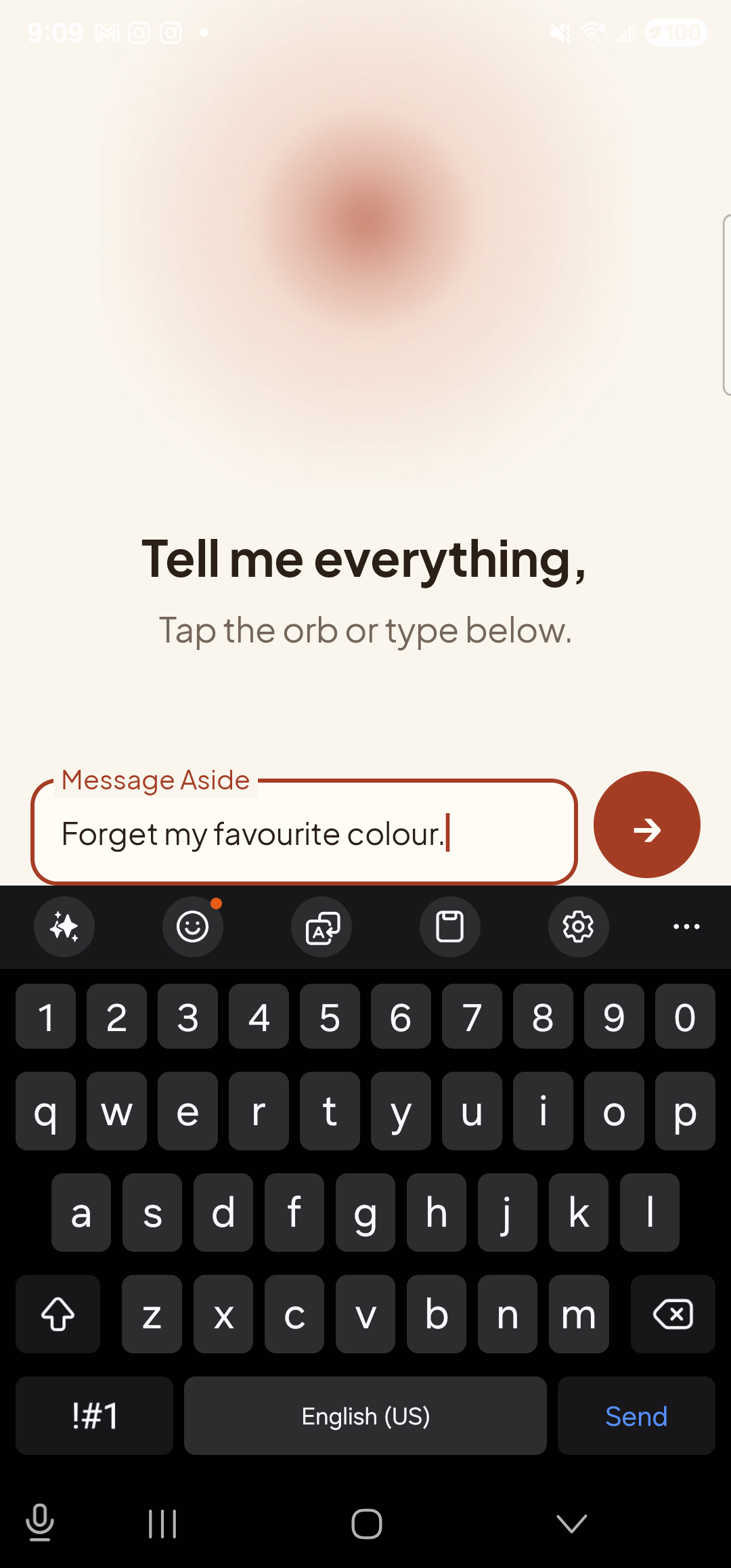
    The Aside main screen in text-input mode. The orb is still visible at the top with ‘Tell me everything,’ and ‘Tap the orb or type below.’ beneath it. A focused EditText labeled ‘Message Aside’ holds the typed text ‘Forget my favorite color.’; to its right is a red circular Send button with a white arrow. Below the input the Samsung soft keyboard is fully up.
    Type the ‘forget’ phrase, then tap the red Send button.
  3. See Aside confirm in chat

    Aside replies with a short acknowledgement. Tap the history pill at the bottom-left to slide up the chat history. You’ll see your request, Aside’s spoken acknowledgement, and an Aside note chip showing the fact that was removed — the same kind of receipt you got when teaching it the fact, but for the reverse action.
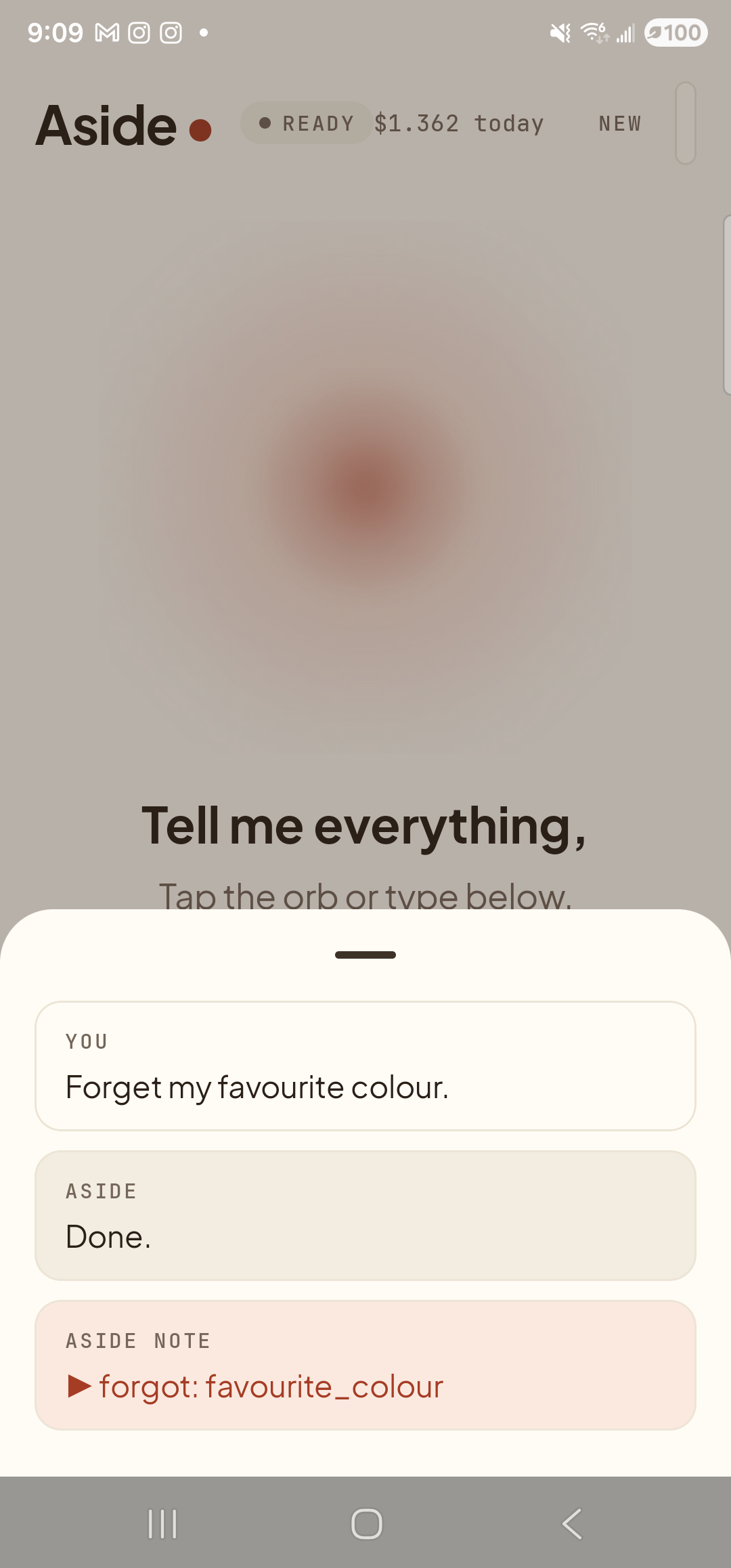
    The Aside main screen with the chat history modal sheet covering the lower half of the screen. The status pill at the top reads ‘● READY’ and the cost counter shows ‘$1.362 today’. Behind a slight scrim, the orb is dimmed; ‘Tell me everything,’ is partially visible. Inside the bottom sheet are three stacked entries: a small mono label ‘YOU’ above the line ‘Forget my favorite color.’; a label ‘ASIDE’ above the line ‘Done.’; and a clay-tinted ‘ASIDE NOTE’ chip showing ‘▶ forgot: favorite_color’ — the explicit forget marker.
    The action chip forgot: favorite_color is your receipt that the fact was removed.
  4. Verify by asking again

    Dismiss the history sheet and ask one more question to confirm:

    What do you know about me?

    Aside’s reply no longer mentions your favorite color — the fact is gone from memory. The Memory tab will also show that the row has been removed.
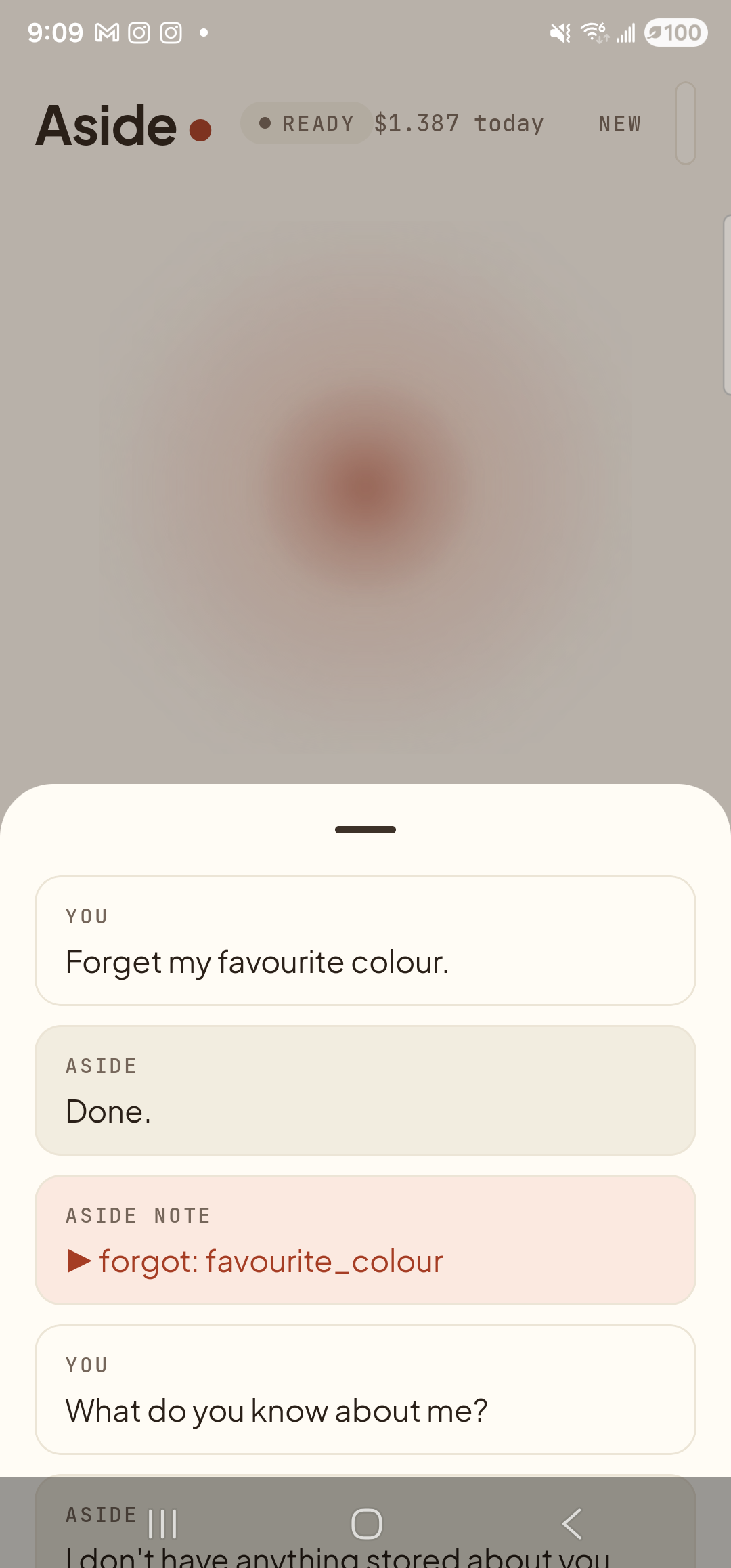
    The Aside main screen with the chat history modal sheet now extended after a follow-up turn. The status pill reads ‘● READY’ and the cost counter shows ‘$1.387 today’. The sheet shows, top to bottom: the previous ‘YOU — Forget my favorite color.’ / ‘ASIDE — Done.’ pair, the clay-tinted ‘ASIDE NOTE — forgot: favorite_color’ chip, then a fresh ‘YOU — What do you know about me?’ and the start of an ASIDE reply that begins ‘I don’t have anything stored about you…’ — confirming the fact is gone.
    Asking again confirms the fact is gone — the recital no longer mentions teal.
Forget everything at once: Say “forget everything,” or open the Memory tab and tap Forget all in the top bar. That removes every remembered fact in one step. There’s no “undo” — only re-teaching from scratch.
Why your phone is the source of truth: Memory lives on your device, not on Aside’s server. When you forget a fact, the row is removed from your local store immediately and is no longer attached to future turns. The server retains nothing about your memories between turns — so there is nowhere else for the fact to be hiding.