How-to guide · Core capabilities Ask Aside what it knows about you

Actionrecall
Audience Cognitive Privacy
Time Under 10 seconds
Permissions None
What this is: A spoken or typed request that asks Aside to recite, in plain language, every fact you’ve taught it. There is no menu to dig through, no JSON to read — you just ask the same way you’d ask a friend, and Aside reads the list back. The full inventory is also visible at any time in the Memory tab; this guide covers the spoken / typed shortcut.
Try it now

This guide assumes you’ve already taught Aside something to remember. Open Aside, then say or type:

“What do you know about me?”

Aside replies aloud and on screen with every fact it has stored, grouped naturally (about you, people, routines). Phrases like “what have you learned about me” and “tell me what you remember” work too.

Step by step

  1. Open Aside

    Tap the Aside icon, or use your assist gesture. Aside opens to the orb in its idle state. The status pill at the top reads • IDLE.
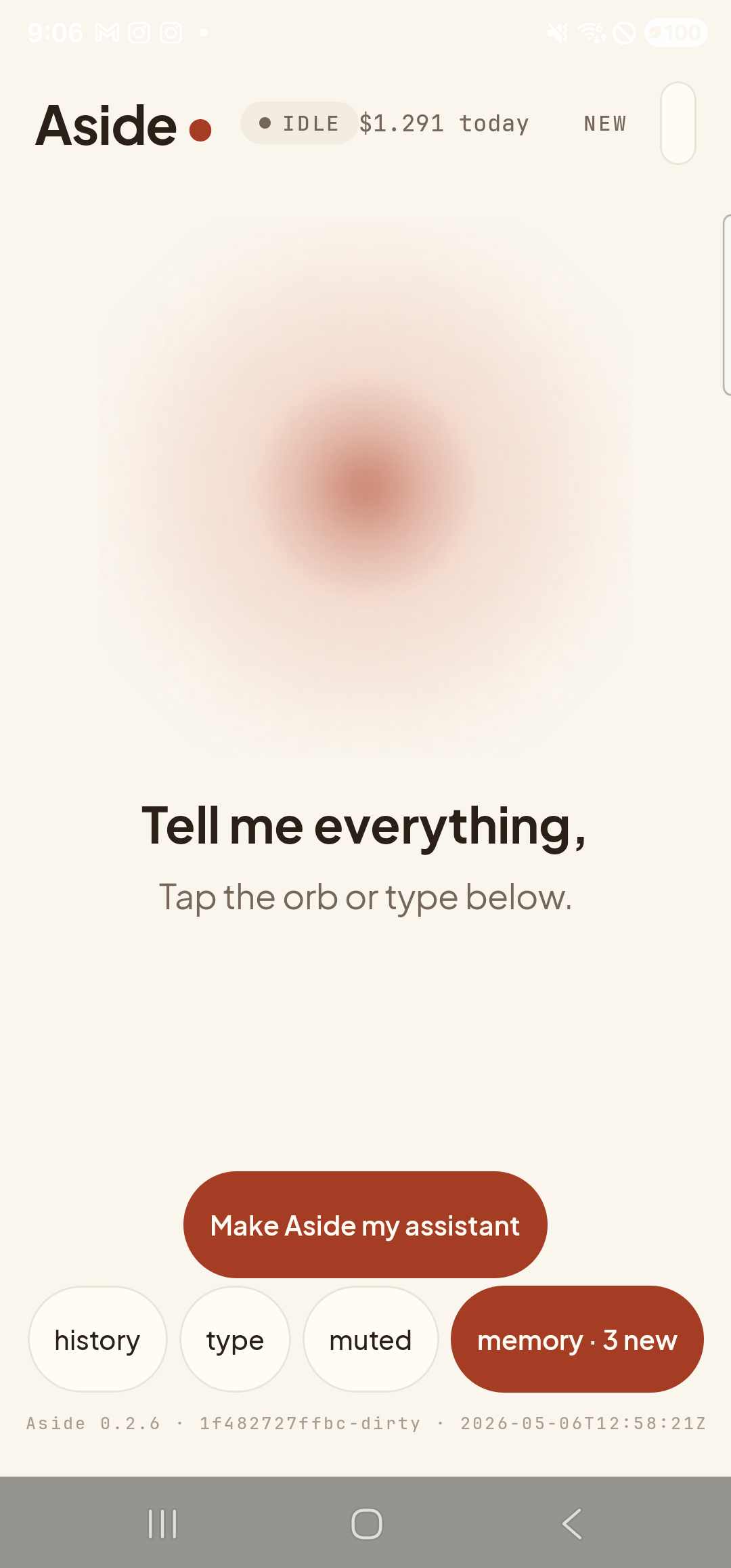
    The Aside main screen at idle on a Samsung Galaxy S23 Ultra. Across the top: the word ‘Aside’ with a red dot, a small mono status pill reading ‘● IDLE’, the cost counter ‘$1.291 today’, and a ‘NEW’ link top-right. Centered is the warm-paper orb with a soft brown core, slowly breathing. Below the orb: ‘Tell me everything,’ then ‘Tap the orb or type below.’. Near the bottom is the clay-colored ‘Make Aside my assistant’ button. Below that, the bottom pill row reads ‘history’, ‘type’, ‘muted’, and a wider clay-tinted ‘memory · 3 new’ pill — the badge means three candidate facts have been auto-extracted from recent conversation and are awaiting review.
    Aside at idle. We’ve already taught it that our favorite color is teal in the previous guide.
  2. Ask the question

    Tap the type pill at the bottom of the screen and type your question, or tap the orb and say it aloud.

    What do you know about me?

    The orb shifts to listening if you’re speaking, then to thinking, then to speaking as the reply streams in.
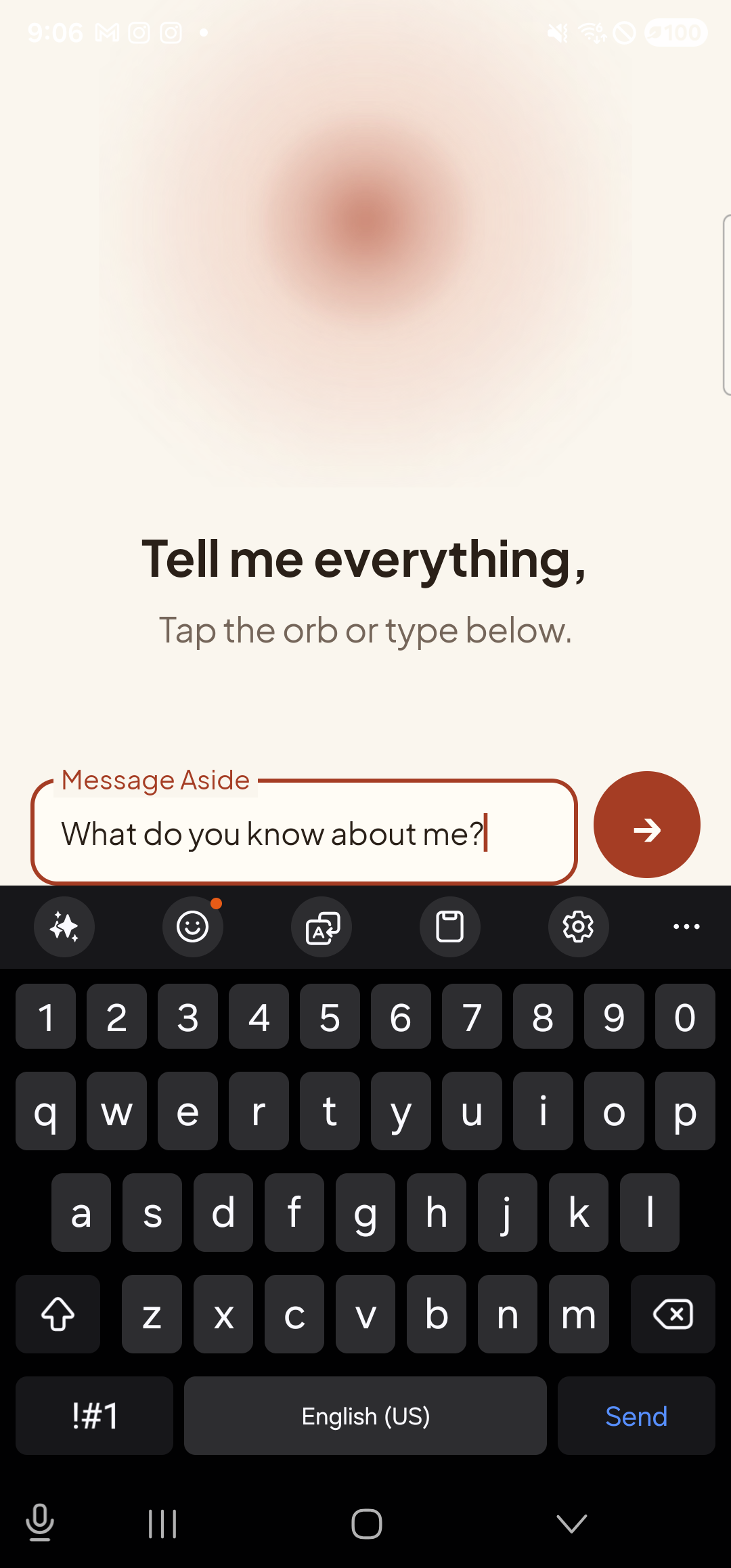
    The Aside main screen in text-input mode. The orb is still visible at the top with ‘Tell me everything,’ and ‘Tap the orb or type below.’ beneath it. A focused EditText labeled ‘Message Aside’ holds the typed text ‘What do you know about me?’; to its right is a red circular Send button. Below the input the Samsung soft keyboard is fully up.
    Type or speak the question. Aside understands several phrasings.
  3. Read — or listen to — the answer

    Aside reads the list aloud and shows the same text on screen. Tap the history pill at the bottom-left to slide up the chat history and read the full reply at your own pace. Each fact is a separate sentence, naturally grouped.
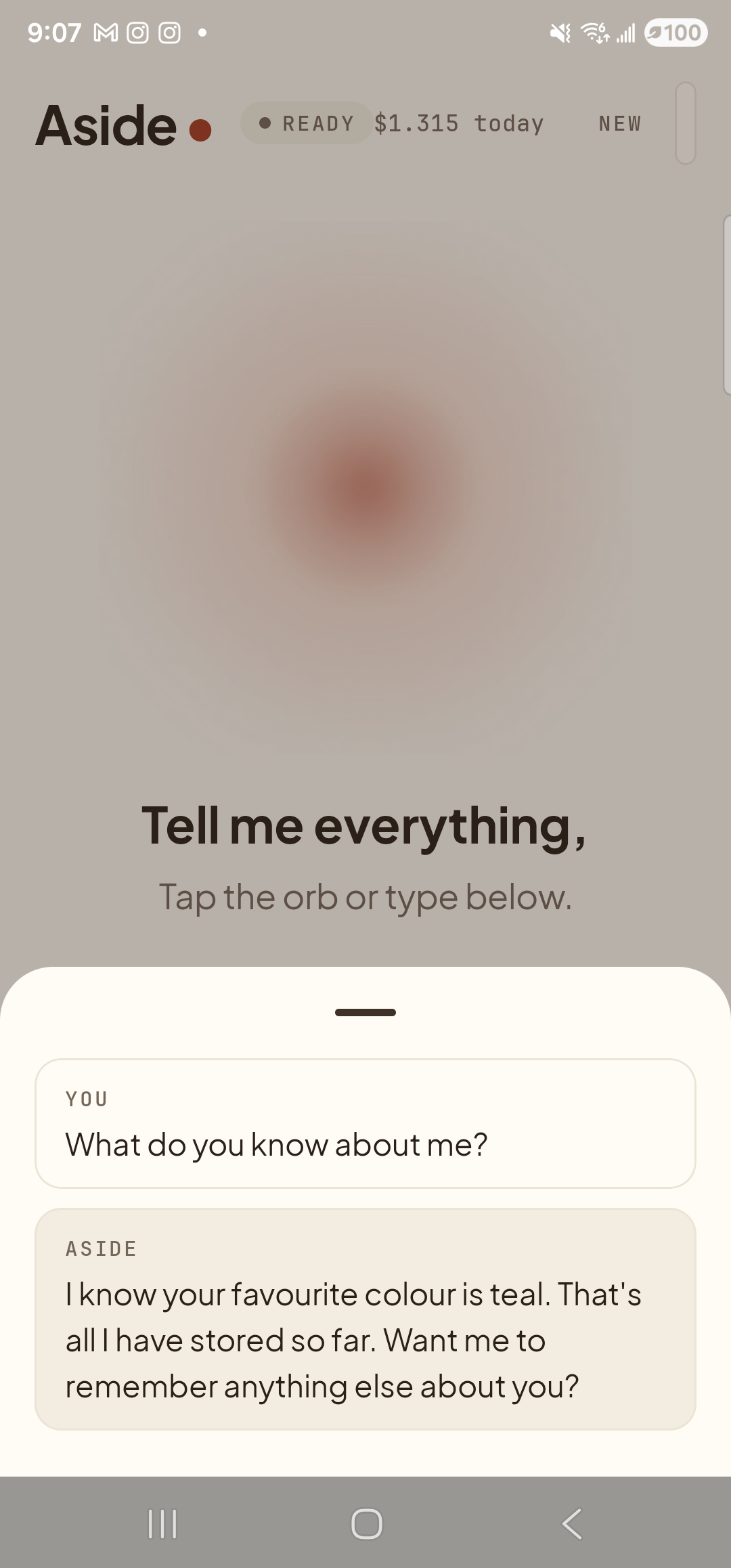
    The Aside main screen with the chat history modal sheet covering the lower half of the screen. The status pill at the top reads ‘● READY’ and the cost counter shows ‘$1.315 today’. Behind a slight scrim the orb is dimmed. Inside the bottom sheet are two stacked entries: a small mono label ‘YOU’ above the line ‘What do you know about me?’; a label ‘ASIDE’ above the reply ‘I know your favorite color is teal. That’s all I have stored so far. Want me to remember anything else about you?’.
    Aside recites every stored fact and offers to keep going.
If Aside says it doesn’t know anything yet: That’s the truthful answer when no facts have been remembered. Walk through Teach Aside something to remember first — one fact is enough — then come back to this guide.
Privacy note: Aside only recites facts you have explicitly taught it, plus anything you’ve confirmed from the “Recently learned” review list in the Memory tab. There is nothing about you in there that you didn’t put there yourself or approve. If a fact you’d rather not have on the device shows up, forget it.