How-to guide · Memory tab Forget everything
This action is permanent and immediate. There is no “are you sure?” popup — we treat the choice to visit the button (open the Memory tab, find the top-bar action, aim for it) as the deliberation. If you want a backup before wiping, export your memory first (see note below).
Step by step
-
Open the Memory tab
From the main Aside screen, tap the memory pill at the bottom-right of the screen. The Memory tab slides up over the orb. (Walk-through of this step lives in the Memory tab overview.)
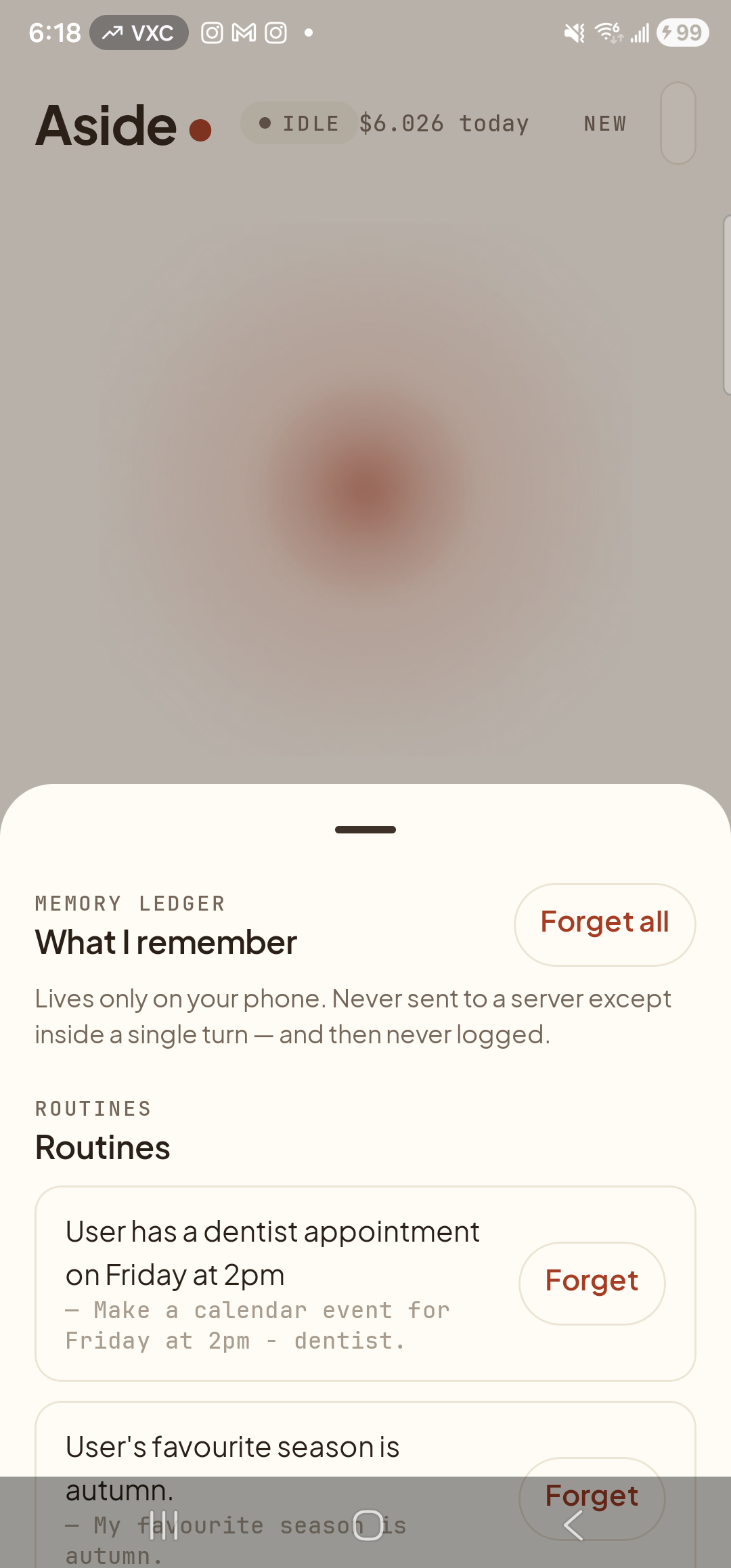
Memory tab open. The top of the sheet is where the Forget all action lives. -
Find the ‘Forget all’ button at the top
Look at the very top of the Memory tab, on the right edge of the page header row. You’ll see a small pill-shaped button rendered in the accent clay-red color, labeled Forget all. It’s deliberately not the same shape or color as the per-row Forget buttons — it’s the one button on the screen that wipes everything, so it’s drawn distinctly.
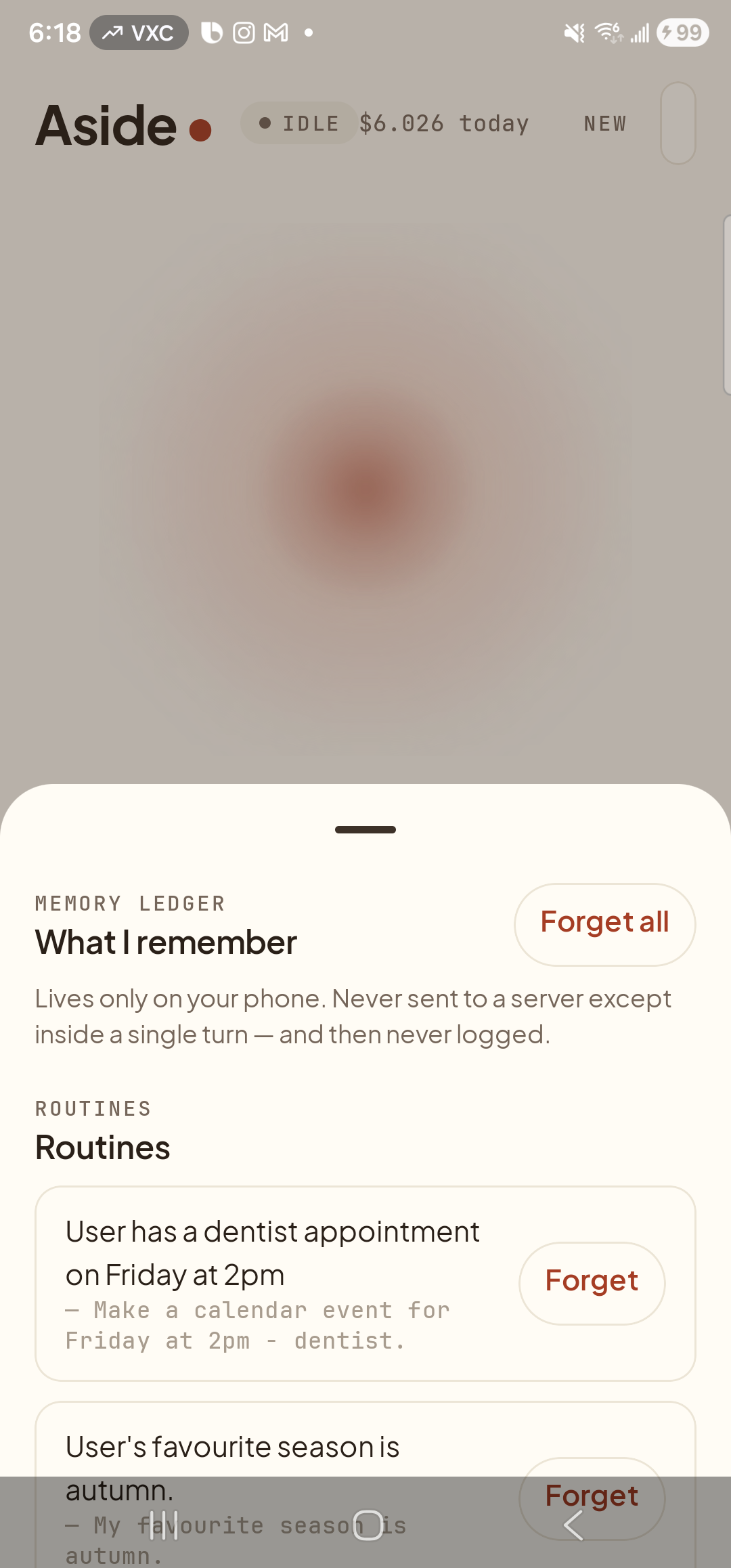
The Forget all affordance, rendered in the accent color to mark it as a standing-out action. -
Tap it — everything goes
Tap the Forget all button. Every row in every category — including any candidates — is deleted from the on-device store immediately. The Memory tab redraws into its empty state: the page header “MEMORY LEDGER” remains, beneath it a single message reads “Nothing remembered yet.”, with a softer hint line below: “Just talk to Aside — anything important will land here automatically.” No category sections, no rows, and no Forget all button (it disappears when there is nothing left to forget).
No screenshot of this state: We don’t ship a captured screenshot for the post-tap empty state, because producing it would mean wiping a real test device’s memory store. The description above is the canonical reference. The capture pipeline deliberately refuses to tap Forget all on any device that isn’t already empty. -
Carry on or close
Press the system Back button to slide the Memory tab back down. Aside returns to idle — orb breathing in the center, the prompt “Tell me everything,” beneath it, the bottom row of pills (history / type / muted / memory) at the foot. Aside is now operating from a blank slate — the next time it answers a question, it has no facts about you in its context. As you talk to Aside again, candidates will reappear in the Memory tab, and you can keep or forget each one as it arrives.
.aside-memory file to a location you choose — useful if you’re moving phones, troubleshooting, or just want a snapshot before a clean-up. The file is AES-encrypted with a passphrase you set; nobody but you can read it. Export, then come back and Forget all.