How-to guide · Voice & conversation Type instead of speak

Action
Audience Hearing Motor Cognitive
Time Under 15 seconds for a short request
Permissions None beyond the keyboard you already use
What this is: Aside in silent mode. Tap a single pill at the bottom of the screen and the orb makes room for a chat-style text input with your normal Android keyboard. Type your request, tap send, and Aside replies on screen. The same conversation, the same memory, the same set of curated actions — just no microphone, no spoken reply, no audio at all. Useful in a meeting, a library, a quiet bedroom, or any time speaking out loud isn’t comfortable.
Try it now

Open Aside, tap the type pill at the bottom, and type:

What’s on my calendar today?

Aside reads your calendar (with your permission) and writes the answer back as a text reply — no voice required.

Step by step

  1. Open Aside at idle

    Launch Aside as normal. The orb is in its idle state in the center of the screen, with the prompt “Tell me everything,” beneath it. The bottom toolbar shows four small mono pills: history, type, muted, and memory.
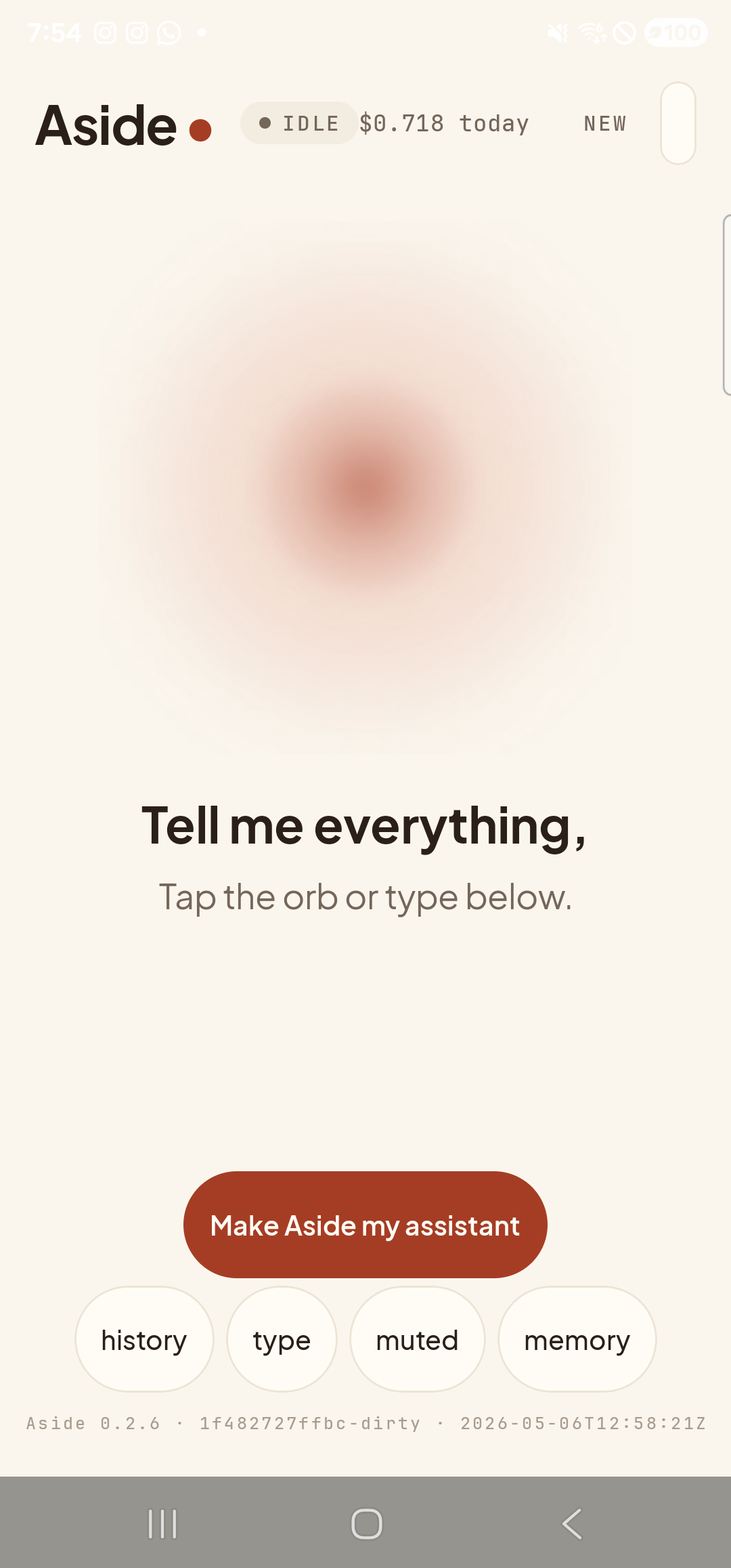
    The Aside main screen at idle on a Samsung Galaxy S23 Ultra. The status pill at the top reads ‘● IDLE’ with the cost counter ‘$0.621 today’ beside it. The orb is large, warm-paper colored, and slowly breathing in the center. Beneath the orb, in large bold type: ‘Tell me everything,’. Below that, in lighter type: ‘Tap the orb or type below.’. Near the bottom is a clay-colored ‘Make Aside my assistant’ button. Below that, a row of four mono pills: ‘history’, ‘type’, ‘muted’, ‘memory’. The build-identity stamp sits at the very bottom of the screen.
    The starting state. The type pill in the bottom row is the one we’re after.
  2. Tap the “type” pill

    The type pill is the second one from the left in the bottom row. Tap it once. The screen rearranges — the orb compresses upward, a chat-style text field slides in along the bottom of the screen, and the keyboard rises. The pill itself renames to voice so you can switch back at any time.

    Tap the type pill at the bottom of the screen.
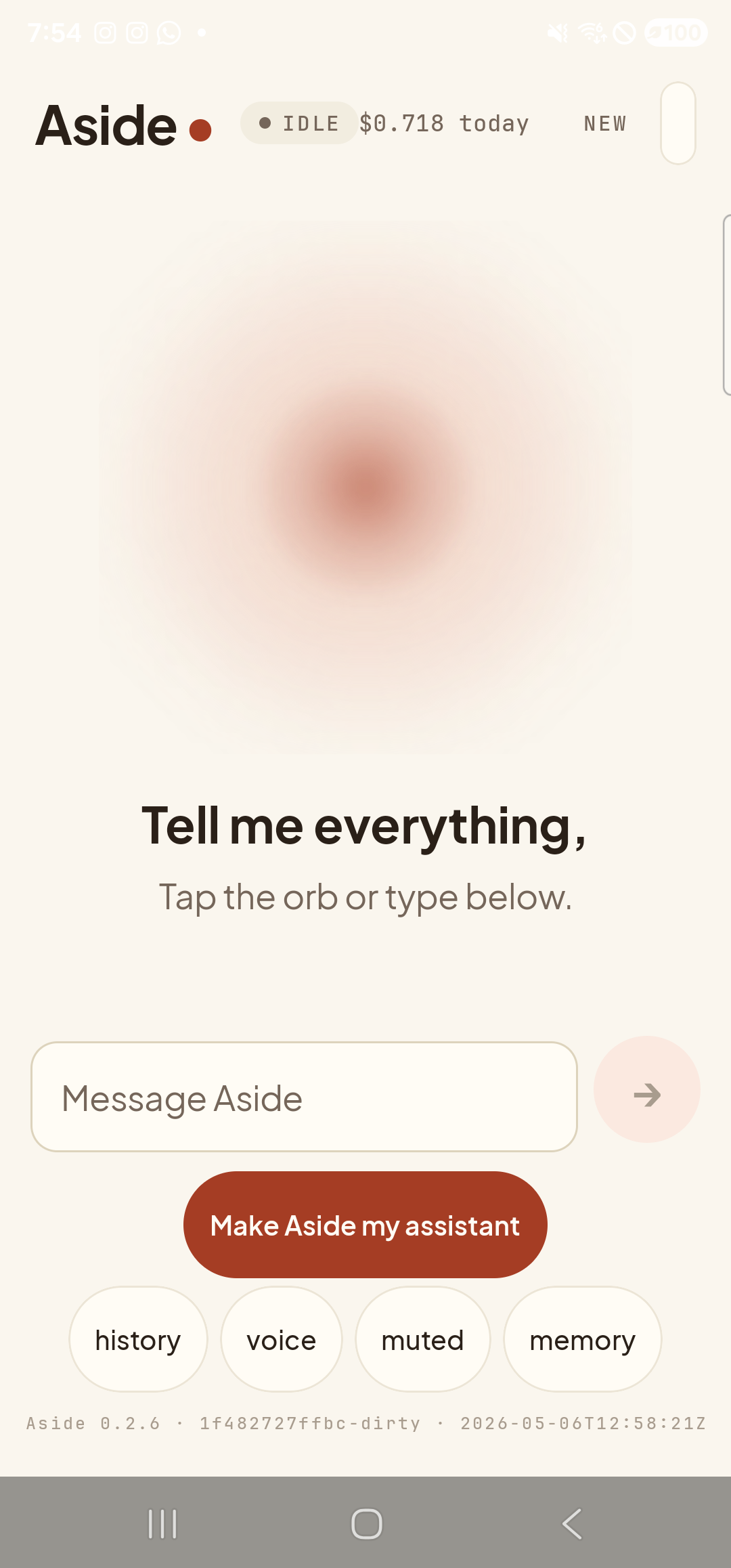
    The Aside main screen in text-input mode. The orb is unchanged at the top, with the captions ‘Tell me everything,’ and ‘Tap the orb or type below.’ still in place. Above the ‘Make Aside my assistant’ button is a new chat-style outlined text field with the placeholder ‘Message Aside’ on the left and a small muted Send button (a right-arrow inside a circle) on the right. The soft keyboard has not yet risen — that happens once the field is focused. The bottom pill row is still visible: ‘history’, ‘voice’, ‘muted’, ‘memory’ — the second pill has renamed itself from ‘type’ to ‘voice’ because text-mode is active.
    Text mode. The keyboard is up and the chat field is ready.
  3. Type your request

    Type whatever you want to ask — short or long, full sentences or fragments. Aside reads typed input the same way it reads spoken input, so you don’t need to speak in “commands.” Plain language is fine. The text field grows up to four lines tall before scrolling.
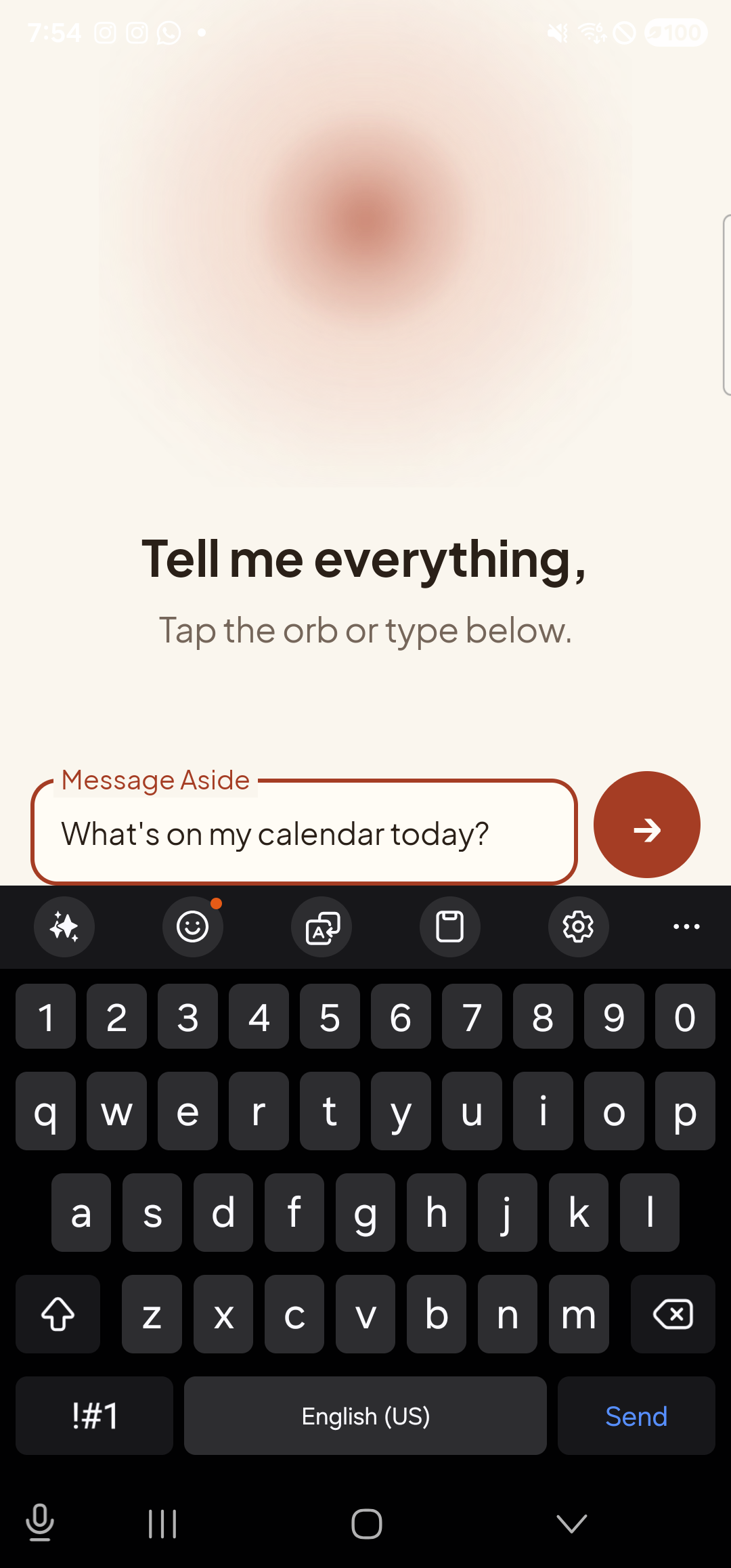
    The Aside main screen with text typed into the chat field. The text field, now floating above the soft Gboard keyboard, holds the line ‘What’s on my calendar today?’ with the field label ‘Message Aside’ now sitting as a small clay-colored caption above it. The Send button on the right of the field has gone from muted to fully saturated clay-red with a white right-arrow, indicating the field is non-empty and ready to submit. The captions ‘Tell me everything,’ and ‘Tap the orb or type below.’ are visible just above the field, and a slice of the orb peeks in at the very top.
    The typed message sits in the field. The Send button is active — clay-red instead of muted.
  4. Send and see the reply

    Tap the red Send button on the right of the text field. Aside processes the request the same way it would a spoken one — orb shifts to thinking, then to a quiet replying state, and the chat history bottom-sheet slides up to show the answer. Because you typed instead of spoke, the spoken-audio reply is suppressed by default; the reply lands as text only.
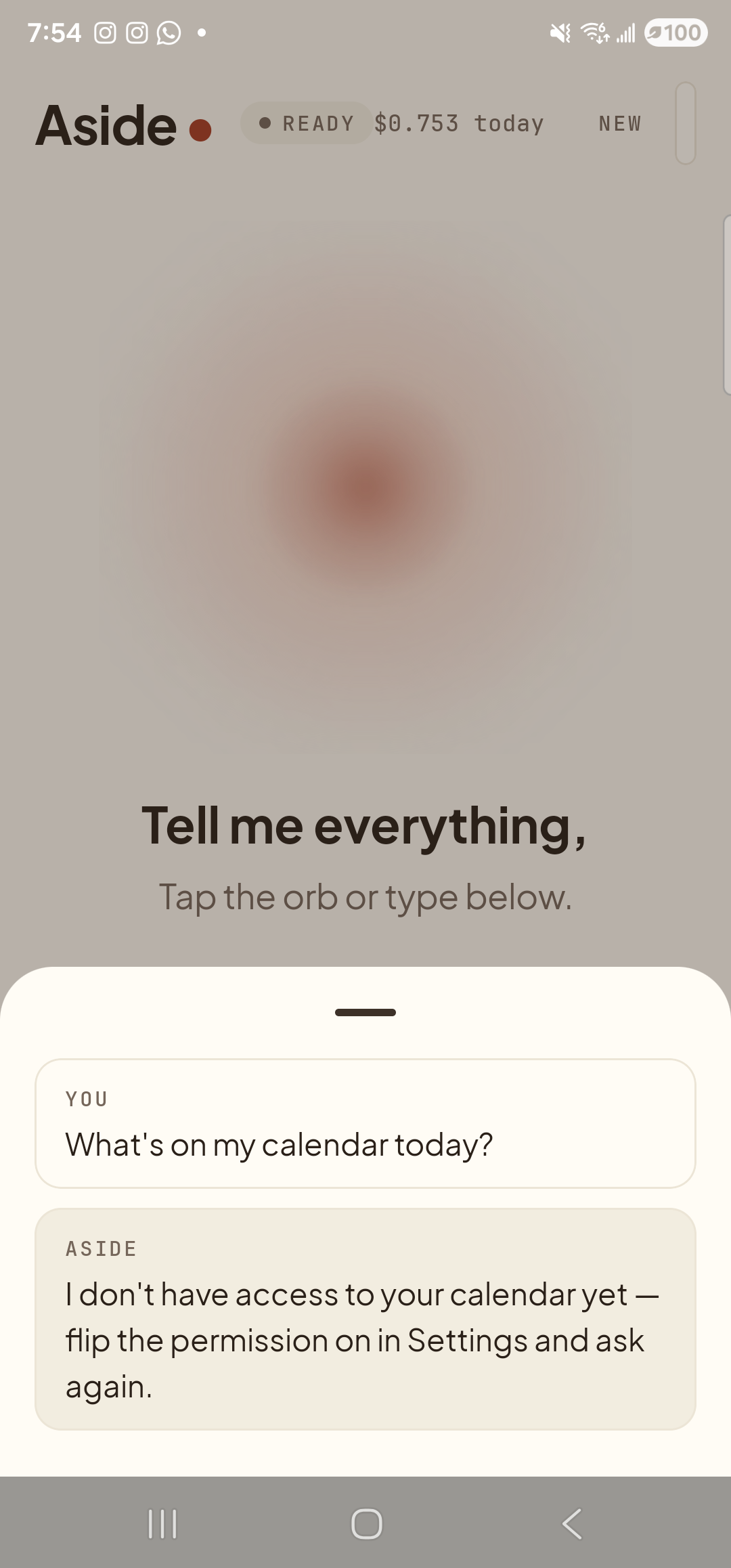
    The Aside main screen with the chat history bottom sheet showing the result of the typed turn. The status pill at the top reads ‘● READY’ and the cost counter has incremented to ‘$0.753 today’. Inside the bottom sheet are two stacked entries: a small mono label ‘YOU’ above the line ‘What’s on my calendar today?’; and a label ‘ASIDE’ above the reply ‘I don’t have access to your calendar yet — flip the permission on in Settings and ask again.’ (this device hasn’t granted the calendar permission yet, so Aside reports back honestly instead of inventing events). Behind the scrim, the orb is dimmed at its calm idle shape with the captions ‘Tell me everything,’ and ‘Tap the orb or type below.’ still partially visible above the sheet.
    The reply lands as text in the chat history. The text field is empty again, ready for the next message.
  5. Switch back to voice when you’re ready

    Tap the pill (now labeled voice) to dismiss the keyboard and put the orb back in center stage. Or just close the app — next time you open Aside, it remembers whichever mode you used last so you don’t have to reset it.
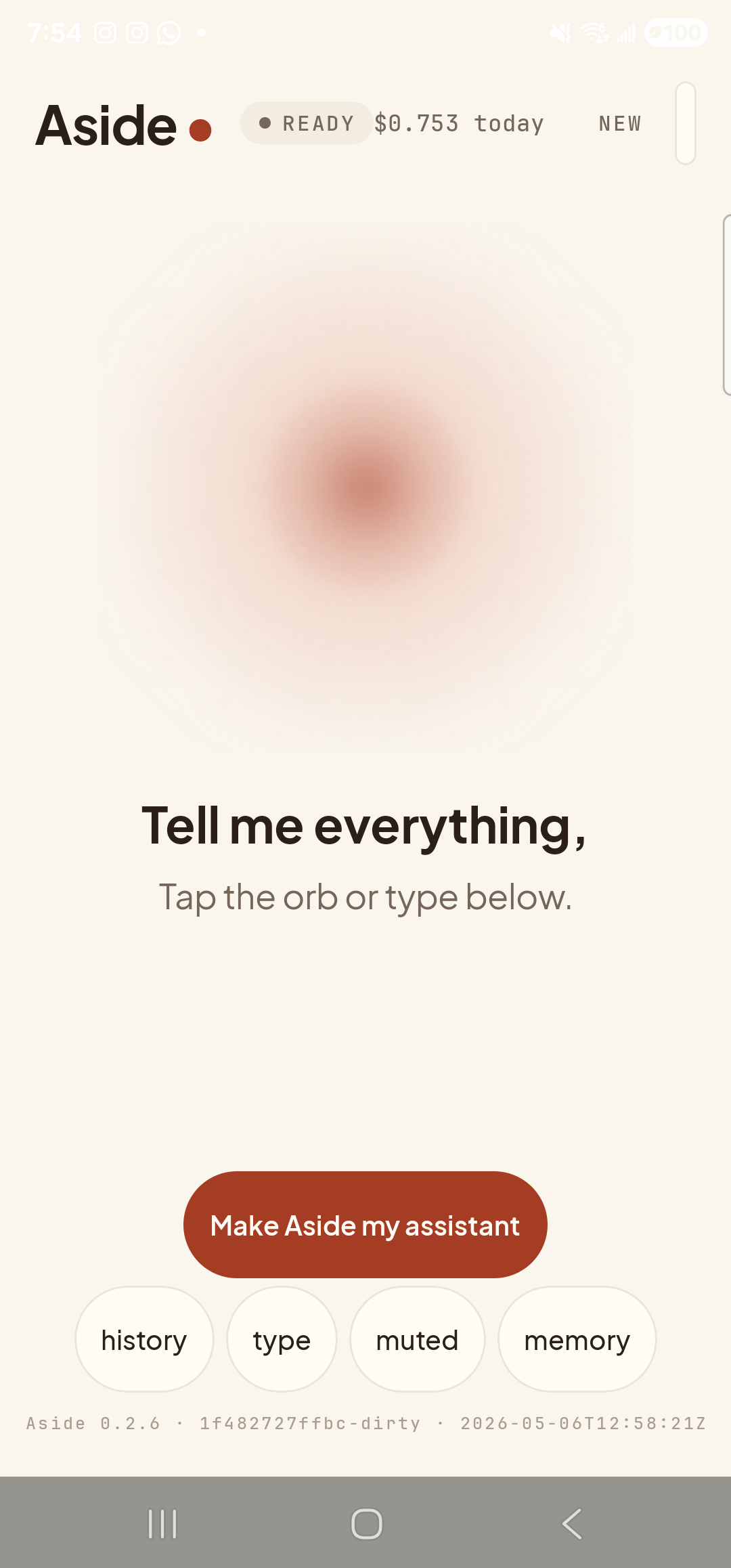
    The Aside main screen back in voice mode after toggling. The keyboard is dismissed; the chat field is gone. The orb has expanded to fill the center of the screen again. The status pill reads ‘● READY’ with cost ‘$0.753 today’ alongside, and the captions ‘Tell me everything,’ and ‘Tap the orb or type below.’ are back in place beneath the orb. The ‘Make Aside my assistant’ button is visible again, and the bottom pill row reads ‘history’, ‘type’, ‘muted’, ‘memory’ — the second pill has renamed itself back from ‘voice’ to ‘type’.
    Back in voice mode. The orb is center stage again.
Mix and match in the same session. You can flip between voice and text as often as you like — the conversation continues across modes. Aside’s memory of what you asked and what it answered is the same in both.
Want the spoken reply too? Tap the muted pill in the bottom row to toggle on spoken replies even for typed turns. The pill renames itself once you do.