How-to guide · Media & capture Open the camera

Actionopen_camera
Audience Motor Vision
Time Under 5 seconds
Permissions None for the launch — the camera app handles its own camera permission
What this is: A spoken or typed request that opens your phone’s default camera app in still-image mode on the rear lens — without finding the camera icon, without picking from a clutter of recently-used apps, and without aiming a tap at any small target. Useful when something is happening in front of you and you don’t want to waste seconds finding the right shortcut.
Try it now

Open Aside on your phone, then say or type:

“Open the camera.”

Aside confirms in the chat history and the camera app comes to the foreground. You take the photo as normal — Aside doesn’t press the shutter for you.

Step by step

  1. Open Aside

    Tap the Aside icon, or trigger your assist gesture if you’ve set Aside as your default assistant. Aside opens to the orb in its idle state — calm, slowly breathing — with the prompt “Tell me everything,” beneath it.
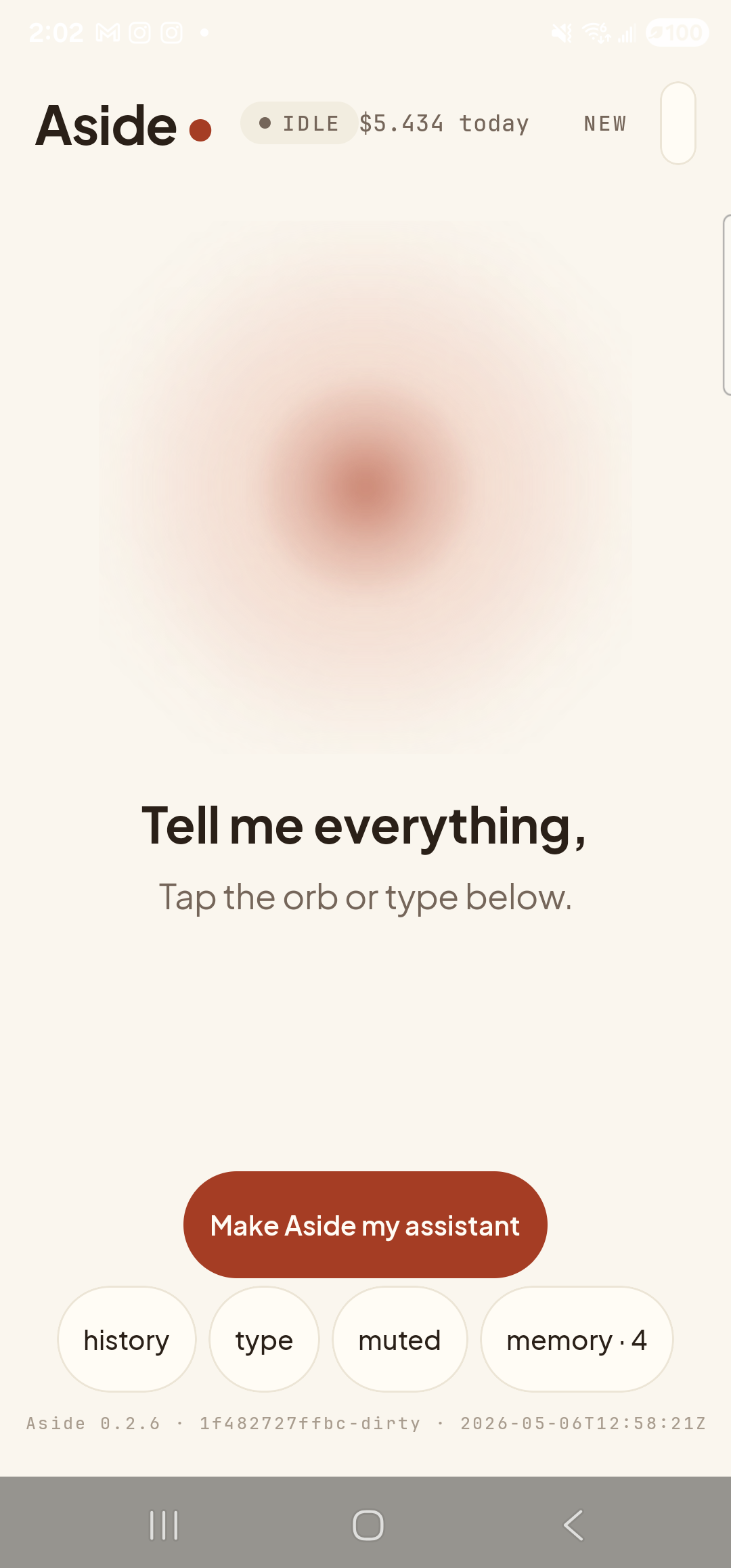
    The Aside main screen at idle on a Samsung Galaxy S23 Ultra. Across the top: the word ‘Aside’ with a red dot, a small mono status pill reading ‘● IDLE’, the cost counter ‘$5.434 today’, and a ‘NEW’ link top-right. Centered in the screen is a large warm-paper-colored orb with a soft brown core, slowly breathing. Below the orb, in large bold type: ‘Tell me everything,’. Below that, in lighter type: ‘Tap the orb or type below.’. Near the bottom is a clay-colored pill button reading ‘Make Aside my assistant’ and a row of four mono pills: ‘history’, ‘type’, ‘muted’, ‘memory · 4’. The build-stamp footer reads ‘Aside 0.2.6 · 1f482727ffbc-dirty · 2026-05-06T12:58:21Z’.
    Aside open at idle. The orb breathes; nothing else is happening.
  2. Say or type the request

    Hold the orb and say “Open the camera,” or tap the type pill at the bottom and key the same phrase in. Phrasing is forgiving — “launch the camera,” “take a picture,” and “camera please” all map to the same action.

    Open the camera.
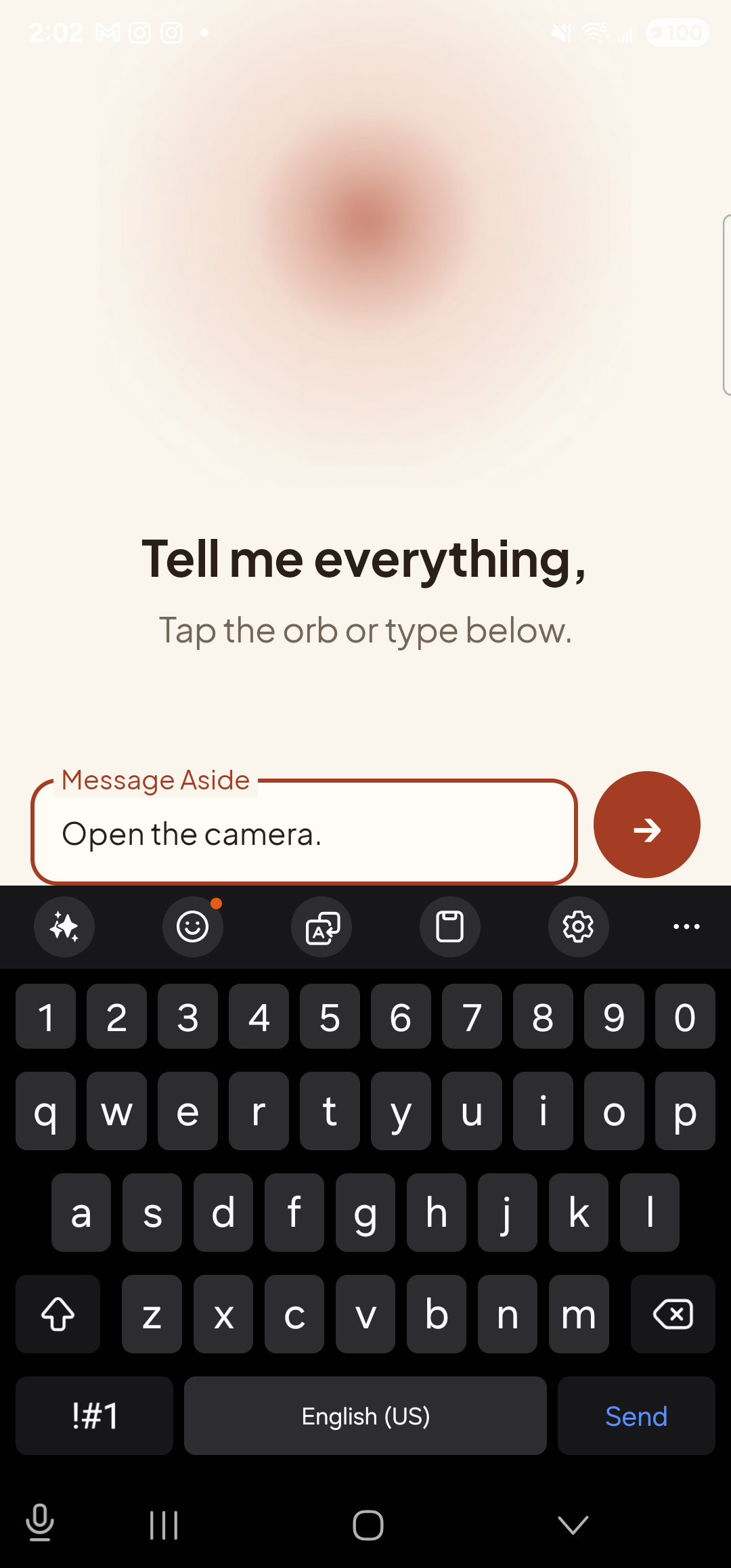
    The Aside main screen with text-input mode active. The bottom of the screen now shows an outlined text field labeled ‘Message Aside’ with the typed sentence ‘Open the camera.’ inside it. To the right of the text field is a clay-red circular Send button with a paper-plane glyph. The orb is still visible in the upper portion of the screen, in its idle state.
    The phrase typed into the chat input, ready to send.
  3. See Aside confirm

    Aside replies with a short spoken acknowledgement and an action note chip showing the camera launch. The chat history sheet slides up so you can read the confirmation; behind it the camera app is already coming up.
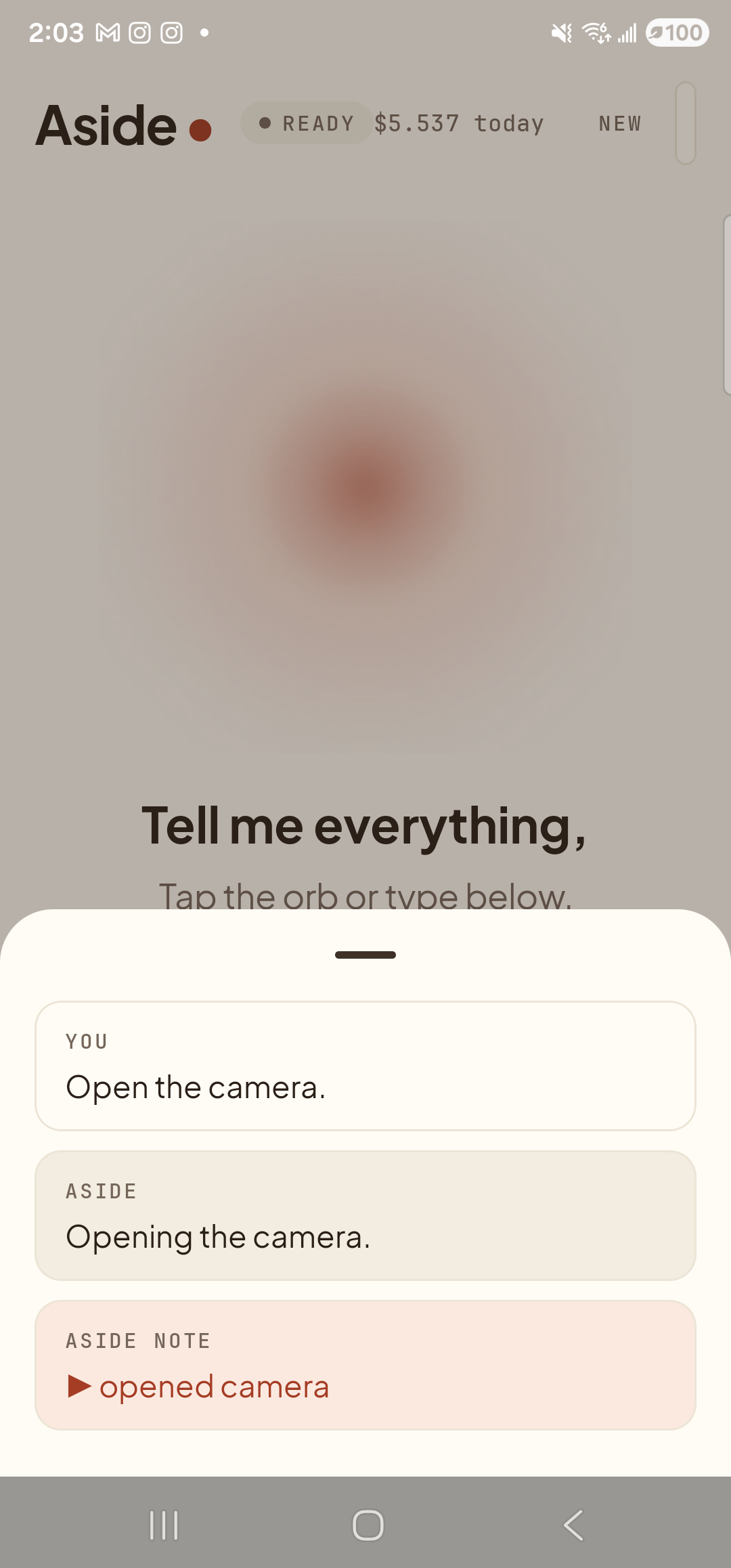
    The Aside main screen with the chat history bottom sheet covering the lower half of the screen. The status pill at the top reads ‘● READY’ and the cost counter shows ‘$5.537 today’. Behind a slight scrim the dimmed orb and the words ‘Tell me everything,’ are still partly visible. Inside the bottom sheet are three stacked entries: a small mono label ‘YOU’ above the line ‘Open the camera.’; a label ‘ASIDE’ above the line ‘Opening the camera.’; and a clay-tinted ‘ASIDE NOTE’ chip showing ‘▶ opened camera’ — the explicit action marker.
    Aside confirms on screen and aloud. The action chip names the launch.
  4. Camera opens, ready for you to shoot

    Your phone’s default camera app comes to the foreground in still-image mode on the rear-facing lens, with a live viewfinder filling the screen and the standard shutter and mode controls along the bottom. Frame the shot, tap the shutter, take the photo. Aside doesn’t auto-snap — that decision is yours.
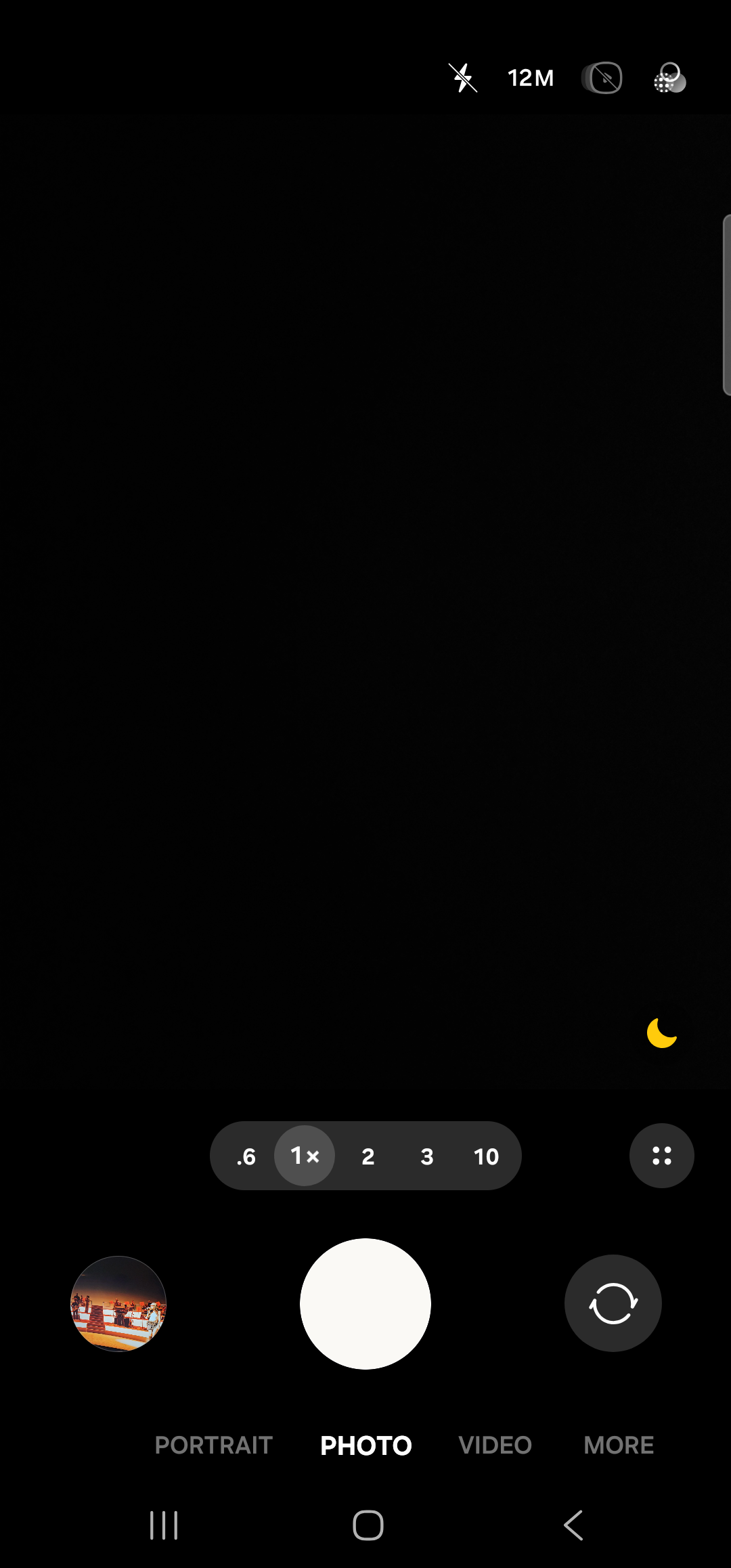
    The Samsung default camera app foregrounded, in still-image mode on the rear lens. The viewfinder fills the screen, almost entirely black because the lens is covered. Across the top right are the flash icon, a ‘12M’ resolution badge, an aspect-ratio toggle, and a settings cog. Near the lower-right corner of the viewfinder is a small crescent-moon scene-mode icon. Below the viewfinder a horizontal row of zoom chips reads ‘.6  1×  2  3  10’, with 1× selected. Below that, the standard camera control row: a thumbnail of the most recent photo on the left, a large white shutter button in the center, and a camera-flip icon on the right. Beneath the controls a row of mode tabs reads ‘PORTRAIT  PHOTO  VIDEO  MORE’, with PHOTO highlighted. The Samsung 3-button nav sits at the very bottom.
    The camera app open in still mode on the rear lens. You take the picture.
Want the front lens for a selfie? Use Take a selfie instead — Aside opens the camera with the front-facing lens already active.
Note: If the camera app prompts for camera or storage permission the very first time, that’s the camera app asking, not Aside. Approve as you would normally; Aside doesn’t mediate that dialog.