How-to guide · Memory tab Review what Aside recently learned
Tell Aside something innocuous and watch it land in the review section:
After Aside replies, open the Memory tab. Within a few seconds the new candidate appears at the top. Tap Keep to promote it into About you, or Forget to throw it away.
Step by step
-
Say something memorable in conversation
You don’t need to say the word remember — that’s for facts you want saved straight into active memory. For candidates, just talk. Anything that sounds like a fact about you, a person, or a routine becomes eligible for review. A safe first try is something innocuous like a favorite season or a fictional pet’s name; you can always Forget it after.
My favorite season is autumn.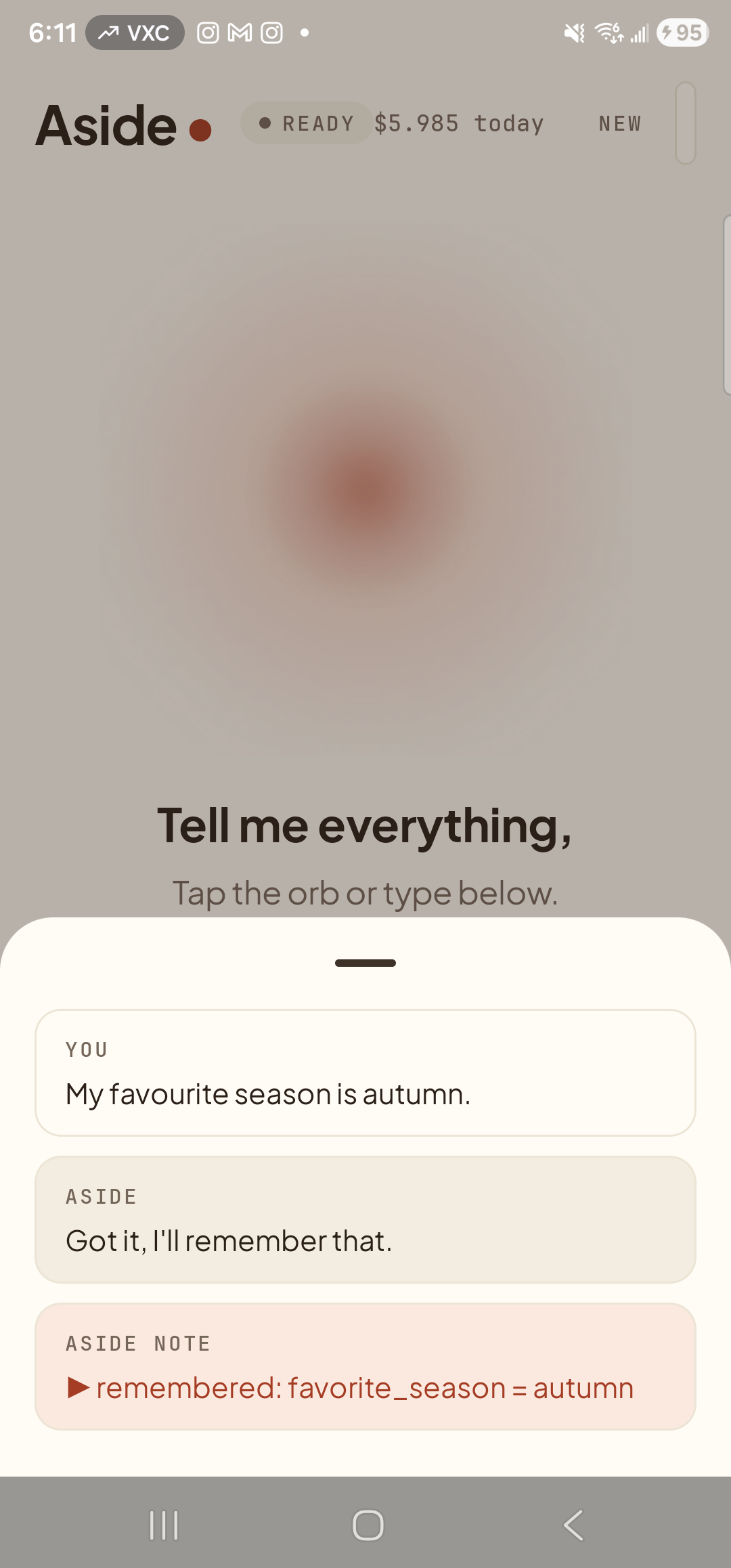
You said something fact-shaped. Aside replied normally. Behind the scenes, Aside is extracting it as a candidate. -
Open the Memory tab
Dismiss the chat history (press Back) and tap the memory pill at the bottom-right of the screen. If a candidate is waiting, the pill itself shows a quiet accent-colored emphasis; the bottom sheet that slides up has a brand-new section pinned at the very top called RECENTLY LEARNED · REVIEW.
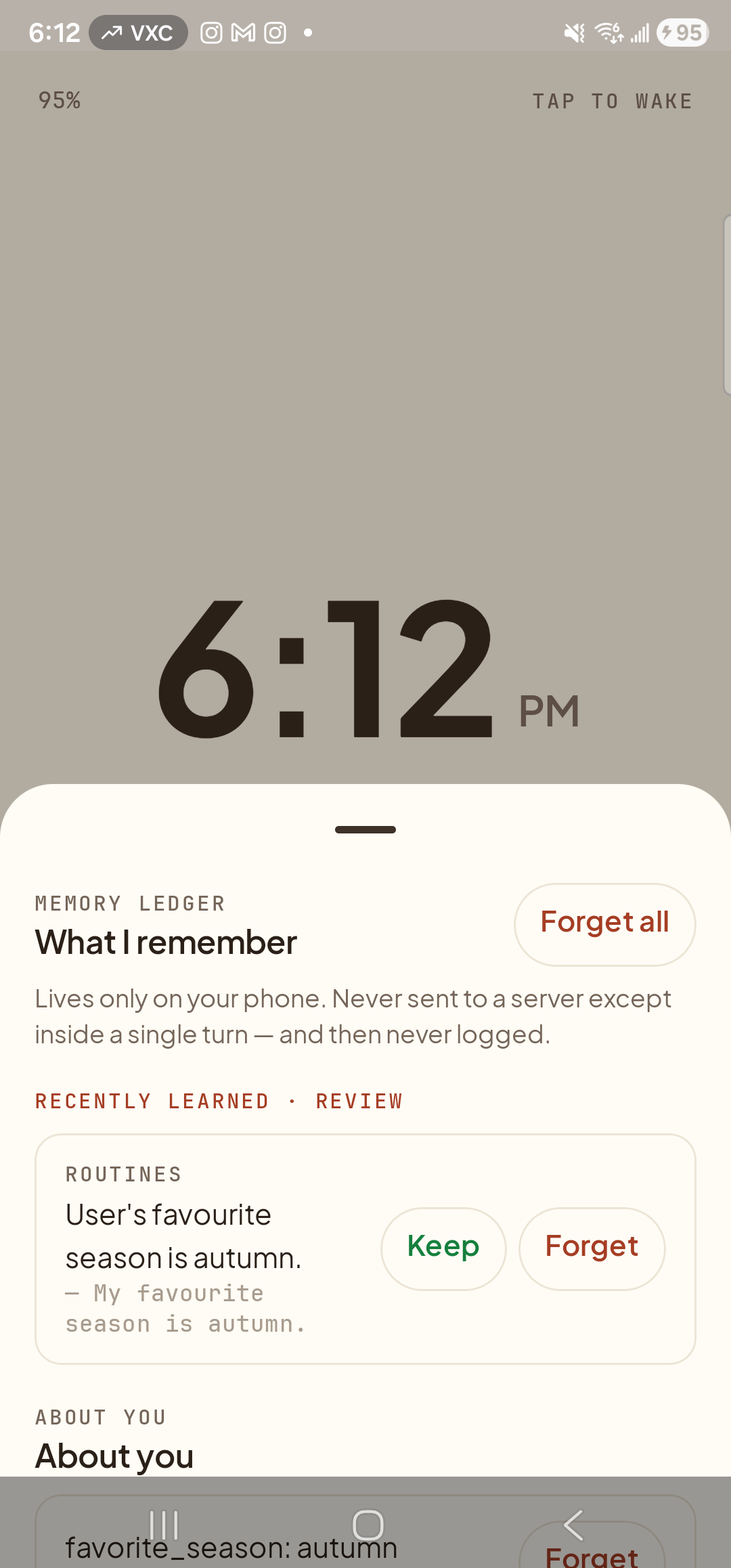
The candidate is waiting at the top of the Memory tab with two buttons: Keep and Forget. -
Tap ‘Keep’ to promote it
Tap the Keep button on the candidate row. The row leaves the RECENTLY LEARNED · REVIEW section instantly and reappears under About you, where it will be included in the small slice of memory shipped on every future turn. The phone plays a quiet “memory updated” chime so you have a non-visual confirmation it landed.
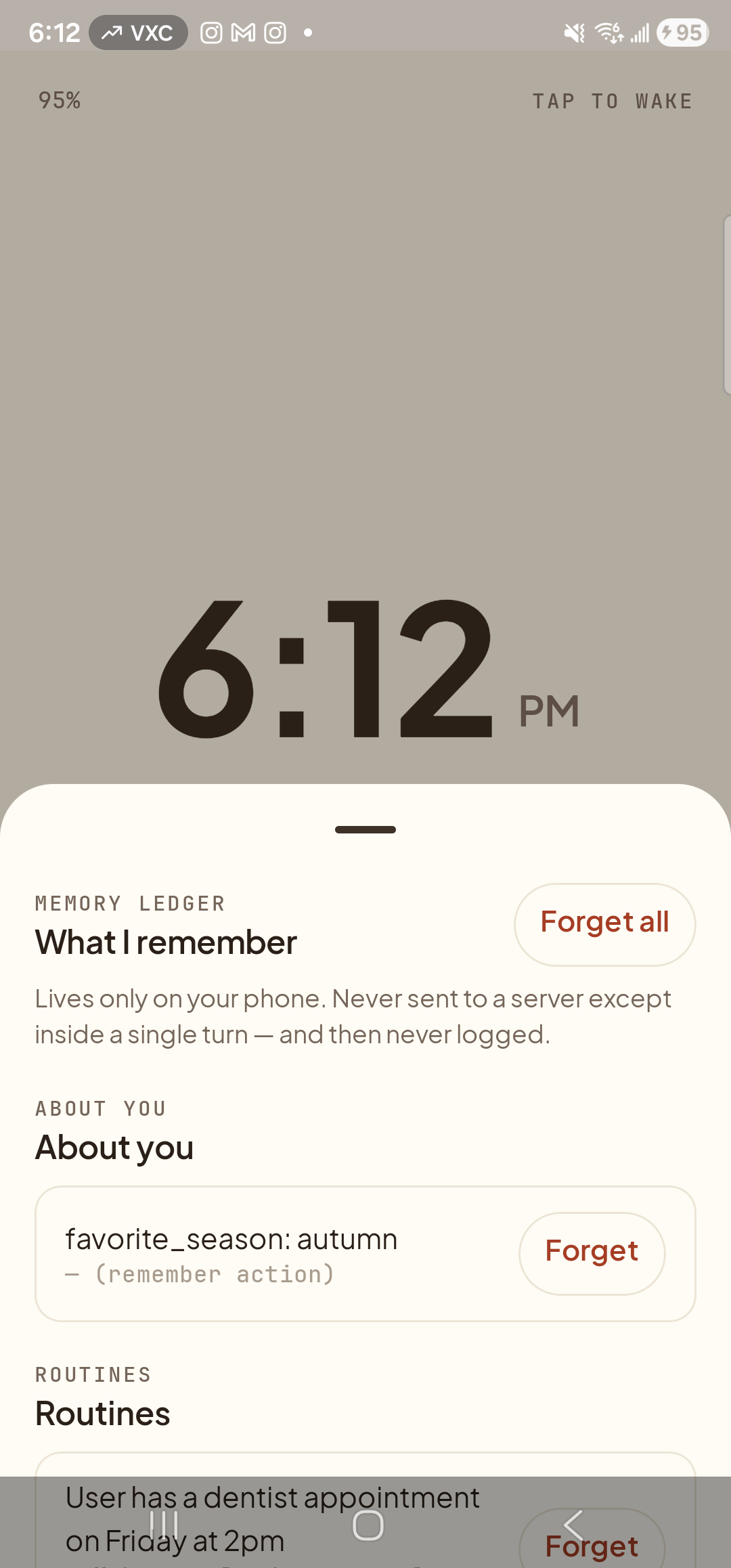
The candidate has moved into About you and lost its Keep button. Per-row Forget remains in case you change your mind. -
Or tap ‘Forget’ to throw it away
If a candidate isn’t something you want Aside to know, tap Forget on the row instead. The row vanishes immediately — nothing is saved, and Aside won’t suggest the same fact again unless you bring it up again later. You can Forget any saved fact at any time, candidate or not, with the per-row button described in the forget-a-single-row guide.
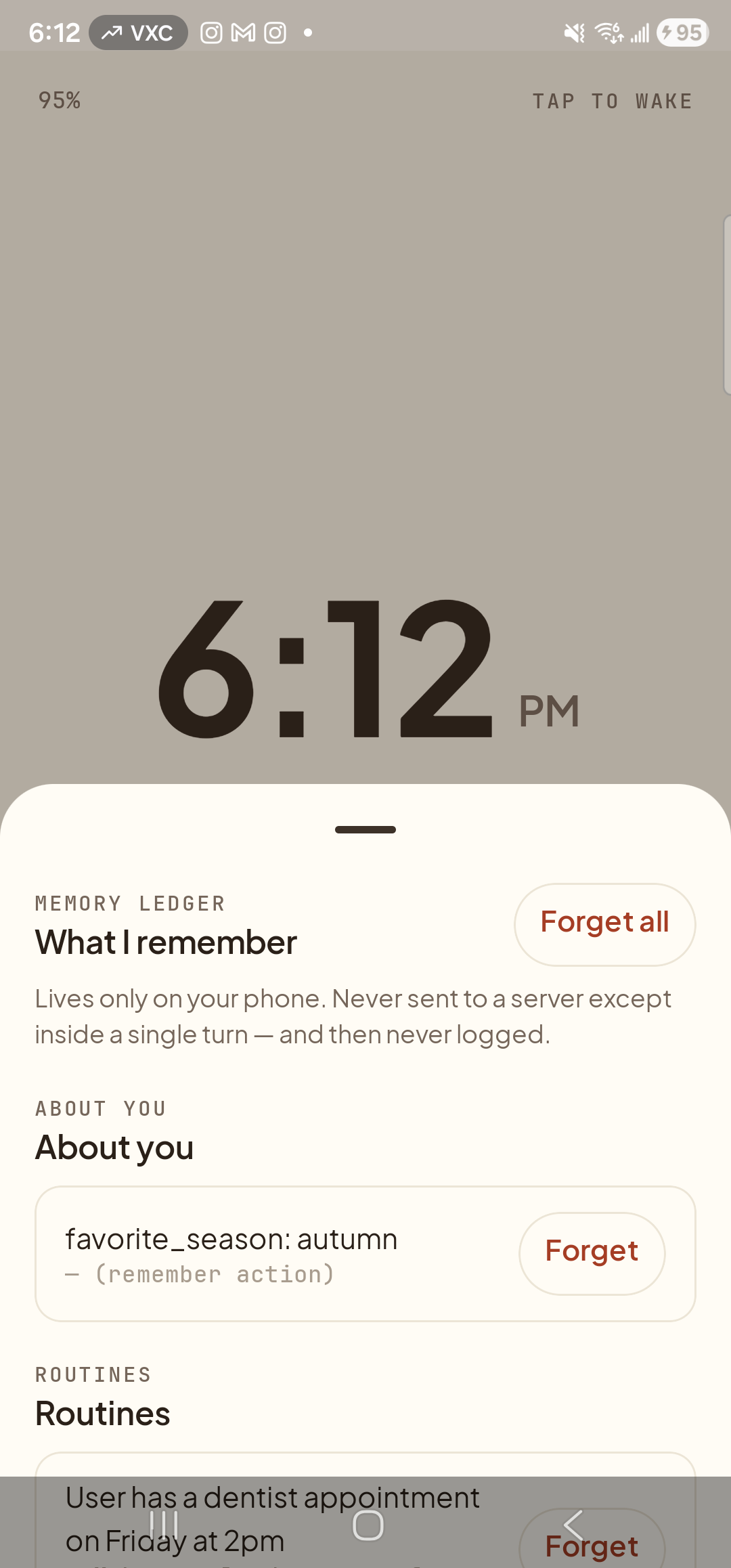
The review section disappears entirely when nothing is pending. New candidates from later conversations will repopulate it.