How-to guide · Voice & conversation Ask follow-up questions
Open Aside. Say or type:
Aside reads back today’s events. Now, without re-stating the topic, just say:
Aside understands you’re still asking about the calendar — it answers with tomorrow’s schedule, no extra words required.
Step by step
-
Open Aside at idle
Open Aside. The orb breathes calmly. The status pill reads IDLE. There’s nothing in the chat history yet for this session — the bottom-sheet history pill at the foot of the screen is empty until your first turn.
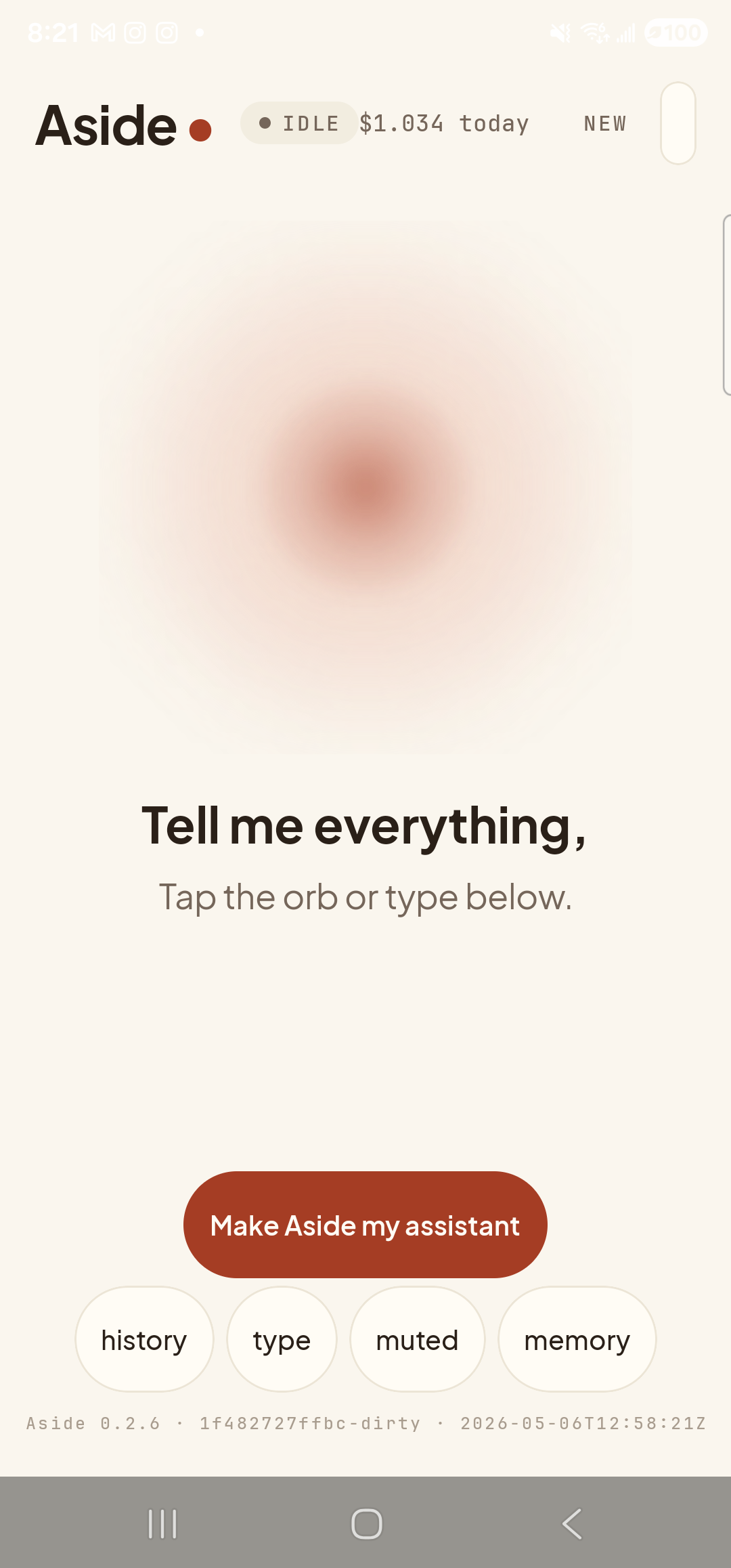
Fresh session. The history bottom-sheet has nothing in it yet. -
Ask the first question
Tap the orb to speak (or tap type to type) and ask anything that has natural follow-ups — calendar items, weather over multiple days, lists of things, comparisons. Aside answers normally and the chat history grows by one pair of messages.
What’s on my calendar today?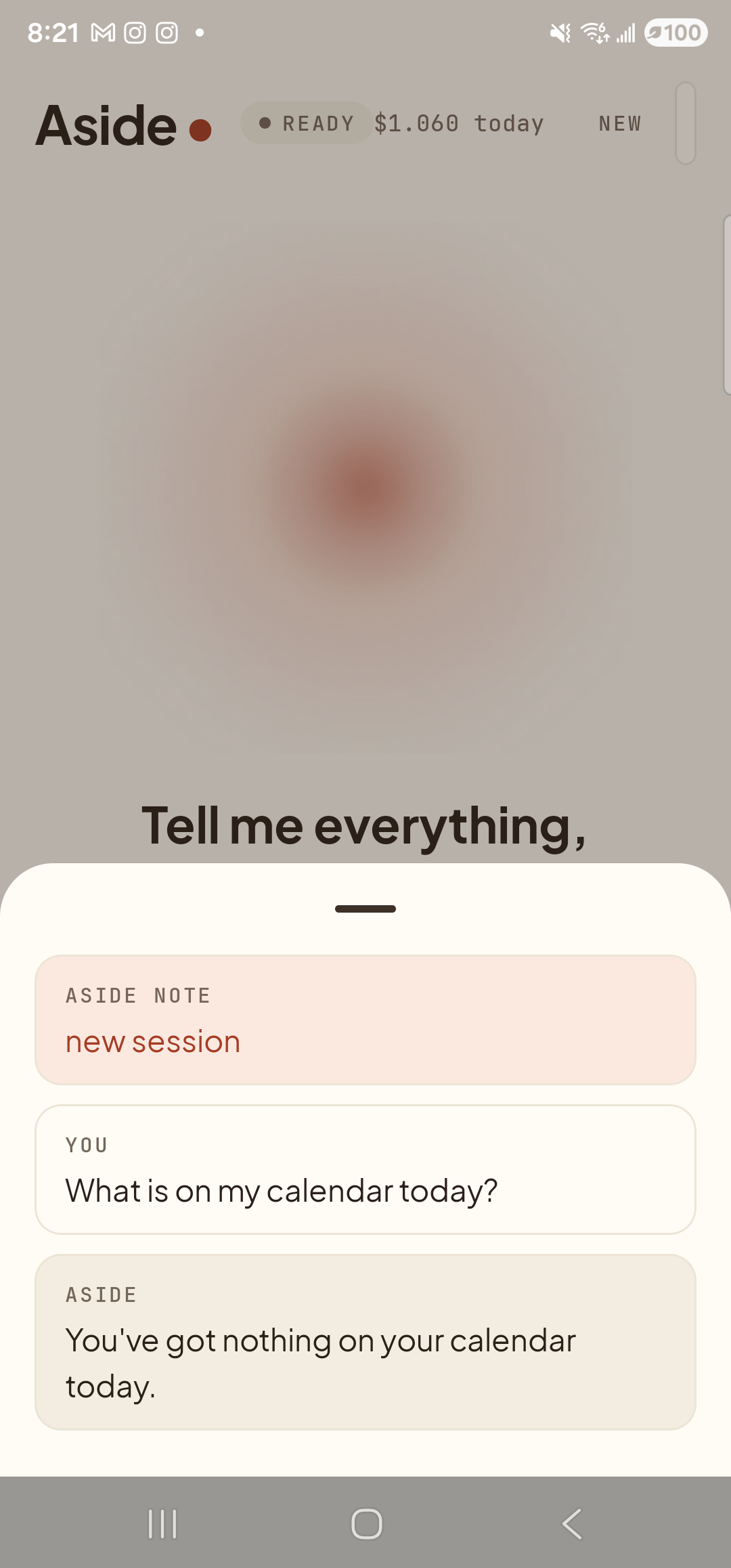
First turn complete. Aside has read today’s calendar from your phone’s context. -
Ask a follow-up that depends on the previous answer
Now ask the follow-up. The trick is to say it the way you would to a person who already knows what you’re talking about — “and tomorrow?”, “what about Friday?”, “is that all?”. You do not need to repeat the word “calendar.” Aside knows.
What about tomorrow?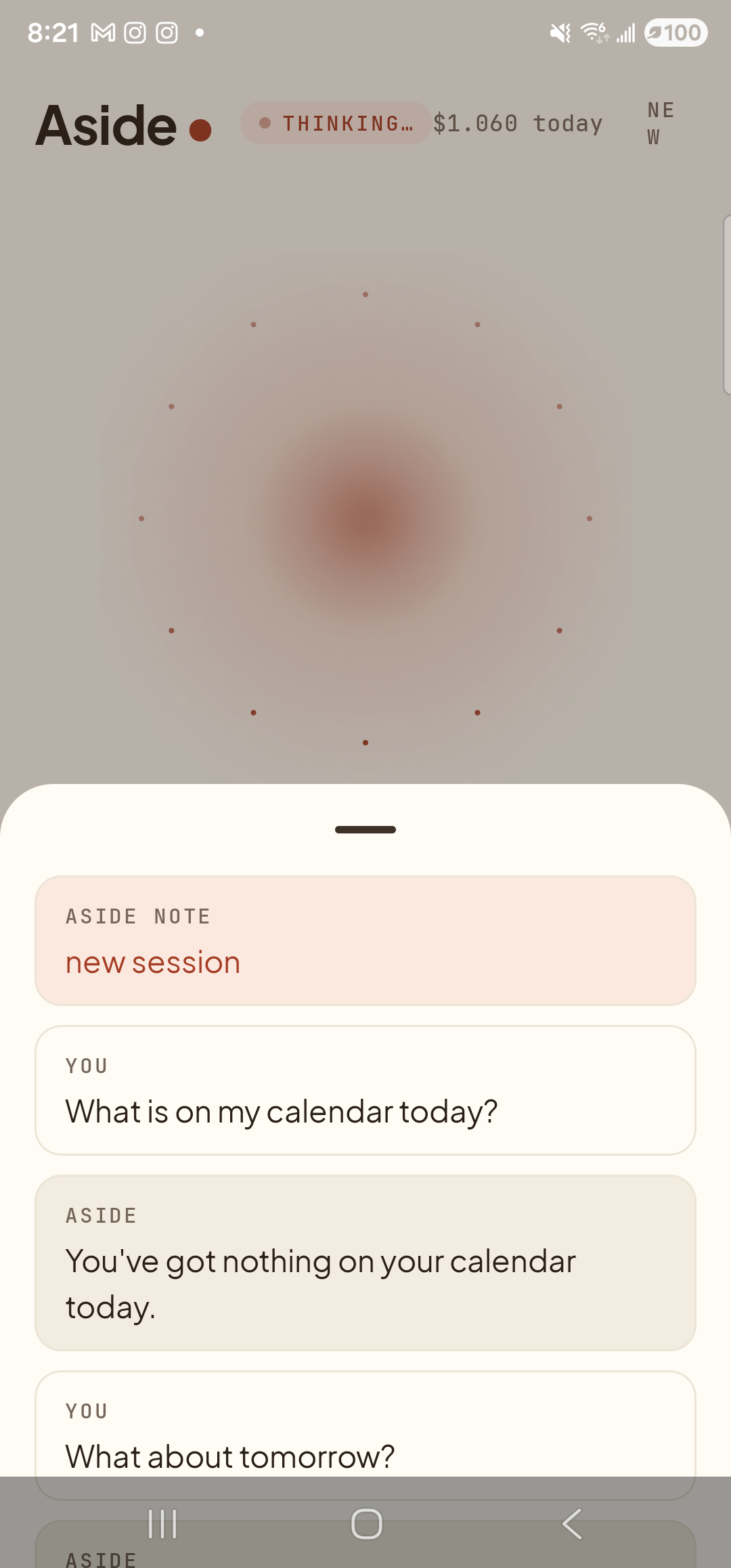
The follow-up sent. Aside is thinking with the previous turn still in context. -
See Aside use the context to answer
Aside’s reply ties back to the original topic without you ever saying the word calendar again. The history grows by one more pair. The orb returns to idle (or to listening, if you started in voice and continuous mode is on).
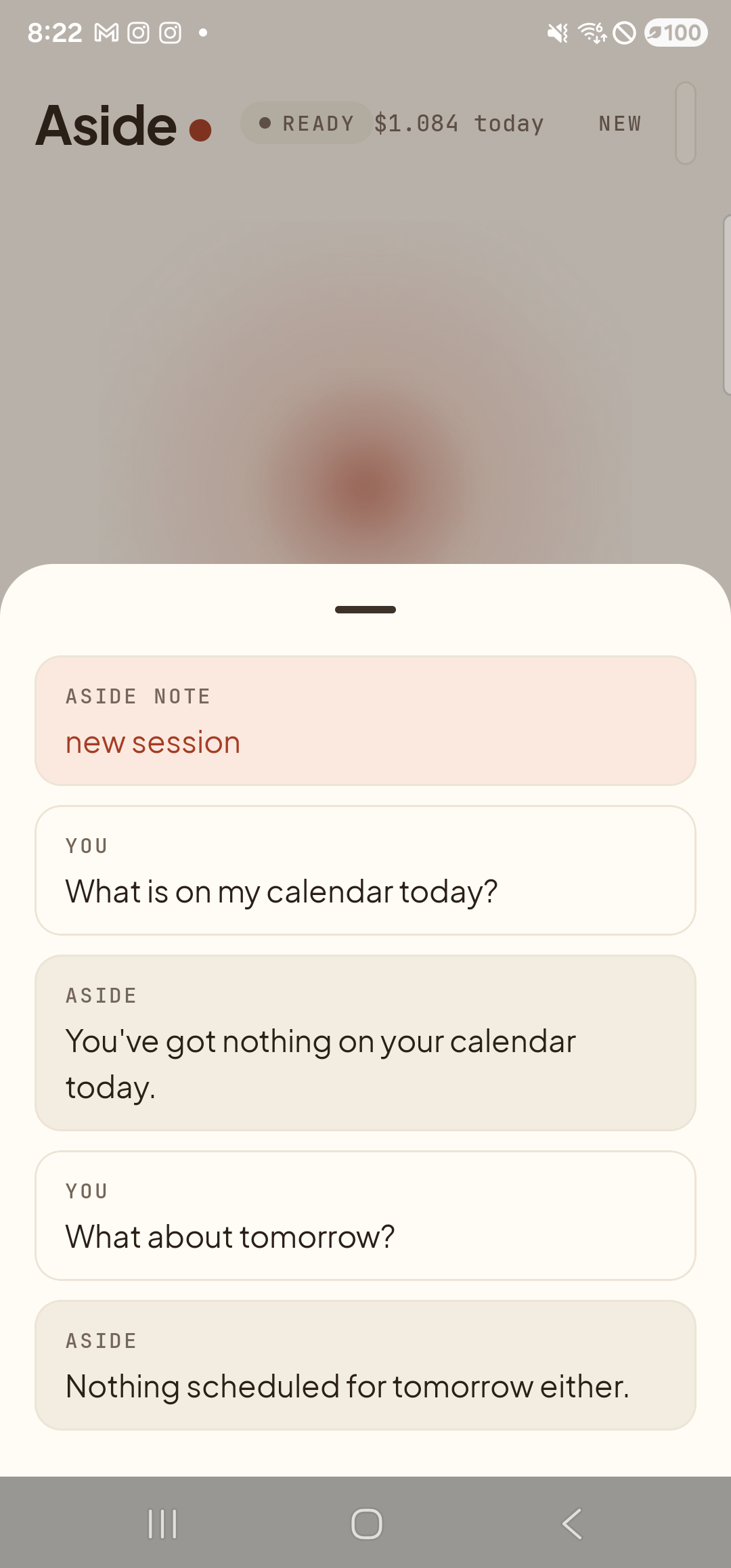
Two turns, one continuous thread. Notice the second reply never asks “tomorrow’s what?”